5
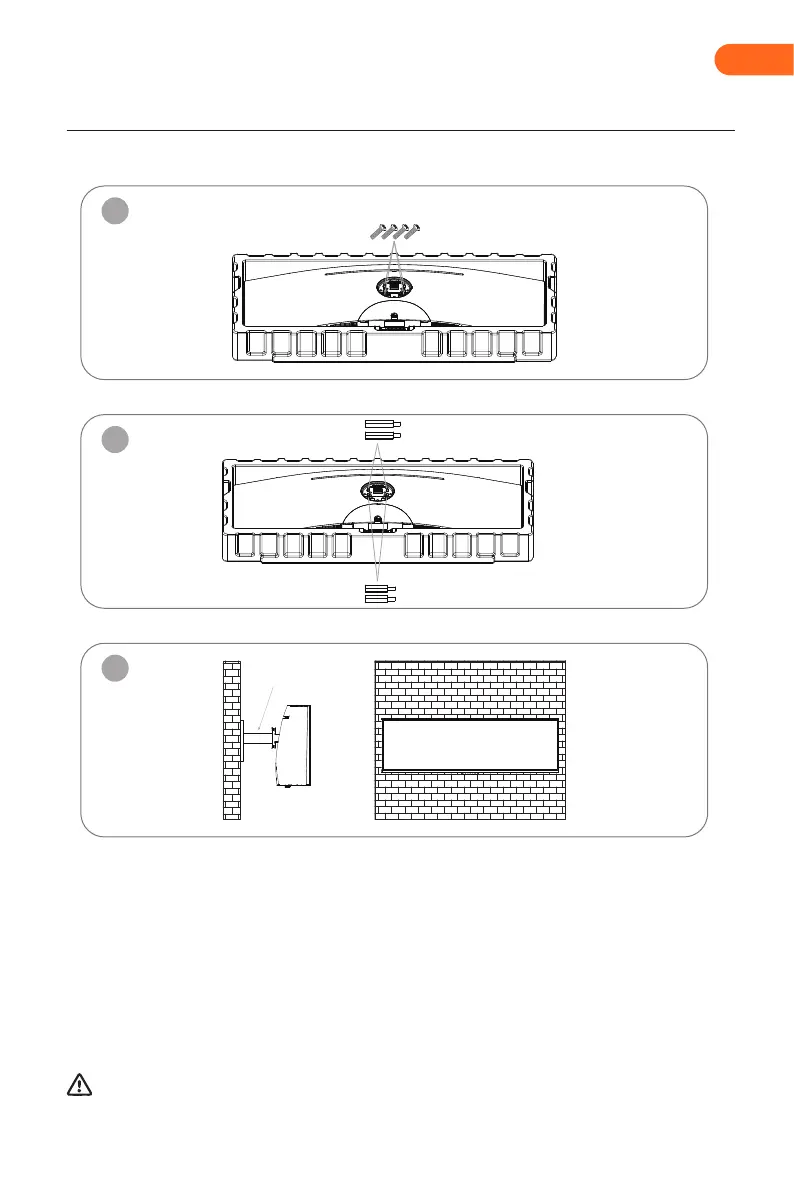
Remove the original screw x 4
Use the 35mm Mount screws x 2
Use the 17mm Mount screws x 2
Installation of mount
1
2
3
Notes: To prevent the monitor on the mount from failing, please install it firmly and protect it fully. Do not
place or hang any object on the mount, and the using height of the mount should be less than 2 meters.
During padlocking of the monitor, do not pinch the screen with the hands to avoid damaging the
screen. Install the mount to the mount stud by referring to the user manual of the mount (purchased
separately).
Tips: The mounting hole distance of the mount for the product is 75x75mm.
Mount (not included)
EN


 To Next Page