GB - 9
English
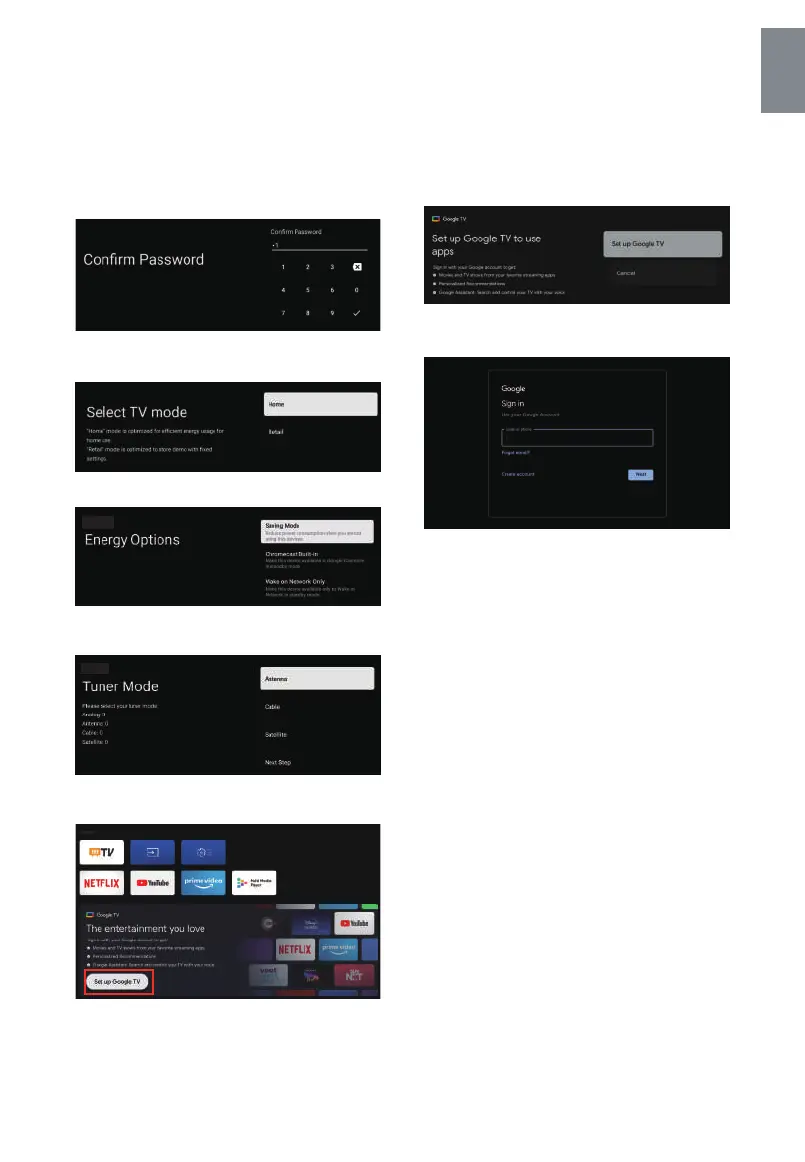
Confirm the password again and keep it consistent Use
the remote control to enter the password and complete
the password.
For selecting the mode, press ▲/▼ key to select Home
mode and press "Yes".
Select“Saving Mode” and proceed to the next step.
To select the Tuner mode for searching, press to select
and press OK to confirm.
• Once in the user interface, you can switch from basic
TV to Google TV settings
Press ▲/▼ to select the “Set up Google TV” of your
device and press OK to complete the setup.
Use your Google Account Sign in.
Follow the Google Guide.



 To Next Page