GB - 6
Connection Suggestions
*Please note that the configuration of the connection ports may vary from model to model.
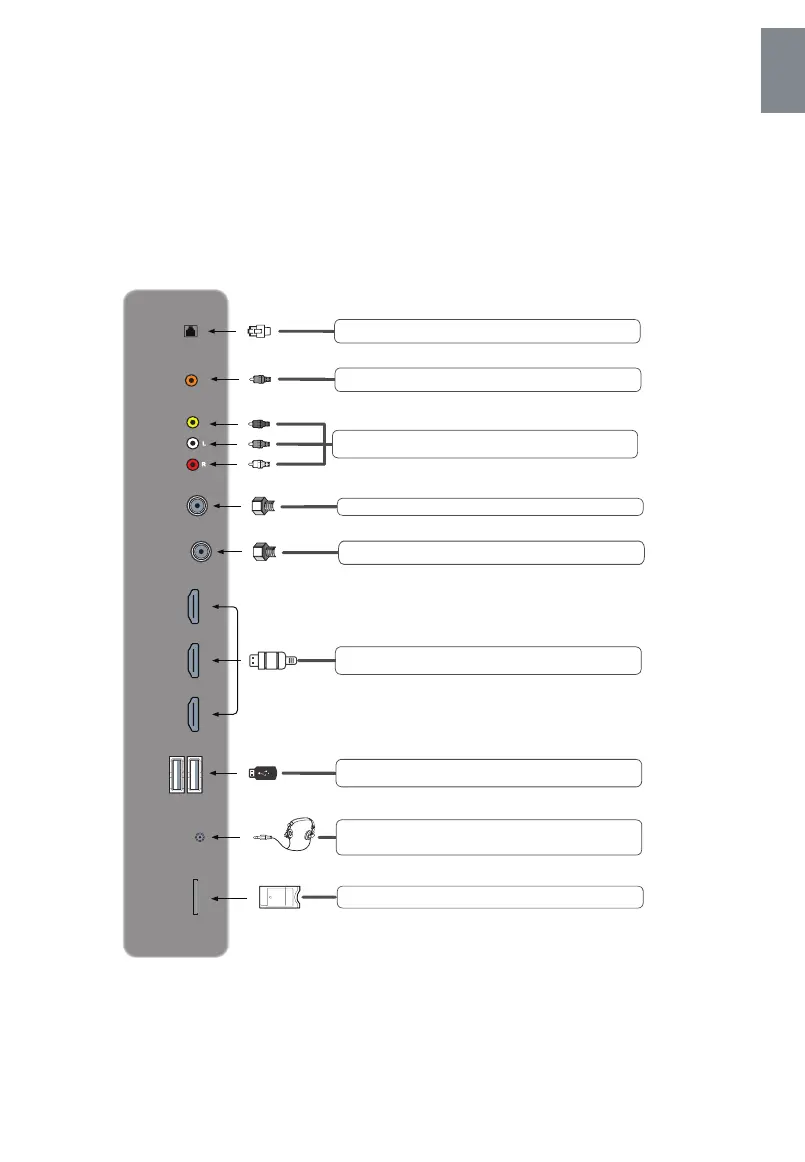
Terminal Interface
English
EARPHONE
OUT
Connects to 3-conductor (TRS) phone connector of earphone,
compatibility of earphone with 4-conductor (TRRS) phone
connector is not guaranteed.
VIDEO IN
AUDIO IN
Connects to the COMPOSITE VIDEO/AUDIO OUT ports of a DVD
Player, Cable Box or other compatible device.
Connect an external digital audio system.
COAX
RF(C/T2)
Connects to the ANTENNA, CABLE, or CABLE BOX.
Connects to the Network Cable.
RJ45
LNB IN
Connects to the ANTENNA, CABLE, or CABLE BOX.
CI
Common interface slot.
Connects to the HDMI OUT port of a DVD Player, Games Console,
Cable Box or other HDMI device.
HDMI 2
HDMI 1
HDMI 3
USB
USB Port, view pictures and listen to MP3s via a compatible USB
stick.



 To Next Page