GB - 5
TV Stand Installation
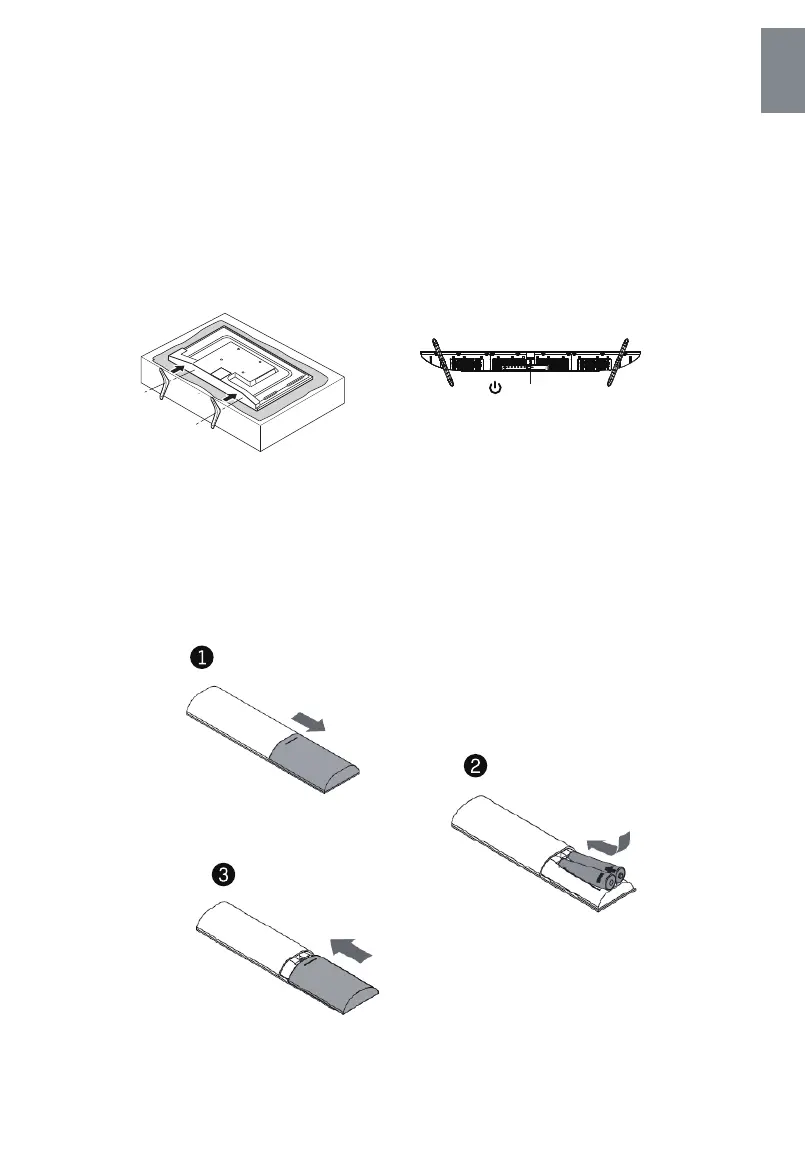
The TV is packaged with the TV stand separated from the cabinet. To setup the TV table stand, please
carry out the installation according to the instructions below.
1. The panel can be scratched easily, so please:
2. Take the base. Please align the screw holes of the base and the TV, and then insert the screws into
Place a soft cloth on the table and place the TV face down on the cloth.
Note: To ensure that the TV is stable, please lock all screws.
the holes on the base and tighten them.
The stand of some TV models is designed with snap-in type, easily installed by snapping
Power button
The bottom view of the TV
(Front cabinet faces down)
(The illustration is for reference only, Please prevail in kind)
Please take note of the base direction:
Note: Always unplug the AC cord first when installing/removing the stand.
Stand Installation Guide
Open the rear cover, insert 2pcs AAA/RO3, 1.5V batteries on correct polarity.
Note: Take out batteries if remote is not to be used in long time to avoid battery leakage.
Battery Installation
English



 To Next Page