2. Important note
In order to avoid unnecessary injury, please pay attention to the following information before using
this product.
• Do not turn on the device in areas where wireless devices are prohibited such as aircraft,
medical facilities marked no use of mobile phones and medical treatment near the device.
• Do not turn on the device where it may cause interference or danger. Such as gas stations, fuel
storage facilities, or chemicals plants.
• Use the original accessories. Do not use products that do not match.
• Find qualified maintenance personnel to repair the equipment.
• When connecting other devices, refer to the connection method provided in the user manual. Do
not connect devices that do not match with other devices.
3. The battery
The battery in the upper right corner of the screen shows the battery level or charging status. You
can also choose to display the percentage of battery power.
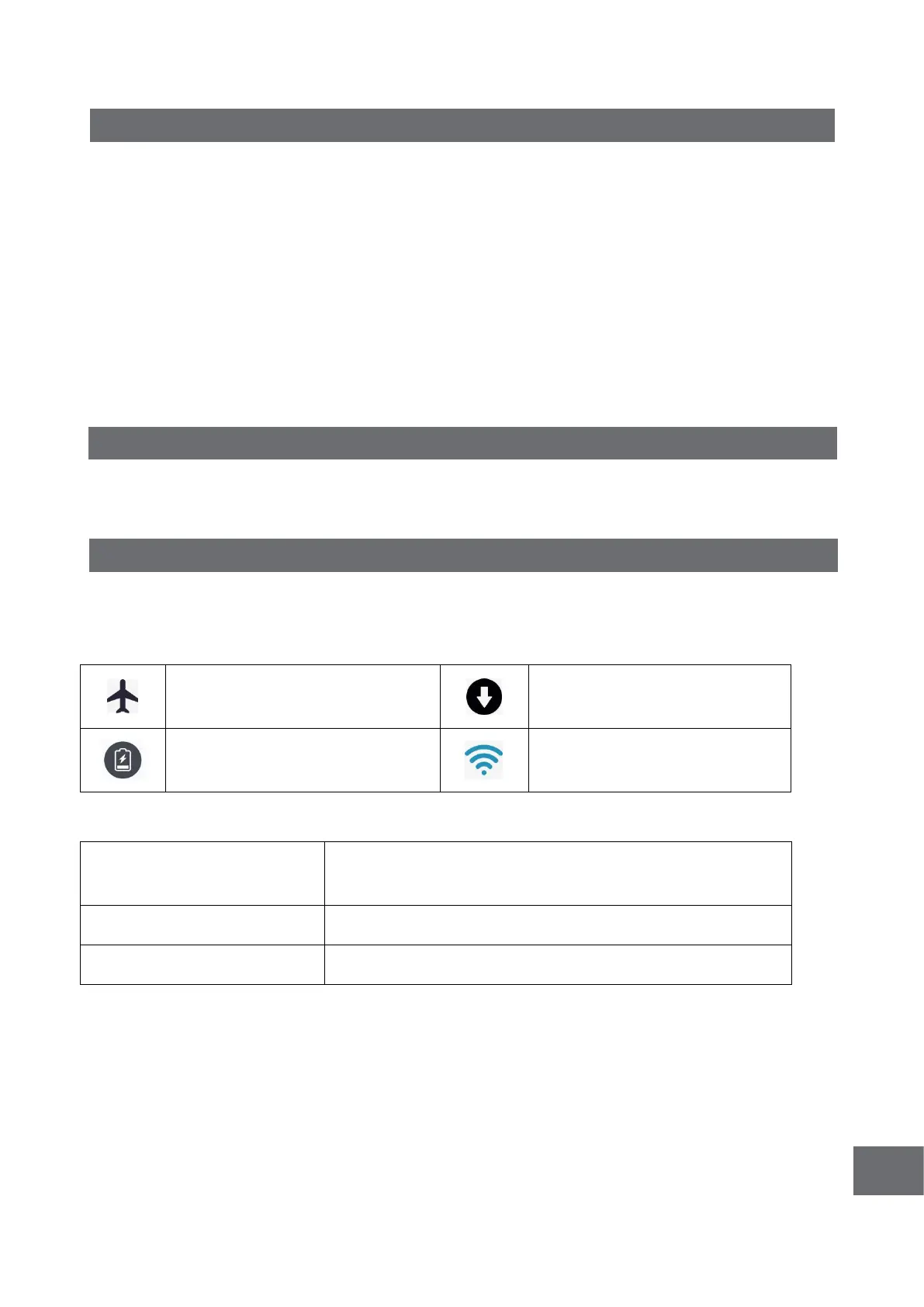
4. Notification ICONS description
When a prompt appears in the notification window, click the list and slide the screen to open the
list of prompts. Select the menu you want and confirm the information. You can then swipe up by
clicking on the list to close the reminder window. Please refer to the following status icon:
Displays the current remaining
power
Wifi is connected and you can
surf the Internet
4.1 Key function description:
Short press sleep/wake up function, long press on/off
function
4.2 Boot and unlock
In shutdown state, long press the power button for 3 seconds to enter the startup screen. If the
screen is locked. Unlock the screen.
4.3 To turn it off
In the startup state, long press the on key for 3 seconds, the screen displays shutdown
confirmation interface, select shutdown confirmation, the system will automatically shut down.



 To Next Page