EasyManua.ls Logo

Certina PRECIDRIVE Flyback DS-2 - User Manual

Certina PRECIDRIVE Flyback DS-2
6 pages
Print Icon
To Next Page IconTo Next Page
Loading...
WWW.CERTINA.COM
358_EN / 07.16
1/6
PRECIDRIVE Flyback
quartz chronograph
User manual
A
II IIII
B
7
6
2
9
3
D
C
5
1
8
4
IA IB
* Models with a screw-in crown:
IA Initial position (screwed in, not pulled out)
IB Neutral position (unscrewed, not pulled out)
Display and functions
Watch:
Hour hand
Minute hand
Seconds hand (small seconds)
Date indicator
Chronograph:
12-hour counter hand
30-minute counter hand
60-second counter hand
60-second counter hand (split second)

3-position crown:
I
Rest position (screwed in*, not pulled out)
II
Date setting position (unscrewed*, half pulled out)
III
Time setting position (unscrewed*, completely pulled out)
A START/STOP pusher
B Flyback/Reset pusher
C Split second START/STOP pusher, split times
D Tachymeter scale (depending on model)
Question and Answer IconNeed help?

Do you have a question about the Certina PRECIDRIVE Flyback DS-2 and is the answer not in the manual?

Summary

Watch Display and Functions

Crown Positions and Operation

Details the three positions of the watch crown: rest, date setting, and time setting.

Watch Settings and Adjustments

Screw-in Crown Operation

Instructions for models with screw-in crowns, emphasizing unscrewing before use.

Setting Time and Synchronisation

Steps for setting the watch time and synchronizing the seconds hand with an official signal.

Time Zone and Date Correction

Guide to changing time zones and performing rapid date correction.

Using the Tachymeter Scale

Explanation of how to use the tachymeter scale to measure average speed.

Resetting Chronograph Counters

Simple Timing Function

ADD Function for Consecutive Timing

Split Second Timing Function

Split Time 1 and 2 Readouts

How to read the first and second split times captured by the chronograph.

Final Time Readout and Reset

Steps to view the final elapsed time and reset the chronograph counters.

MEMO Function for Timing Data

Split Time Readouts

Displaying memorized split times, including first and second intervals.

Final Time and Split Time Redisplay

How to view the final recorded time and specific memorized split times.

Resetting MEMO Counters

Procedure to reset all recorded timing data from the MEMO function.

Flyback Functionality

Technical Information and Maintenance

PRECIDRIVE Accuracy and Calibration

Details on the watch's precision, automatic calibration, and EOL indicator.

Care, Maintenance, and Battery

Guidance on cleaning, protecting, servicing, and replacing the watch battery.
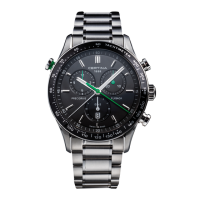
Certina PRECIDRIVE Flyback DS-2 Specifications

General IconGeneral
BrandCertina
ModelPRECIDRIVE Flyback DS-2
CategoryWatch
LanguageEnglish

Related product manuals