EasyManua.ls Logo

Cerwin-Vega Vega VPAS12 - User Manual

Cerwin-Vega Vega VPAS12
12 pages
Print Icon
To Next Page IconTo Next Page
Loading...
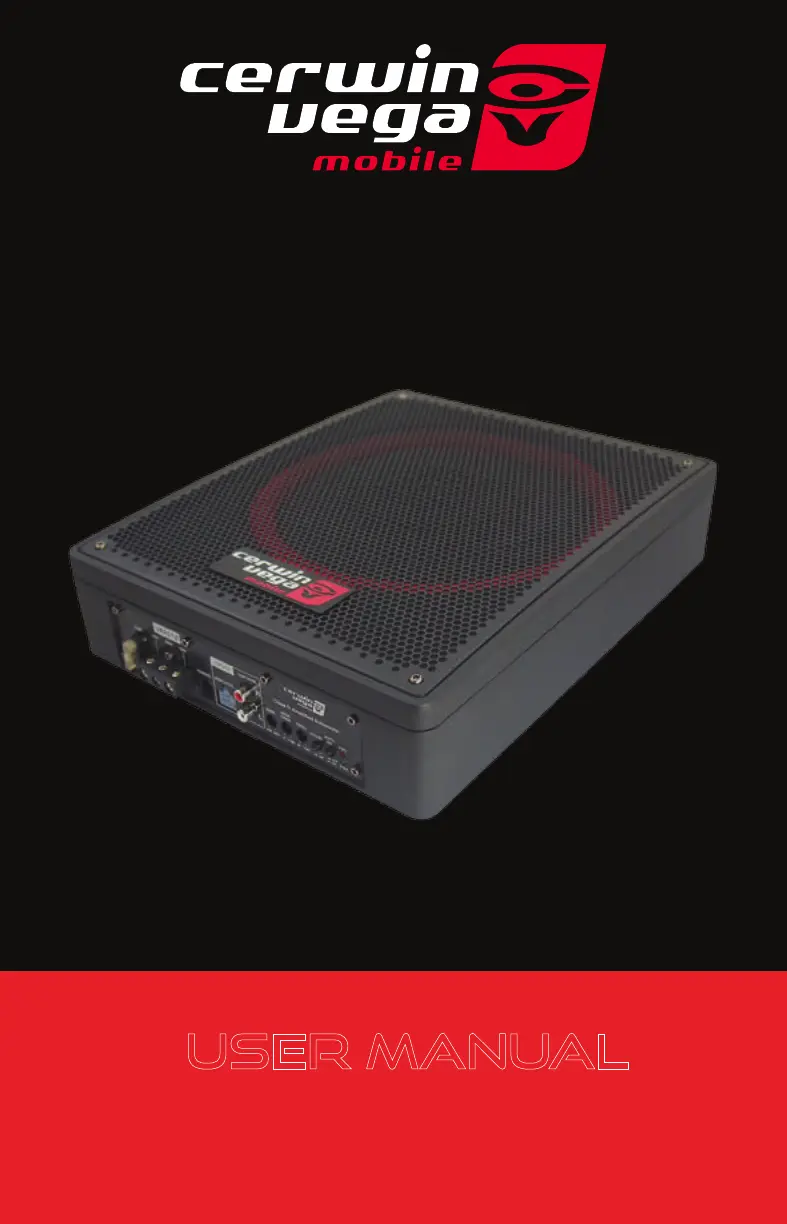
USER MANUAL
VEGA SERIES
AMPLIFIED 12“
SUBWOOFER
VPAS12

Questions and Answers

  • M
    mayerjuliaAug 14, 2025
    How to troubleshoot Cerwin-Vega Vega VPAS12 amplifier that will not power up?
    • J
      Jessica WilliamsonAug 14, 2025
      If your Cerwin-Vega Subwoofer amplifier won't power up, ensure a solid ground connection and at least 12V at the battery (+) terminal. Verify the Remote Input (Turn-On) has at least 10VDC and the green power LED is lit. Check all fuses, replacing if needed. Confirm the Protection LED isn't lit; if it is, power cycle the amplifier.
  • B
    Brianna PrestonAug 18, 2025
    What to do if Cerwin-Vega Vega VPAS12 has no output?
    • D
      Dennis ChaneyAug 18, 2025
      If your Cerwin-Vega Subwoofer has no output, check that all fuses are OK and the power light is on. Ensure the unit is properly grounded and the Remote Input (Turn-On) has at least 10VDC. Also, verify that the input signal connections are correctly plugged in.
  • S
    schaeferivanAug 21, 2025
    Why does my Cerwin-Vega Vega VPAS12 have distorted sound?
    • J
      Jessica HillAug 21, 2025
      If you are experiencing distorted sound from your Cerwin-Vega Subwoofer, check that the Input Gain control is set to match the signal level of the head unit, keeping it as low as possible. Remember, Input Gain is NOT power output. Also, check that all crossover frequencies are properly set.
  • L
    Lori MoodyAug 25, 2025
    What to do if Protection LED comes on when Cerwin-Vega Vega VPAS12 amplifier is powered up?
    • R
      Rachel DeckerAug 26, 2025
      If the Protection LED comes on when your Cerwin-Vega Subwoofer amplifier powers up, turn down the volume control on the head unit to prevent overdriving the input speaker leads. Try power cycling (resetting) the amplifier. If the Protection LED still comes on, the amplifier may be faulty and require servicing.
  • R
    Rebecca NelsonAug 27, 2025
    Why does my Cerwin-Vega Subwoofer amplifier get very hot?
    • G
      gary36Aug 28, 2025
      If your Cerwin-Vega Subwoofer amplifier gets very hot, readjust the Input Gain Control. Also, avoid using CCA power wire, as it can cause overheating issues.
  • J
    justinlewisAug 31, 2025
    Why does my Cerwin-Vega Subwoofer have low output?
    • C
      Carolyn AllenAug 31, 2025
      If your Cerwin-Vega Subwoofer has low output, readjust the Input Gain Control. Also, check the Crossover Control settings, possibly trying a higher frequency.
  • C
    Carlos KaneSep 4, 2025
    How to fix high hiss in the sound from Cerwin-Vega Vega VPAS12?
    • M
      Michael SwansonSep 4, 2025
      To address high hiss in the sound from your Cerwin-Vega Subwoofer: 1. Disconnect all RCA inputs to the power sub's control panel. 2. If the hiss disappears, plug in the component driving the amplifier and unplug its inputs. 3. If the hiss disappears at this point, continue until the faulty/noisy component is found. Reset Input Gain, setting the subwoofer's input level control as low as possible for the best signal-to-noise ratio. Aim to set the head unit as high as possible (without distortion) and the subwoofer input level as low as possible.
  • M
    melissa58Sep 7, 2025
    How to eliminate engine noise (static type) from Cerwin-Vega Subwoofer?
    • B
      Bridget WrightSep 7, 2025
      Engine noise (static type) in your Cerwin-Vega Subwoofer is usually caused by poor quality RCA cables picking up radiated noise. Use only the best quality cables and route them away from power cables.
  • P
    Patricia LoweSep 12, 2025
    What causes squealing noise in Cerwin-Vega Subwoofer?
    • B
      bryan19Sep 12, 2025
      If a squealing noise is present in your Cerwin-Vega Subwoofer, check for improperly grounded RCA interconnects or a 'blown' signal ground from the head unit, as some head units are known for this issue.

Summary

Introduction

Product Overview and Specifications

Details the Cerwin Vega Mobile amplified subwoofer, its quality, and technical specifications.

Features and Functions

Panel Controls and Features Description

Explains the function of each control on the subwoofer's panel, including LEDs and input/output ports.

Installation

Input Wiring Methods

Guides on connecting audio signals using low-level RCA or high-level speaker inputs.

Power Connections

Details the correct procedure for connecting power and ground terminals and fuse placement.

Trunk Mounting Instructions

Provides instructions for securely mounting the subwoofer in the vehicle's trunk.

Under-Seat Mounting Instructions

Provides instructions for securely mounting the subwoofer enclosure under a vehicle seat.

Troubleshooting

Common Issues and Solutions

Addresses common problems like no power, protection mode, and output issues with possible remedies.

Warranty Information

Limited Warranty Terms and Procedure

Details the one-year limited warranty, coverage, exclusions, and the claim procedure.

Cerwin-Vega Vega VPAS12 Specifications

General IconGeneral
Driver Size12 inches
Impedance4 Ohms
Enclosure TypeBass Reflex
TypeActive
Input ConnectionsRCA

Related product manuals