31
MAINTENANCEINSTRUCTION FOR USE
Function Description
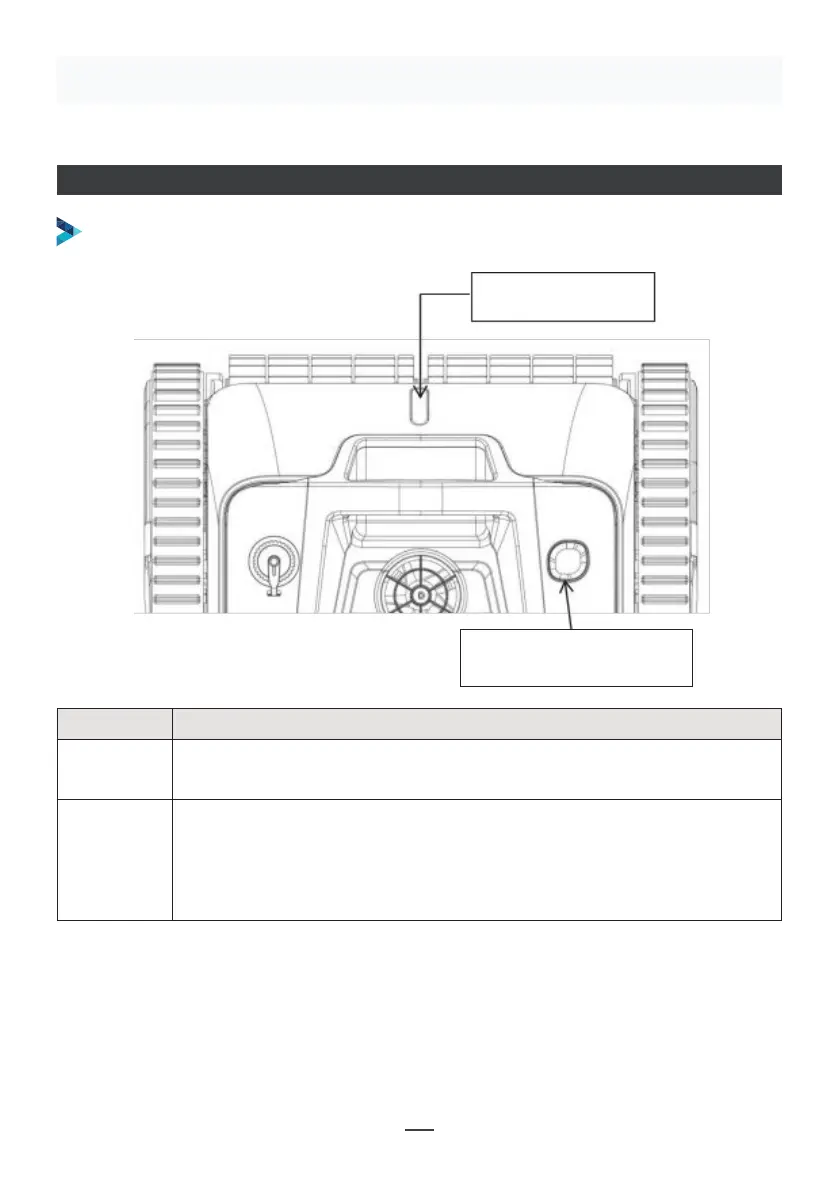
1. ON / OFF
Press the button, blue light indicates the cleaner is powered on.
Press the button again, red light indicates the cleaner is powered o.
2. Indicator
1. Blue light is steady on: power on
2. Blue light flashes: the cleaner is working
3. Yellow light flashes: low battery and start to self-parking
4. Yellow light is steady on: self-parking finished
OPERATIONS
Note: When the yellow light is steady on, power o the cleaner and charge it. Run the
cleaner in the pool after charging. If it fails to work, please contact after-sales
service.
POWER BUTTON AND INDICATOR
2 • Indicator
1 • Power button


 To Next Page