Hardware Setup
9
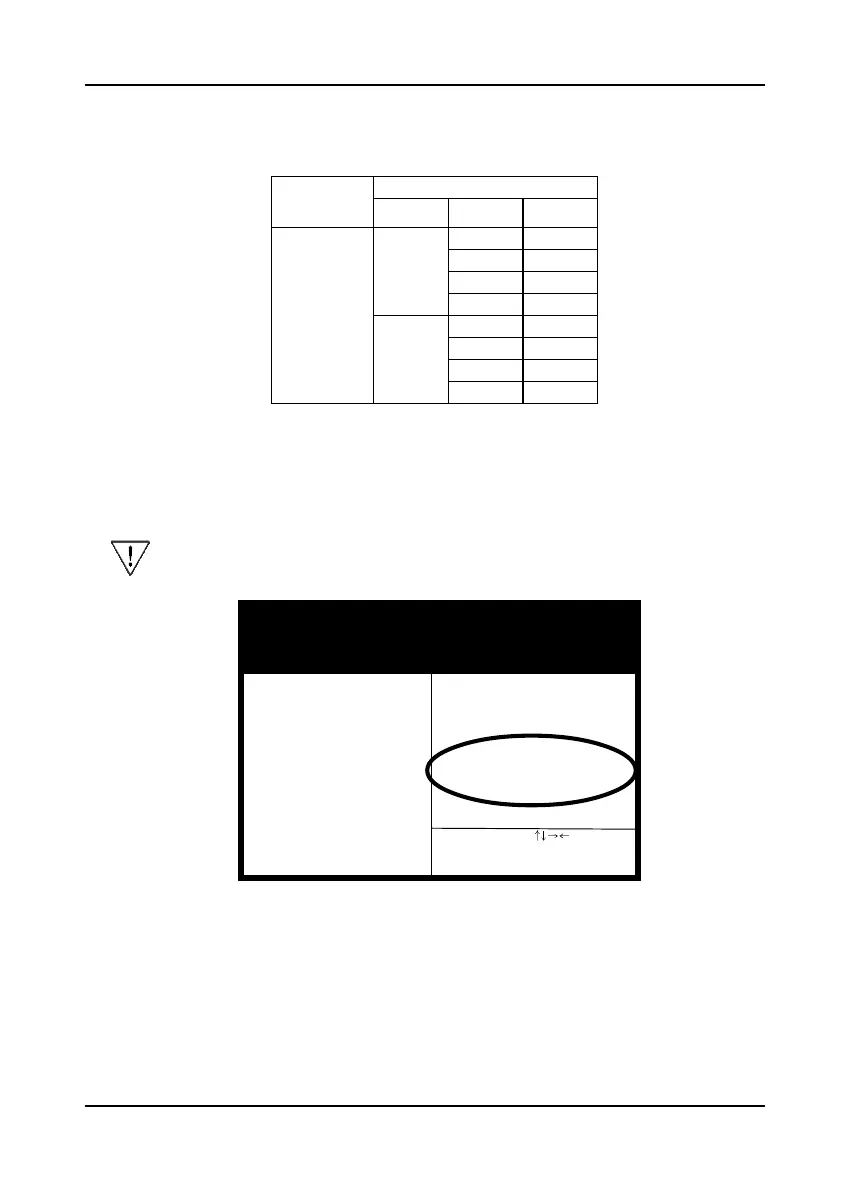
3. Change the CPU Type according to the speed of your Pentium II processor. See
Figure 2-3 for frequency specifications.
4. Use the User Define option to custom set your CPU's parameters. Set the frequency
ratio (also known as external clock multiplier factor) and CPU bus frequency
according to your processor's specifications. See Figure 2-4.
You do not need to make voltage settings because SeePU automatically
sets your CPU voltage.
5. Press Esc to return to the CMOS Setup Utility, press F10 to Save and Exit Setup
and choose 'Y' to confirm. The system will automatically reboot and during startup
you will see the correct CPU type shown on the screen.
Figure 2-3Figure 2-3
Figure 2-3Figure 2-3
Figure 2-3
CPU Type
CPU Speed
External Clock
Frequency
Ratio
Internal Clock
Pentium II
processor
66
3.5 233
4 266
4.5 300
5 333
100
3.5 350
4 400
4.5 450
5 500
ROM PCI / ISA BIOS (2A69KC39)
SeePU & CHIPSET SETUP
AWARD SOFTWARE, INC.
ESC: Quit
F1 : Help
F5 : Old Values
F7 : Load Setup Defaults
:Select Item
PU/PD/+/- : Modify
(Shift) F2 : Color
Power Failure Recovery : Disabled
Spectrum Spread : Disabled
Flash BIOS Protection : Disabled
***** CPU Setup *****
CPU Type : User's Define
Frequency Ratio : 3.5X
CPU Bus Frequency :100MHz
Figure 2-4Figure 2-4
Figure 2-4Figure 2-4
Figure 2-4
SDRAM CAS latency Time : Auto
SDRAM Precharge Control : Disabled
DRAM Data Integrity Mode : Non-ECC
System BIOS Cacheable : Disabled
Video BIOS Cacheable : Disabled
Video RAM Cacheable : Disabled
8 Bit I/O Recovery Time : 1
16 Bit I/O Recovery Time : 1
Memory Hole At 15M-16M : Disabled
Passive Release : Enabled
Delayed Transaction : Enabled
AGP Aperture Size (MB) : 64



 To Next Page