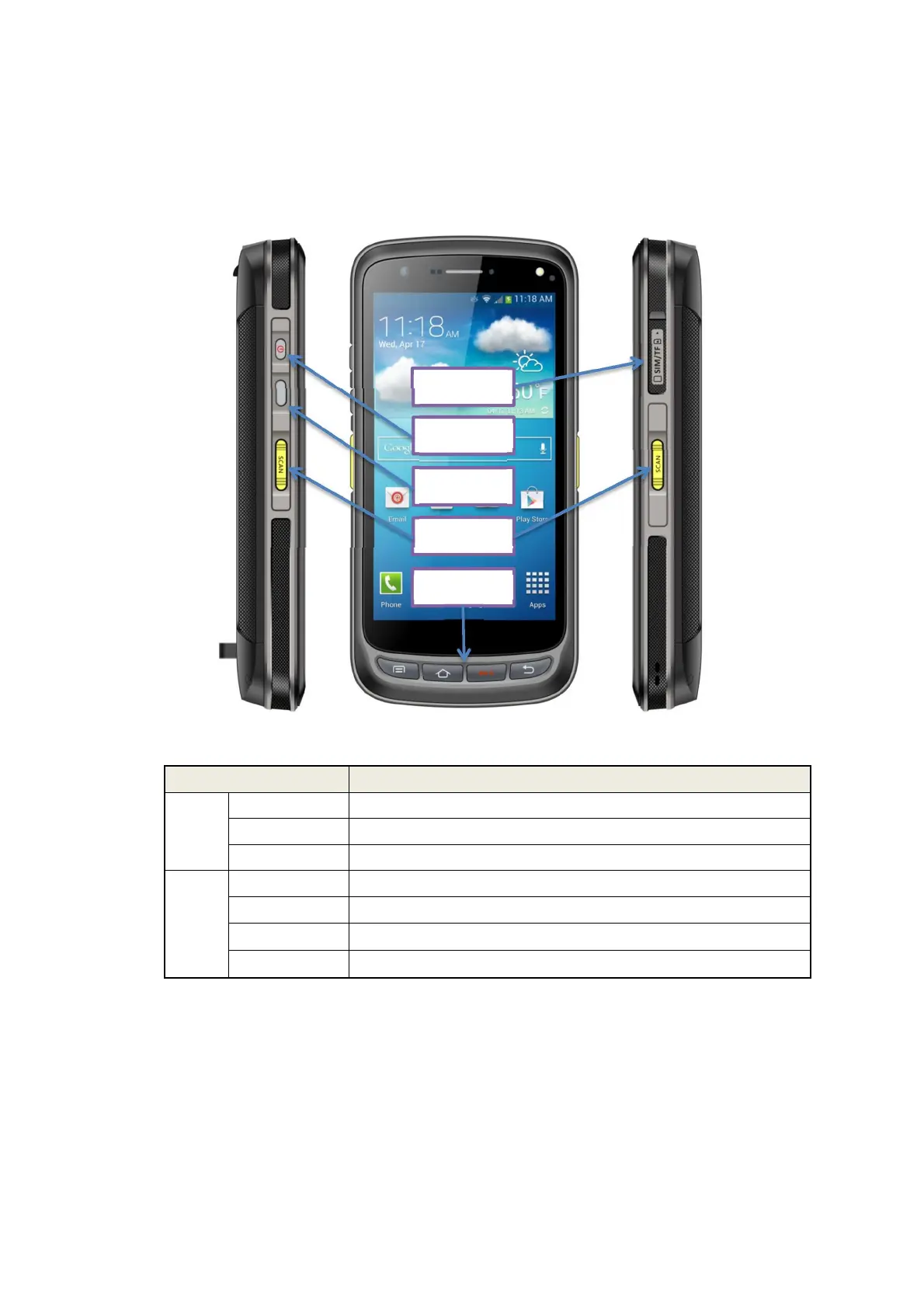
2.4 Buttons and Function Area
AZ-C72 has 4 side buttons and 4 main keys, handheld connection port
locates at rear, 2D scanning module and camera locate at top.
Buttons instruction
Button Description
Side
button
1.Power Located on left side, press to ON/OFF device.
2.Function key Located on left side, its function can be defined by software.
3.SCAN Scanning button located on both sides. There are two scanning buttons.
Main
button
4.Menu Display main menu.
5.Home Touch it back to main screen.
6.Enter Press to confirm current selection.
7.Backspace Return to last step to setup.
Card Tray
Power Button
Setup
SCAN
SCAN
9


 To Next Page