14
Chapter 4 Barcode reader-writer
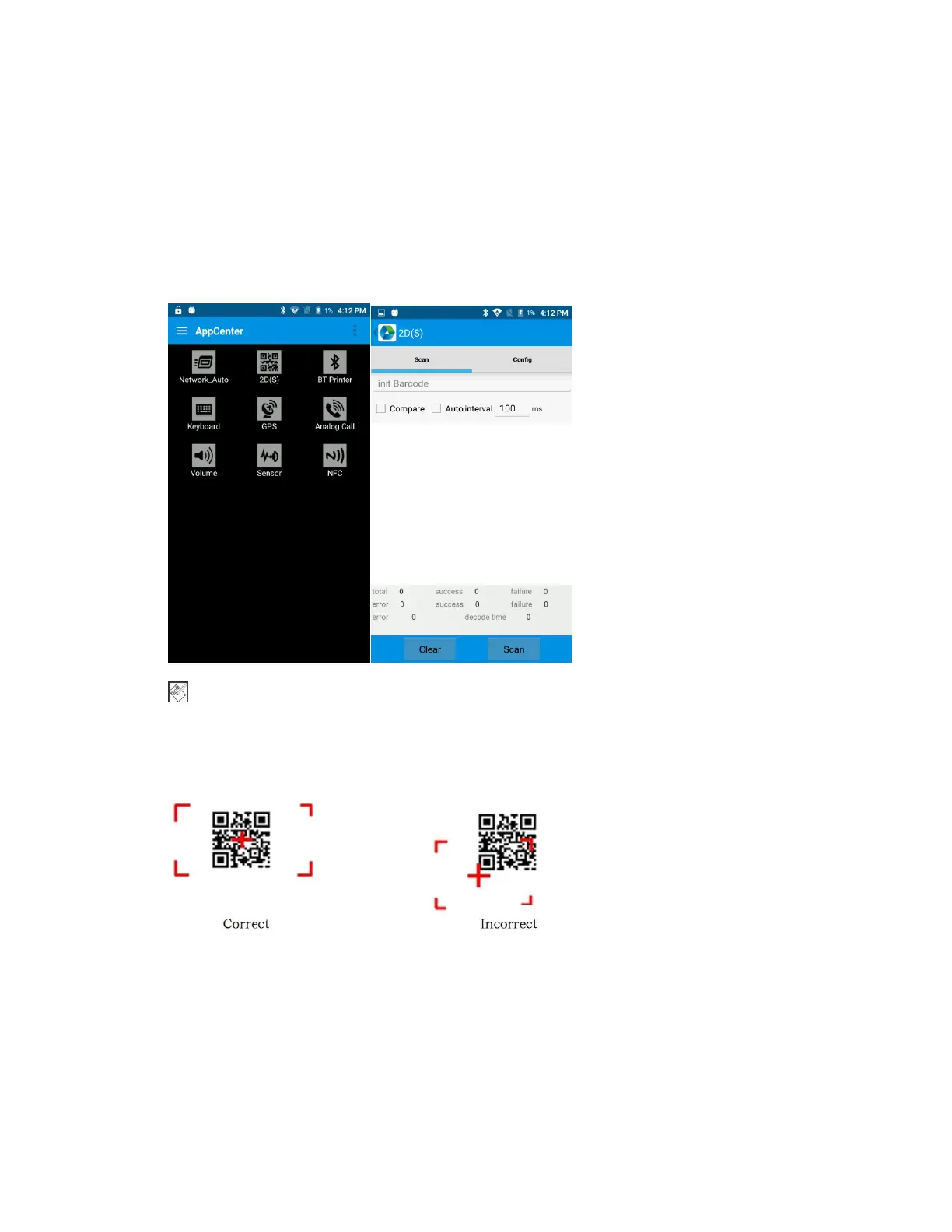
1. In App Center, to open 2D barcode scan test.
2. Press “SCAN” button or click scan key to start scanning, the
parameter “Auto interval” can be adjusted.
Caution: Please scan codes in correct way otherwise the
scanning will be failed.
2D code:


 To Next Page