25
7.9 Fingerprint Module
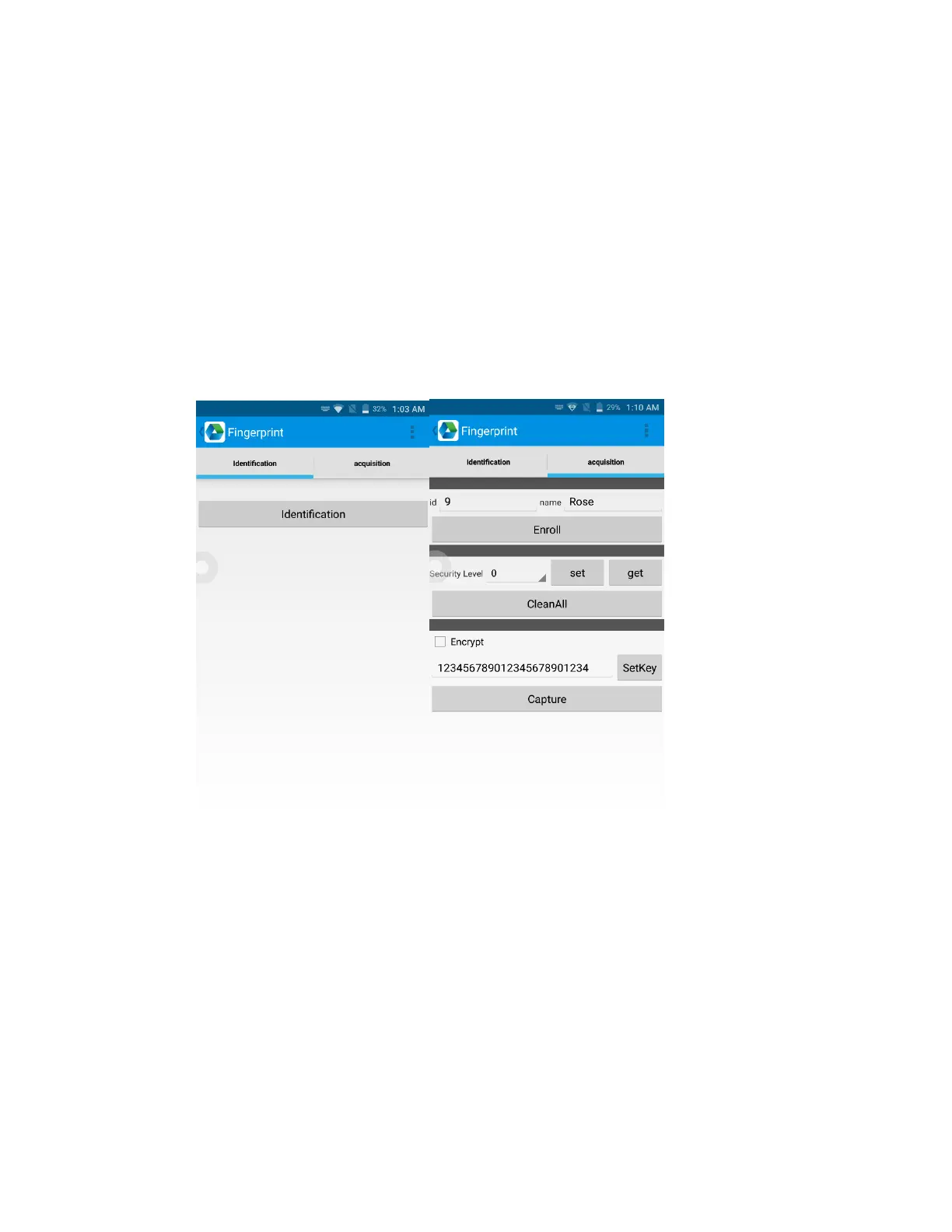
1. Click “Fingerprint(morpho)” in Appcenter.
2. Click “acquisition” after module has initiated successfully and
click “CleanAll”.
3. Select “Security Level” to 0 and click “set” and “get”.
4. Click “Enroll” and put your finger on captor and follow the tips to
start capture fingerprint.
5. After capture succeeded, click “Identification” to identify.


 To Next Page