
 Need help?
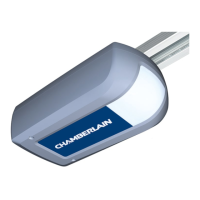
Do you have a question about the Chamberlain ML810EV and is the answer not in the manual?
Crucial safety points for installation and operation, including warnings and precautions.
Details installer qualifications, standards, user instruction, and maintenance.
Guidelines on installation locations, public access, and child supervision for safe operation.
Specifies the intended purpose and limitations of the garage door opener for private households.
Lists all the parts included in the package for installation.
Provides a visual guide to the main components of the garage door opener system.
Important note regarding external emergency release installation for garages without side entrances.
Details compatible garage doors and required accessories.
Checks for door balance and readiness, including side entrance considerations.
Lists all necessary tools for the installation process.
Instructions for connecting the rail sections and securing the belt tension.
Guidance on adjusting the belt tension for proper operation.
Steps for attaching the assembled rail to the drive unit, including optional rotation.
Instructions for marking the center lines for ceiling or wall mounting.
Detailed steps for mounting the header bracket on a wall or ceiling.
Guidance on securing the drive unit to the header bracket, potentially requiring temporary height adjustment.
Instructions for attaching the door bracket to sectional or one-piece doors.
Steps for connecting the door arm to the trolley for smooth door operation.
Guidance on safe and proper electrical connections to avoid injury or damage.
Instructions for installing an optional illuminated push button for door control.
Instructions for installing optional photocells for enhanced safety.
Steps for connecting the opener to a properly installed wall socket.
Ensuring the opener is visible, free of obstacles, and correctly set before first use.
Procedure to set the door's final open (UP) and close (DOWN) positions.
Procedure to test the safety reverse system for proper obstacle detection.
Instructions for programming the opener to recognize additional remote controls.
Steps to erase all previously programmed remote control codes.
Requirements and steps for connecting the MyQ Internet Gateway.
Instructions on how to add compatible devices via the MyQ app.
Details on optional features like flashing lights, partial opening, and auto-close.
How to operate the door opener using remote controls, wall switches, and manual release.
General advice on cleaning the opener and performing regular maintenance.
Instructions for replacing batteries in the remote control, including safety warnings.
Answers to common issues regarding remote control, range, door reversal, and operation.
Guidelines for environmentally friendly disposal of the product and batteries.
Troubleshooting steps when the door reverses after force settings.
Diagnosing and addressing issues where the rail bends during operation.
Troubleshooting when the motor runs but the carriage remains stationary.
Procedure for adjusting the force settings for opening and closing the door.
Table of diagnostic codes, symptoms, and solutions for opener issues.
Restrictions on use in explosive areas, salty air, or as part of fire protection systems.
Information on obtaining service parts and understanding the manufacturer's warranty.
Guidelines for proper storage and safe disassembly of the opener.
List of compatible Chamberlain accessories for the garage door opener.
Table detailing maximum dimensions and weight for compatible door types.
Statement of compliance with EU directives and radio equipment regulations.
Technical data including input voltage, pull force, and operating frequencies.
 General
| Type | Garage Door Opener |
|---|---|
| Remote Control | Yes |
| Drive System | Chain drive |
| Remote Controls Included | 1 |
| Security+ 2.0 Rolling Code Technology | Yes |
| Battery Backup | No |
| Works with MyQ | Yes |
| Power | 230 V |
| Smart Features | Compatible with MyQ |
| Safety Features | Safety Sensors, Automatic Reversal |
| Motor Power | 1/2 HP |
| Motor Type | DC |
| Warranty | 5 years on motor, 1 year on parts |



 To Next Page