9
Option 1: External Wire Installation (continued)
11
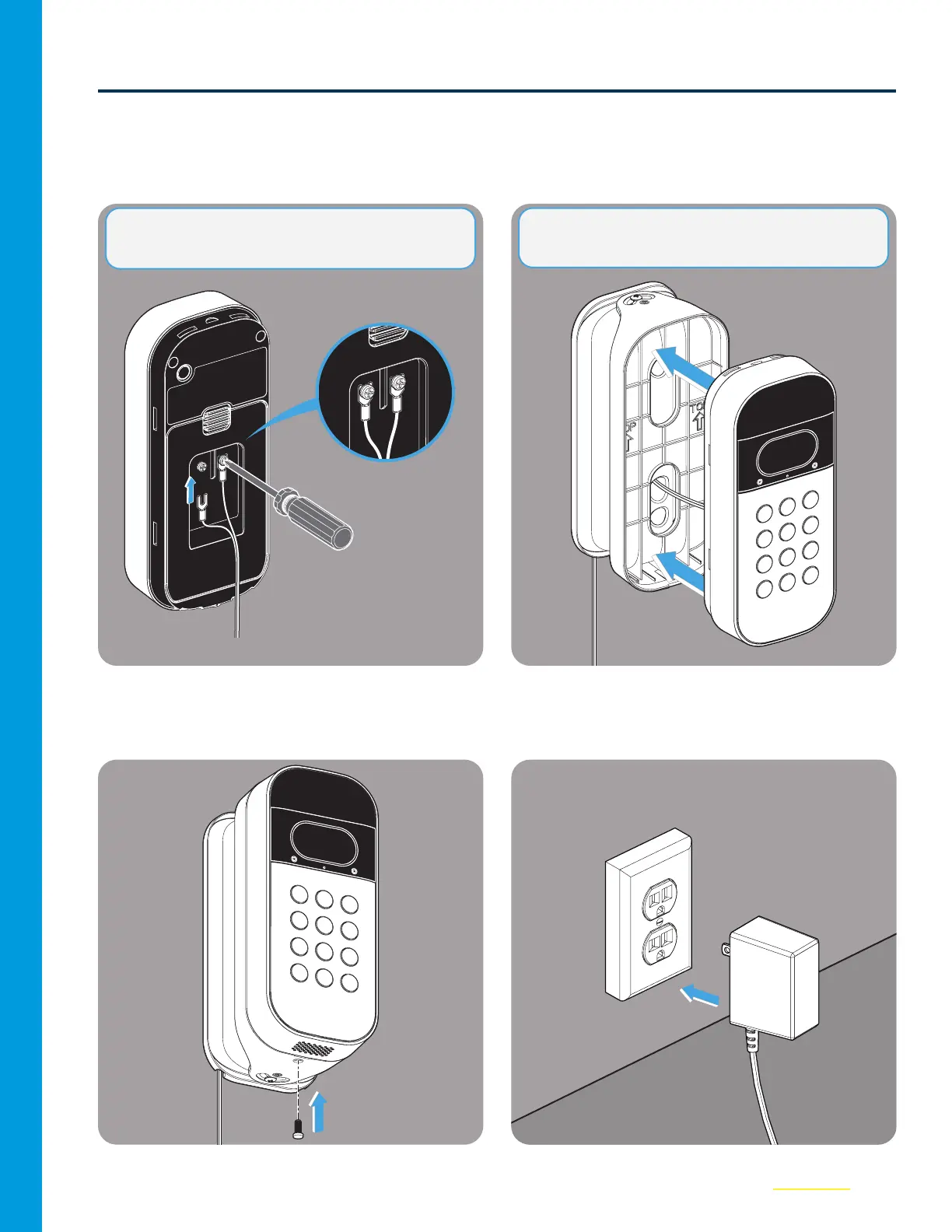
Ensure the Power Adapter is NOT plugged
in. Then, use a screwdriver to hand tighten
the wire leads to the screws on the back
cover of your Keypad.
12
Carefully snap the Keypad into the mount,
ensure the wires are NOT pinched..
13
Install the security screw.
14
Plug in the Power Adapter. Your Keypad
will power up and come back online
automatically.
NOTE: NOT POLARITY SENSITIVE. + / - Can
attach to either screw.
NOTE: Leave 1–2” of slack wire within the mount
to maintain easy access to rear reset button.



 To Next Page