8
Assembly
STEP 4 Install the chain
To avoid possible SERIOUS INJURY to finger from moving garage door opener:
l ALWAYS keep hand clear of sprocket while operating opener.
l Securelyattach chain spreader BEFORE operating.
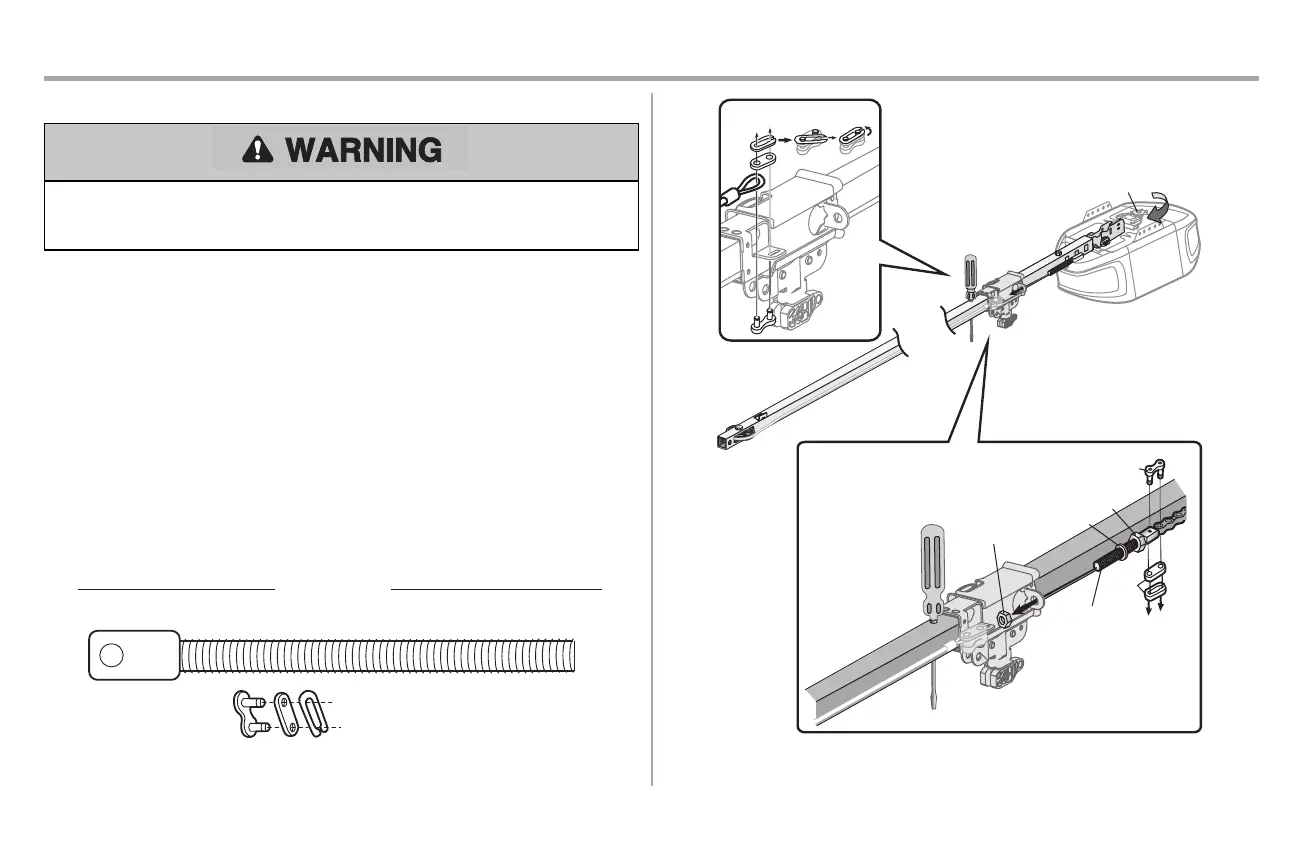
1. Pull the cable around the idler pulley and toward the trolley.
2. Connectthe cable to the retaining slot on the trolley,as shown.(Figure 1)
a. Push pins of master link bar through cable link and trolley slot.
b. Push master linkcap over pinsand pastpin notches.
c. Slide the closed end of the clip-on spring over one of the pins. Push the open end of the
clip-on spring onto the other pin.
3. With the trolley againstthe screwdriver, dispense the remainder of the cable/chain along the rail
toward the motor unit around the sprocket and continuing to the trolley assembly. The sprocket
teeth must engage the chain.(Figure 2)
4. Check to make sure the chain is not twisted,then connectitto the threaded shaftwith the
remaining master link.
5. Thread the inner nutand lockwasher onto the trolley threaded shaft.
6. Insertthe trolley threaded shaft through the hole in the trolley.Be sure the chain is not twisted.
(Figure 3)
7. Looselythread the outer nutonto the trolley threaded shaft.
8. Remove the screwdriver.
HARDWARE
Ma
ster
Link
Threaded Shaft
Figure 3
Threaded
Shaft
Outer
Nut
Inne
r
Nut
Lock
Washer
Master Link
Master
Link
Figure 2
Sprocket
Figure 1
a.
b.
c.


 To Next Page