EasyManua.ls Logo

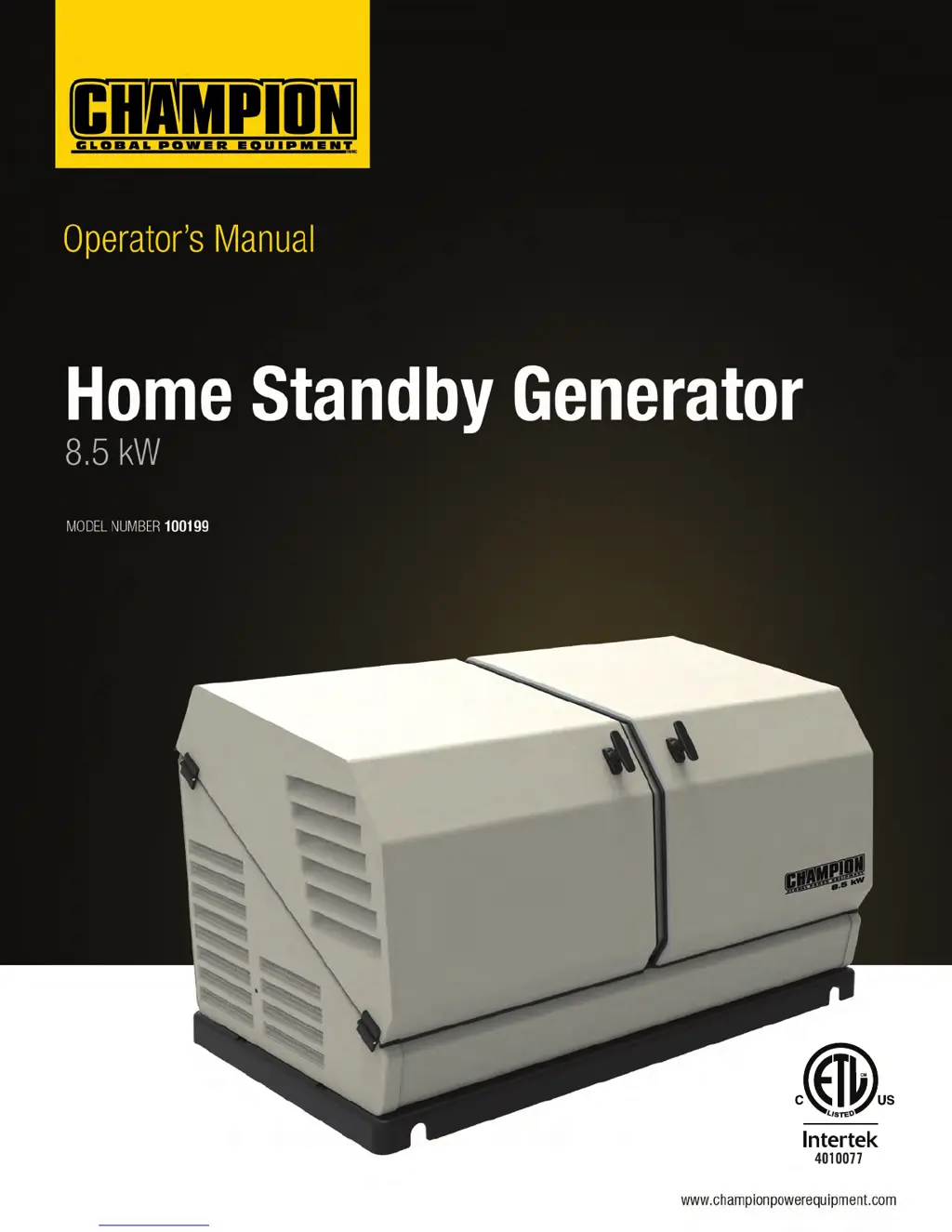
Champion 100199 - User Manual

Champion 100199
152 pages
Print Icon
To Next Page IconTo Next Page
Loading...
REV 100199-20151029
DANGER: Not intended for use in critical life support application.
DANGER: Generator must be installed and operated outdoors only.

Table of Contents

Other manuals for Champion 100199

Questions and Answers

  • S
    Sierra JohnsonAug 1, 2025
    Why won't my Champion Portable Generator start?
    • J
      Jessica RowlandAug 1, 2025
      If your Champion Portable Generator won't start, there are several potential causes: * The fuel valve may be turned off. If this is the case, turn the fuel valve on. * The battery might not be charged. Charge the battery. * There could be a faulty spark plug. Replace the spark plug. * The engine control module switch may be off. Turn the switch to ATS or manual. * An active fault code may be present. Check the fault codes and address the issue. If needed, have the generator serviced or contact Champion Customer Service.
  • O
    omarshallAug 5, 2025
    How to troubleshoot a Champion Portable Generator that starts, but runs rough?
    • B
      Brent MillerAug 5, 2025
      If your Champion Portable Generator starts but runs roughly, check the following: * Fuel pressure. * Fuel jets (ensure they are correct for NG or LPG). * Spark plug (replace if faulty, set the gap, and connect the wire). * Air cleaner (clean or replace if plugged). * Generator load (remove loads if overloaded).
  • R
    rsmithAug 10, 2025
    What to do if my Champion Portable Generator starts but runs rough?
    • T
      Tracey HoweAug 10, 2025
      If your Champion Portable Generator starts but runs rough, consider these possibilities: * A faulty spark plug could be the issue. Try replacing the spark plug. * The air cleaner might be plugged. Clean or replace the air cleaner. * Incorrect fuel pressure could be the cause. Contact an authorized service dealer to resolve this.
  • M
    millermargaretAug 16, 2025
    What to do if my Champion 100199 will crank but not start?
    • S
      Susan GarciaAug 16, 2025
      If your Champion Portable Generator cranks but doesn't start, there are several potential causes: * Check for any active fault codes and reset them. * Ensure the fuel valve is turned on. * Check the fuel pressure. * Recharge or replace weak batteries. * Verify the oil level and add oil if necessary. * Confirm the spark plug wire is connected.
  • Y
    Yolanda SimmonsAug 20, 2025
    Why Champion 100199 Portable Generator engine will not crank/turn over?
    • T
      Tina McbrideAug 20, 2025
      If the engine of your Champion Portable Generator won't crank or turn over, consider these potential causes: * The HSB might be set to “OFF”. If so, place the HSB controllers in the AUTO position. * The battery might not be connected, or the connections may be loose or corroded. Connect the batteries according to the owner’s manual, and clean and tighten the battery connections. * The battery might not be charged or have a low charge. Recharge or replace the battery. * There might be an active fault code. Identify the fault code, correct it, and reset.
  • L
    Luis KimAug 26, 2025
    What to do if my Champion 100199 HSB starts, then suddenly stops?
    • J
      justin46Aug 26, 2025
      If your Champion Portable Generator HSB starts and then suddenly stops, consider the following: * Check for any active fault codes and reset them. * Check the fuel supply. * Check the oil level and add oil if necessary. * The generator may be overloaded. Turn off standby circuits, reset the fault, and place the unit back in AUTO mode. Then, turn on standby circuits. * The engine may be experiencing a high/over temperature shutdown. Check all intake and exhaust ventilation around the HSB, remove any obstructions, and let the HSB cool down for 30 minutes.

Summary

Introduction to Your Champion Home Standby Generator

Parts Included in the Package

Lists all items included in the HSB package.

Relevant Standards and Codes

Details relevant codes and standards for generator installation.

Safety Precautions and Hazards

Safety Symbol and Term Definitions

Explains hazard symbols and warning terms used in the manual.

Installation Hazards

Precautions and hazards related to generator installation.

Pre-Operation Safety Checks

Essential safety checks and precautions before operating the generator.

Operating Hazards

Potential dangers and risks associated with generator operation.

Carbon Monoxide Hazards

Information on carbon monoxide risks and prevention.

Electrical Shock Hazards

Precautions to prevent electrical shock hazards.

Fire and Explosion Hazards

Hazards related to fuel systems and potential ignition sources.

Burn and Entanglement Hazards

Risks from hot components and rotating parts.

Battery Hazards

Risks associated with battery acid and explosive gases.

Safety Labels on the Unit

Identification and location of safety warning labels on the generator.

Label Locations

Locates safety, serial, and nameplate labels on the generator unit.

General Information and Specifications

Generator Component Identification

Diagram and list of major generator components.

Engine Component Identification

Diagram and list of key engine components.

Control Panel and Operation Controls

Covers main breaker, exercise switch, and operational controls.

Operational Settings and Indicators

How to set exercise time, manage faults, and understand module LEDs.

LED Status Indicators

Explanation of all LED indicator lights and their meanings.

Battery Charger and Emissions

Information on the battery charger and emission requirements.

Specifications Overview

Key technical specifications for the generator.

Fuel System and Identification

Details on fuel system, battery needs, and serial number location.

Generator Operation Procedures

Enclosure and Access

Guidance on opening the generator enclosure for access.

Pre-Start Checklist

Essential checks to ensure the generator is ready for operation.

Turning Off the Generator

Procedure for safely shutting down the generator.

Maintenance Schedule and Procedures

Engine Oil Requirements

Specifies the correct type and viscosity of engine oil.

Checking the Engine Oil Level

Steps for accurately checking the engine oil level.

Changing the Engine Oil

Step-by-step instructions for performing an engine oil change.

Air Cleaner Inspection and Cleaning

Procedure for inspecting and cleaning the air cleaner element.

Spark Plug Service

Instructions for inspecting and replacing the spark plug.

Battery Maintenance

Procedures for maintaining the generator's batteries.

Maintenance After Submersion

Critical maintenance steps after the generator has been submerged.

Generator Storage Preparation

Guidelines for preparing the generator for extended storage.

Return to Service After Storage

Steps to safely bring the generator back into service.

Engine Parts Identification

Diagram showing exploded view and identification of engine parts.

Engine Parts List

Detailed list of engine parts, including part numbers and quantities.

Enclosure and Assemblies Identification

Diagram showing exploded view and identification of enclosure parts.

Enclosure and Assemblies Parts List

Detailed list of enclosure and assembly parts.

Alternator and Exhaust System Identification

Diagram showing exploded view of alternator and exhaust system parts.

Alternator and Exhaust System Parts List

Detailed list of alternator and exhaust system parts.

Control Panel Component Identification

Diagram showing exploded view and identification of control panel components.

Control Panel Parts List

Detailed list of control panel parts.

Wiring Diagram

Schematic illustrating the generator's electrical wiring.

Troubleshooting Common Issues

Engine Not Cranking or Turning Over

Troubleshooting steps for when the engine fails to crank.

Generator Cranks But Wont Start

Troubleshooting steps for when the generator cranks but doesn't start.

Engine Starts and Runs Rough

Diagnosing and resolving issues causing rough engine operation.

No AC Output Troubleshooting

Steps to diagnose and fix issues resulting in no AC power output.

Interpreting LED Indicators

Interpreting LED indicators for fault detection and system status.

Resetting Fault Codes

Procedure for resetting active fault codes on the generator.

Additional Information and Records

Identifying and Selecting Standby Circuits

Guidance on choosing essential circuits for standby power.

Surge Protection for Electronics

Recommendations for protecting sensitive electronics from voltage fluctuations.

Customer Familiarization Summary

Key points for educating the homeowner on operation and maintenance.

Model, Serial, and Circuit Reference

Forms for recording generator, ATS, and circuit details.

Maintenance and Service Record Log

Log for tracking all performed maintenance and service activities.

Champion 100199 Specifications

General IconGeneral
Engine Type4-Stroke OHV
Fuel TypeGasoline
Noise Level74 dBA
Voltage120/240V
Wheel Kit IncludedYes
CARB CompliantYes
EPA CertifiedYes
Outlets120V 20A household

Related product manuals