7. Configuring through a web browser
Champion PRO GNSS Receiver User Guide Page 16
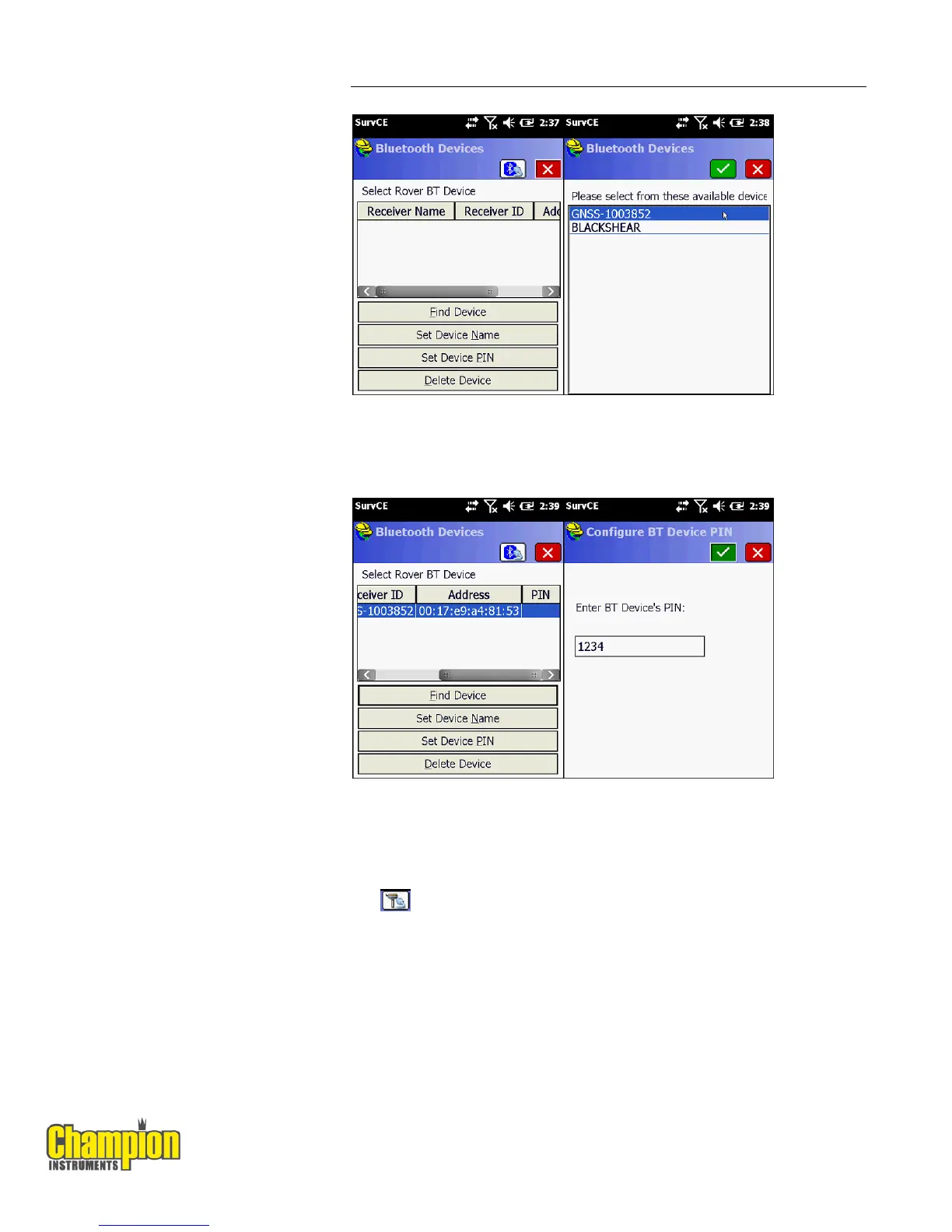
4. Press the Find Device button to search for devices. Pick your receiver from
the list of devices found, the format is GNSS-???????.
5. After selecting your receiver press the Set Device PIN button and enter 1234
for the device pin. Press the green check mark and then the Bluetooth
button to the left of the Red X. Before moving to the Receiver tab press the
button to connect to the receiver and wait for a successful connection.



 To Next Page