7. Configuring through a web browser
Champion PRO GNSS Receiver User Guide Page 15
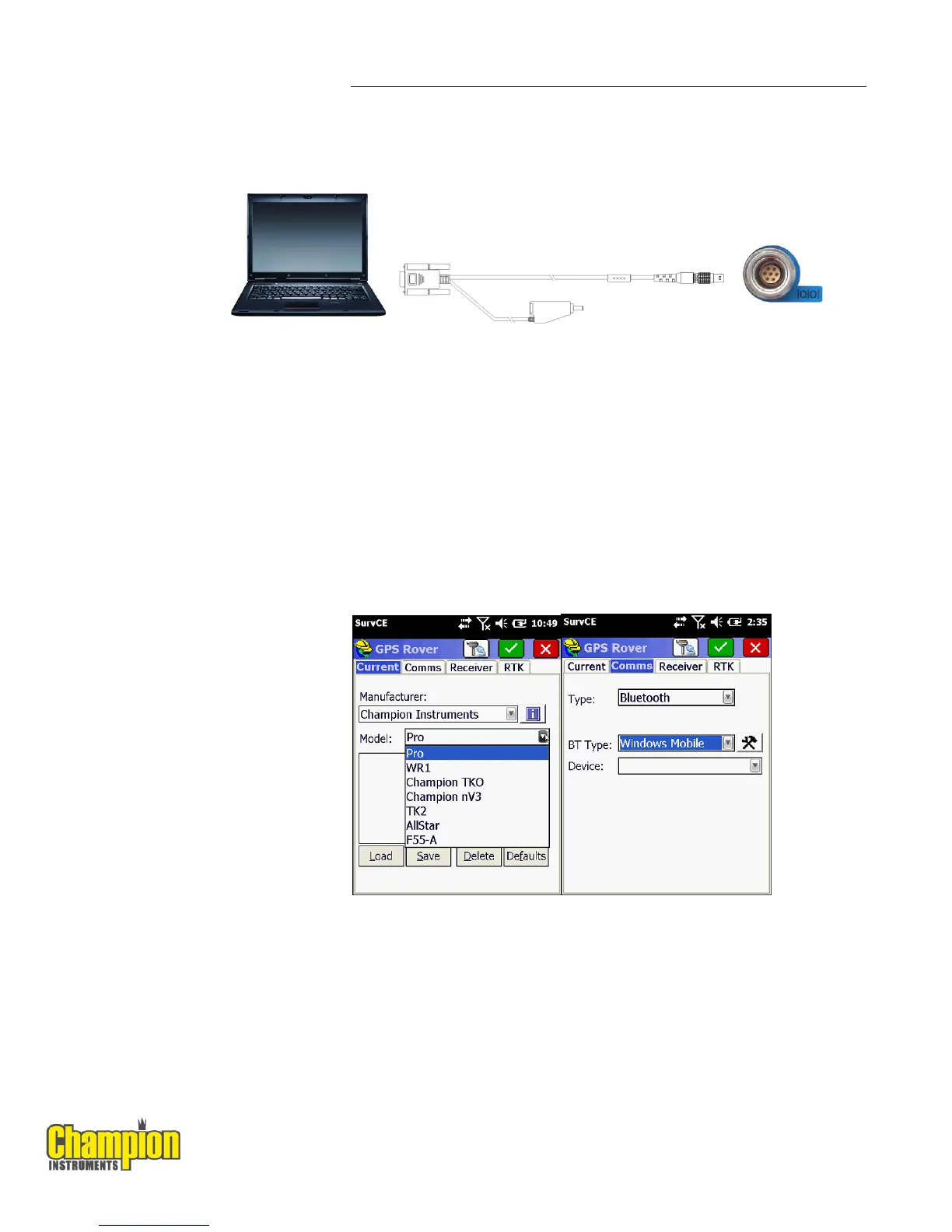
The following figure shows how to connect to the computer for serial data
transfer or settings:
2.7. CONNECTING TO CARLSON SURVCE AS A NETWORK ROVER
1. Turn on the controller → run SurvCE → tap the Equip tab in the main menu.
2. In the Equip screen, select the GPS Rover button. For the Manufacture field
select Champion Instruments and Pro for the Model field.
3. Tap the Comms Tab next to the Current tab then select Bluetooth for the
communication Type and Windows Mobile for the BT Type. Press the
hammer and wrench button to search for Bluetooth devices.



 To Next Page