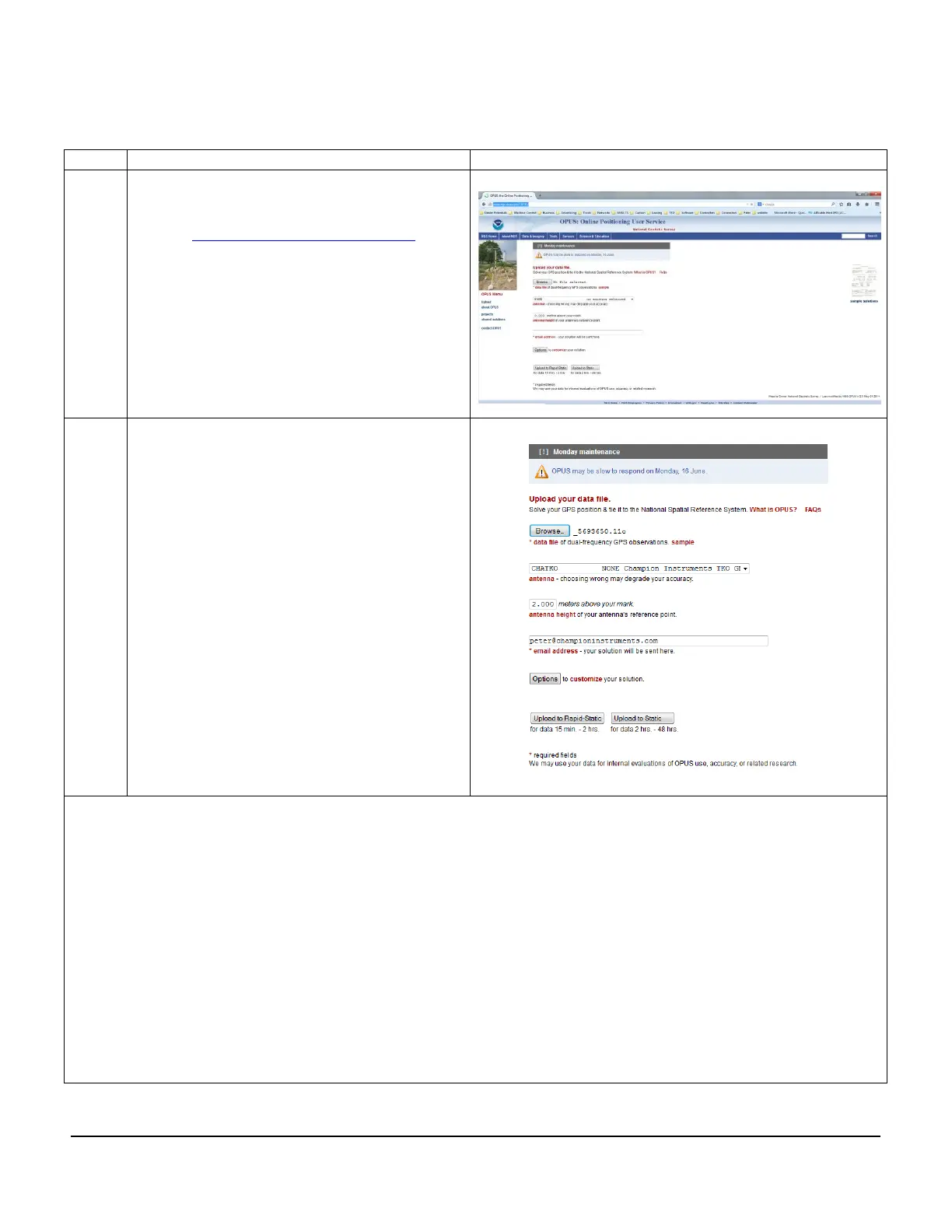
a. Use the Browse button to navigate to
and select the Rinex file you created in
step 6. Choose the “.o” file
b. Next from the drop down list choose
the “CHATKO” Antenna
c. Enter your antenna height in meters
d. Enter your email address
e. Then choose either “Upload Rapid
Static” or “Upload Static” depending on
how long you collected data for.
NOTE: You may need to wait 24 hours before
submitting OPUS data; once the data is
accepted you will normally get a response in
less than an hour.
Please contact either your local dealer or Champion Instruments
at 770-243-3254 with any questions.
www.championinstruments.com



 To Previous Page