Need help?
Do you have a question about the ChamSys QuickQ 20 and is the answer not in the manual?
List of accessories needed for testing, including monitors, cables, and mobile devices.
Core features across all QuickQ products including audio, network, USB, and display.
Details MIDI, Encoders, Playback, and Fixture faders for QuickQ 10, 20, 30, and Rack.
Ensuring build quality, screw presence, screen print, and absence of rattles.
Verifying console boots and displays menu on an external HDMI monitor.
Confirming menu display and touchscreen functionality on the internal screen.
Executing automated tests for Audio, MIDI, DMX, buttons, touchscreen, and faders.
Verifying Wi-Fi connectivity using the QuickQ Remote app and console QR code.
Testing wired network ports using an Artnet/sACN node to confirm IP and DMX signal.
Verifying condition of all accessories, power cables, and power supplies.
Ensuring all items in the package are present, including console, PSU, cables, and manual.
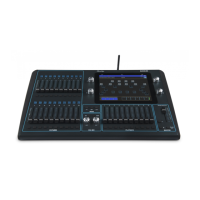
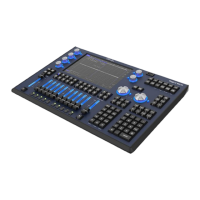
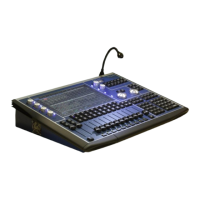
The QuickQ Console is a lighting control device designed for various applications, offering a range of models with differing specifications to suit diverse needs. This document outlines the testing procedures and key features of the QuickQ consoles, including the QuickQ 10, QuickQ 20, QuickQ 30, and QuickQ Rack.
The QuickQ Console serves as a control interface for lighting systems, enabling users to manage and program lighting fixtures. It features a combination of physical controls (faders, encoders, buttons) and a touchscreen interface for intuitive operation. The console supports various output protocols, including DMX, ArtNet, and sACN, allowing it to interface with a wide array of lighting equipment. Connectivity options include HDMI for external monitors, USB for accessories, wired Ethernet for network communication, and Wi-Fi for remote control via a dedicated app. MIDI In/Out ports are available on specific models for integration with other musical or control devices. The console is designed for ease of use, with built-in factory tests and a remote app for convenient setup and operation.
| Feature | QuickQ 10 | QuickQ 20 | QuickQ 30 | QuickQ Rack |
|---|---|---|---|---|
| DMX ports | 1 | 2 | 3 | 2 |
| MIDI | N | Y | Y | N |
| Encoders | 2 | 6 | 6 | N |
| Playback faders | 3 | 10 | 10 | N |
| Fixture faders | 20 | 20 | 40 | N |
The console supports external HDMI monitors. Upon power-up, the menu should appear on the HDMI monitor within 10 seconds. This allows for a larger display during setup or operation.
The console features a 9.7-inch internal touchscreen, which is the primary interface for navigation and control. The touchscreen functionality is verified during the testing procedure.
The QuickQ Console includes a comprehensive suite of built-in factory tests accessible via the Menu -> Settings -> Update -> Run Startup App -> More Options -> Factory tests. These tests guide the user through verifying various hardware components:
The console's Wi-Fi functionality is tested using the QuickQ Remote app on a smartphone or tablet. Users press the 'Wi-Fi' icon on the display to show a QR code, which is then scanned by the app to establish a connection. This confirms the console's Wi-Fi is working correctly.
Wired network connectivity is tested by connecting an Artnet/sACN node to the console via an Ethernet cable. The console's IP address is confirmed to be within the same IP scheme as the node. DMX settings are configured to send Universe 1 over Artnet in 'Test Mode,' which ramps all channels on that universe. Data reception by the node is verified, often indicated by an LED on the node.
The QuickQ Remote app for Android and iOS devices allows for remote control of the console over Wi-Fi, enhancing flexibility during setup and live operation.
Initial inspection involves a thorough visual check of the console's build quality, ensuring all screws are present, screen print is intact, and there are no rattles. This helps identify any manufacturing defects or damage.
After all functional tests are completed, all accessories included with the console must be checked for their condition. This includes the power supply, IEC cable (with the appropriate plug for the destination country), antenna, USB desk lamp, tablet holder, dust cover, and quick start guide.
According to company policy, power cables, power supplies, and the console itself should be appropriately tested (PAT - Portable Appliance Testing) to ensure electrical safety.
For any issues encountered during testing or operation, users can contact support at support@chamsys.co.uk.
In summary, the QuickQ Console is a robust and versatile lighting control solution, available in several models to cater to different scales of production. Its comprehensive testing procedures ensure reliability, while its user-friendly interface, remote control capabilities, and various connectivity options make it a powerful tool for lighting professionals.
 General
| Brand | ChamSys |
|---|---|
| Model | QuickQ 20 |
| Category | Music Mixer |
| Language | English |


 To Next Page