3
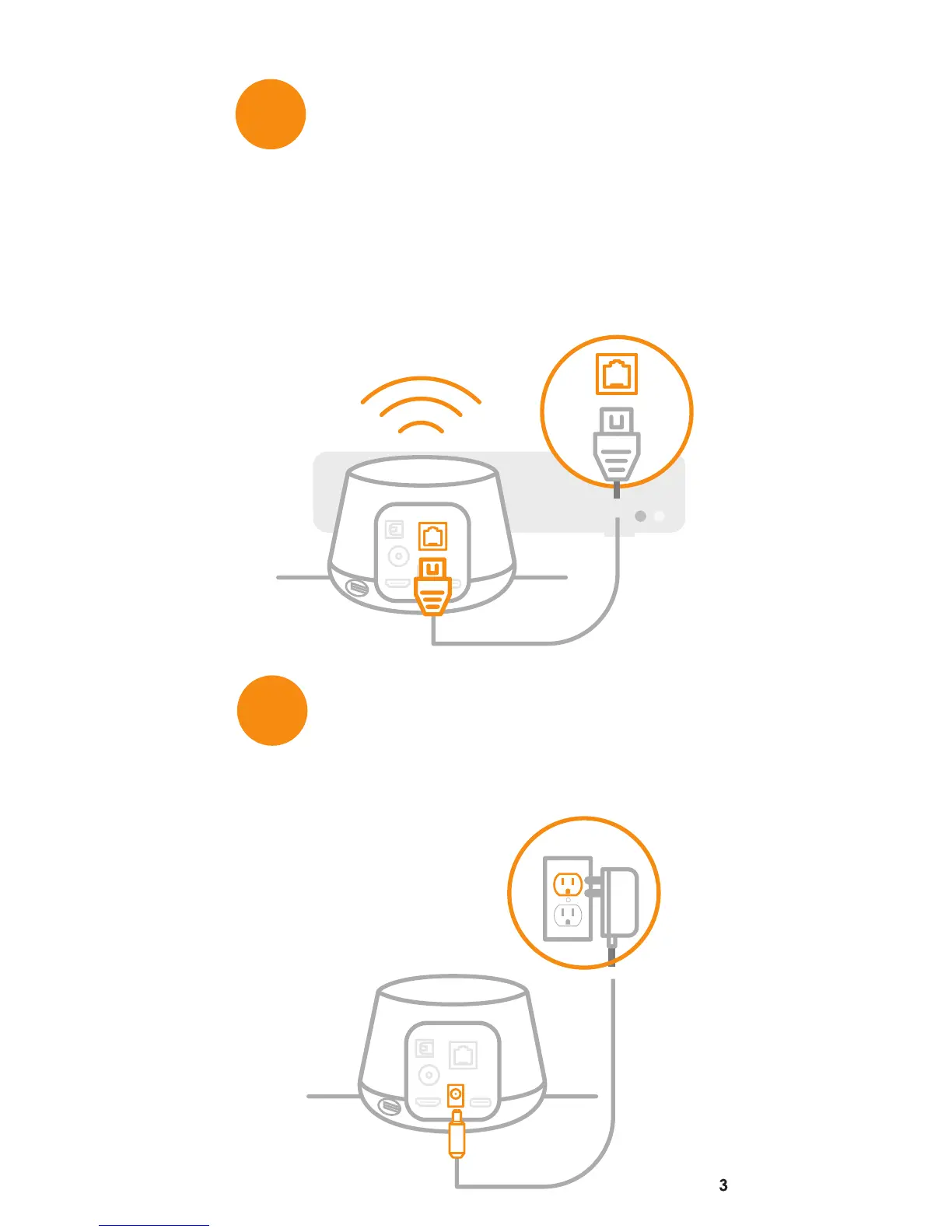
Connect the device to a power
outlet.
Connect the device to the internet
with a high speed ethernet cable
(not included) if modem/router is
close to the TV.
If you are unable to connect via Ethernet,
skip this step and you will be prompted to
connect via Wi-Fi in the set-up wizard.
4
3


 To Next Page