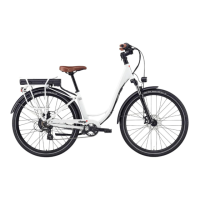
Need help?
Do you have a question about the Charge COMFORT and is the answer not in the manual?
Prepare your bike for assembly by unboxing and removing protective materials.
Learn how to adjust the handlebars for proper riding position and safety.
Guide to correctly installing the front wheel, ensuring secure attachment.
Instructions on how to fold or unfold the bicycle pedals.
How to set the optimal seat height for comfortable and safe riding.
Set the level of pedal assist using the +/- buttons on the display.
Control acceleration using the thumb throttle on the left-hand grip.
Adjust gears using the 7-speed manual shifter on the handlebar.
Steps to safely power off and remove the external battery pack.
Instructions for securely inserting and locking the battery pack into the rack.
Explanation for the aquarium graphic on the box related to careful handling.
 General
| Max Speed | 25 km/h |
|---|---|
| Max Load | 120 kg |
| Foldable | Yes |
| Charging Time | 4-5 hours |
| Battery Capacity | 7.8Ah |
| Tires | 8.5 inches |
| Brakes | Disc brake |
| Lights | LED |
| Category | Electric scooter |

 To Next Page