9
This step is particularly important to
your safety. Please see the assembly
video at help.chargebikes.com as well
as this Quick Start Guide.
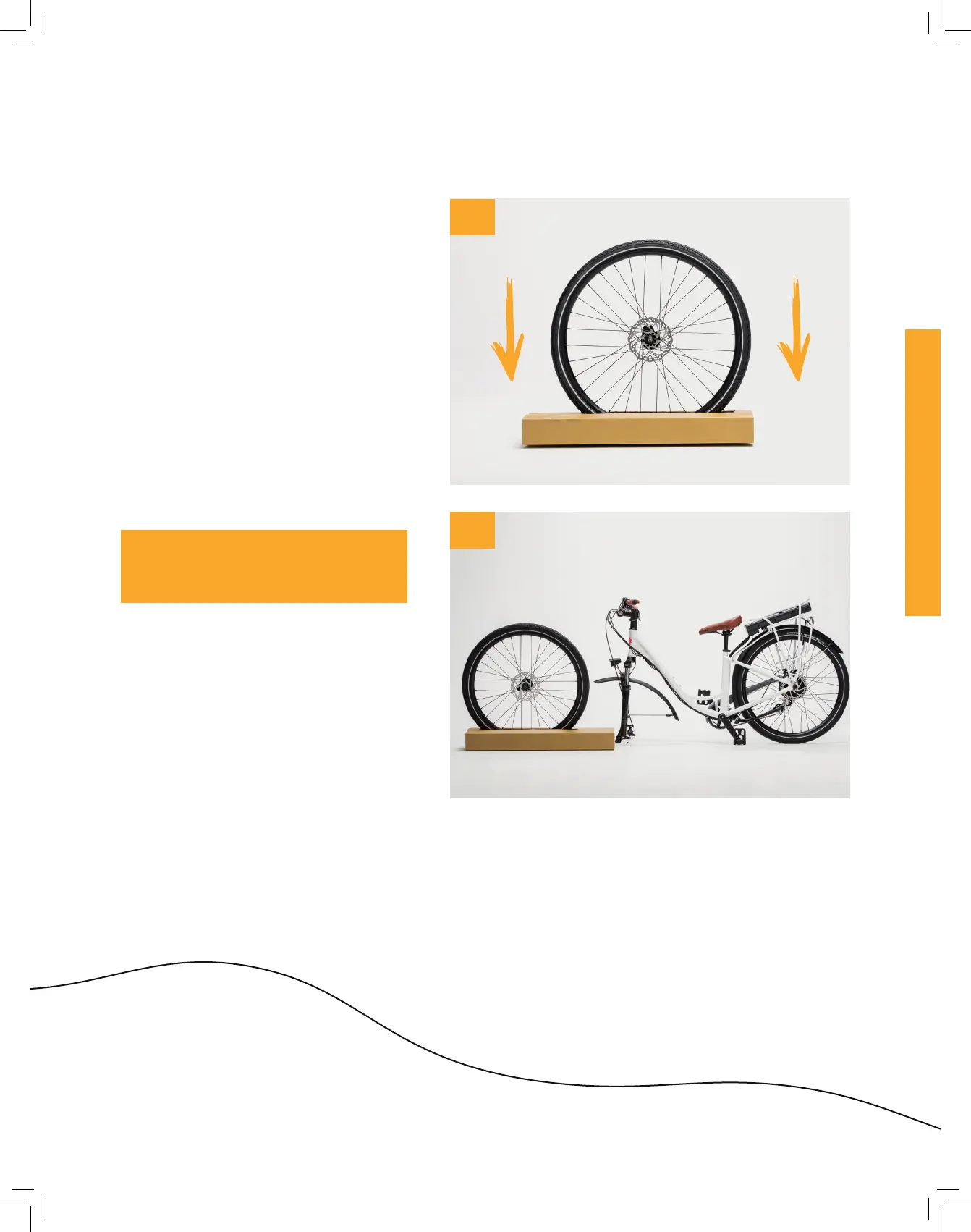
1. Lay the cardboard block that says
“Temporary Wheel Stand” flat on
the ground with the printed side
facing up.
2. Insert the front wheel into the
cutout marked “Insert Front
Wheel”. Verify the disc brake rotor
is on the side marked “Brake Disc
This Side”.
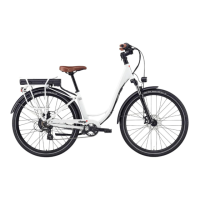
3. Lit the bike out of the tray and
place with the front forks gently on
the ground, making sure the bike is
stable (as pictured).
4. Place the front wheel and the
wheel stand in front of the bike.
Verify the front wheel disc brake
rotor is on the same side as the
kickstand.
Step 2: Install the front wheel
NOTE: The front wheel should
now stay upright on its own in the
temporary stand.
2
4


 To Next Page