23
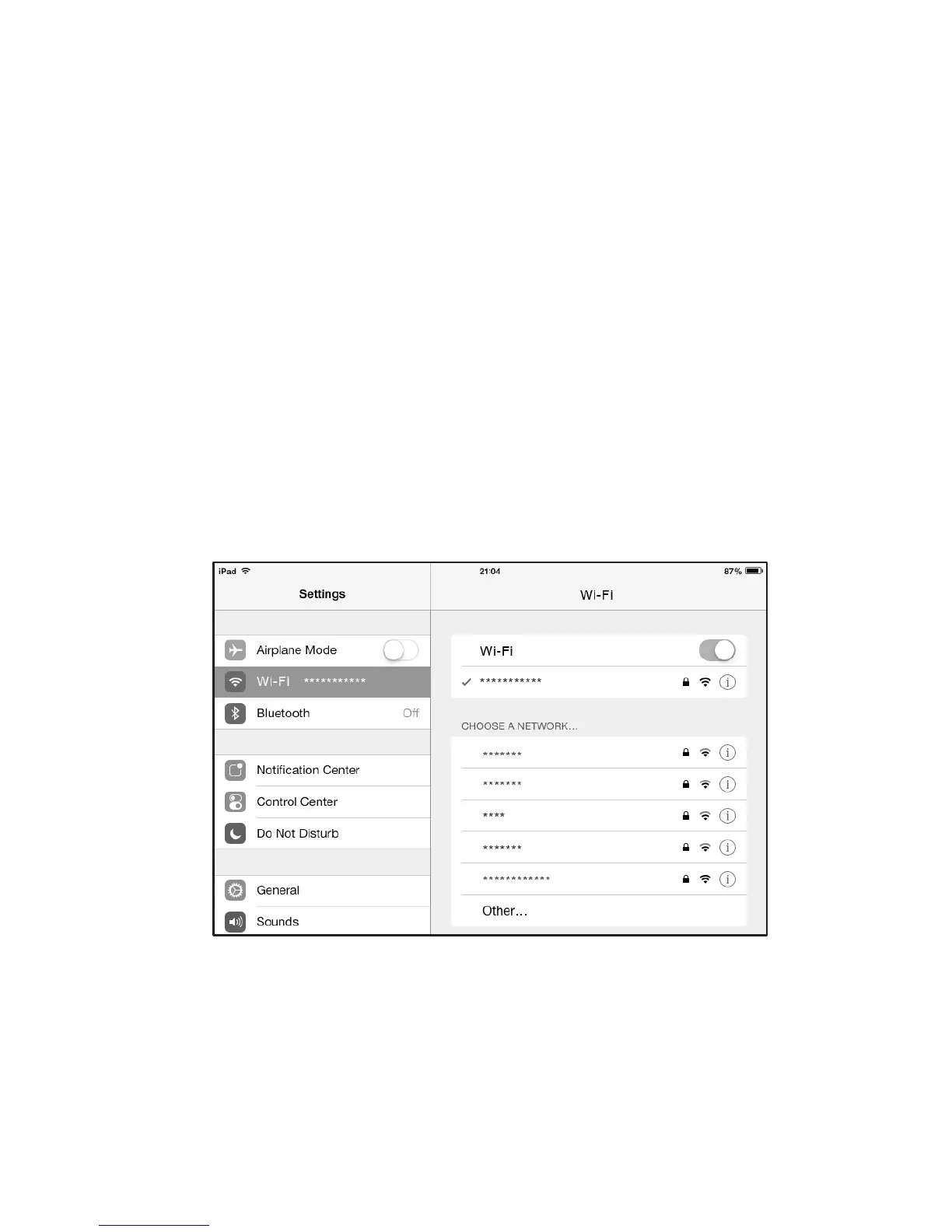
Example 2: Connecting to a Tablet
Computer (for example, iPad)
through Wi-Fi
1. Touch Settings > Wi-Fi to turn on Wi-Fi.
2. The tablet computer automatically searches for
wireless connections and displays a list of access
points.
3. Select the access point with the CharJi EVO
CLOUD's SSID.
4. If required, enter the correct wireless network
encryption key, and tap Join.
(The lock icon indicates that the encryption key is
required to connect to this wireless network.)
Note:
Wi-Fi devices, such as an iPhone, iPod touch, PS3
and NDSi, can all access the Internet through the
CharJi EVO CLOUD. For specific operations, refer
to the Wi-Fi device's user manual.


 To Next Page