8
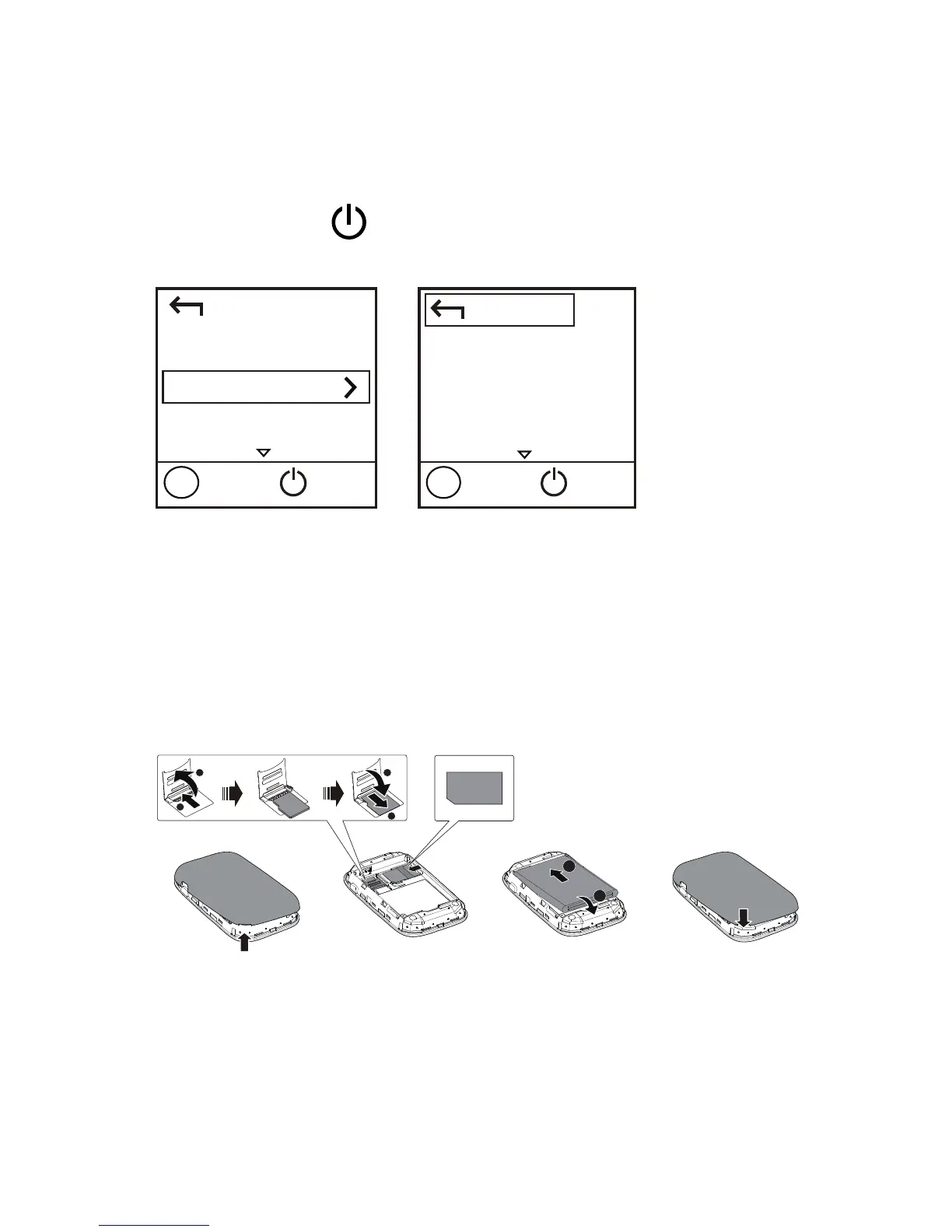
To view the current SSID and wireless network
encryption key on the screen:
1. Press the MENU button to display the menu.
2. Press the MENU button to scroll to Device Info.
3. Press the
button to enter Device Info.
Getting Started
Installing
Install the SIM card, microSD card, and battery
according to the illustration.
4
1
2
3
RESET
MENU
MENU
MENU
RESET
RESET
MENU
RESET
1
2
2
1
2
1
Note:
The microSD card is an optional accessory. If no
microSD card is included in the package, please
purchase one separately.
Back
Device Info
Next
OK
Menu
Back
SSID: XXXXXXXXXX
PWD: XXXXXX
Next
OK
Menu


 To Next Page