1
2
3
Download CHASING DORY App
Installation & Connection
Scan QR code or visit iOS App store /
Google Play to download.
(iOS 9.0 / Android 5.0 and above)
Booting Up
Once the Dory and the Wi-Fi buoy are connected, the LED lights on the drone
will flash and you will hear two self-test sounds. A flashing green light will indicate
that both the Dory and Wi-Fi buoy are powered on.
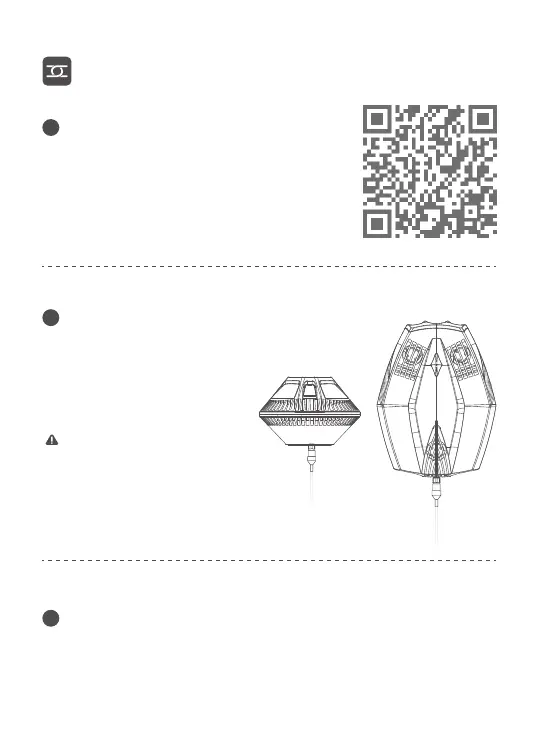
Connect Drone and Wi-Fi Buoy
Insert one end of the tether into
the drone and the other end into
the Wi-Fi buoy. Securely hand-
tighten both coupling bolts.
Note: Check the O-rings on the
tether connectors. If they are
missing or damaged, please
replace them. Make sure the
tether connectors are dry before
connecting.


 To Next Page