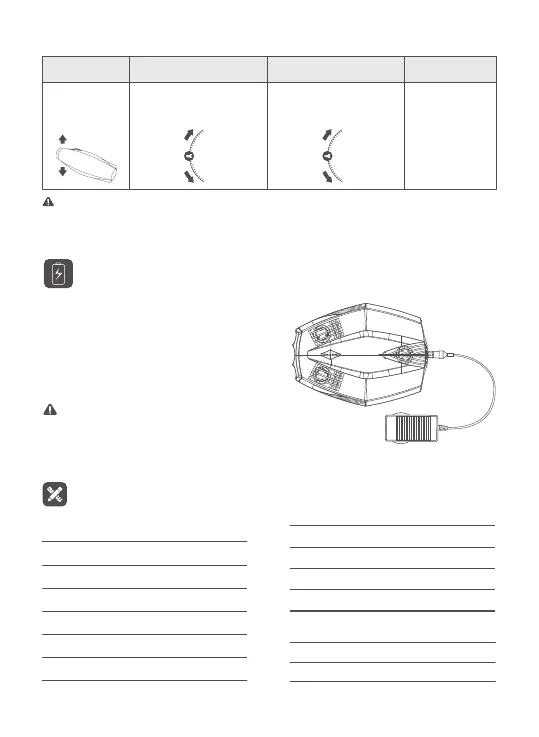
Note: The default mode is Japanese hand. You can switch to American hand or customize
settings in the app.
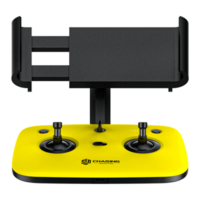
Virtual ControllerAmerican Hand
Tilt up /
Tilt down
Japanese Hand
Tilt up /
Tilt down
Flight Direction
Lowering the
head / Lifting
the head
Specifications
130*130*88mm
160g
16G
15m
BUOY
SIZE
WEIGHT
STORAGE
MAX WiFi DISTANCE
247*188*92mm
1.1kg
15m
1.5kn
60min
≥300times
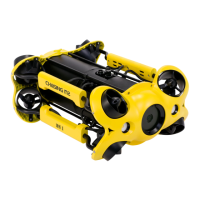
DRONE
SIZE
WEIGHT
MAX DEPTH
MAX SPEED
RUNTIME
BATTERY CYCLE LIFE
12.6V 1.8A
3 hours
CHARGER
POWER
CHARGING TIME
Charging Guidelines
Power adapter indicator light:
A solid red light indicates normal charging
is in process. A solid green light indicates a
complete charge. After charging, please
unplug the power adapter.
Note: Wi-Fi buoy does not have a battery and
requires no charging. Please DO NOT charge the
Wi-Fi buoy.


 To Next Page