EasyManua.ls Logo

Chauvet Derby X - User Manual

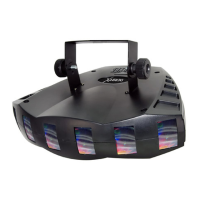
Chauvet Derby X
20 pages
Print Icon
To Next Page IconTo Next Page
Loading...
3000 N 29
th
Ct, Hollywood, FL 33020 U.S.A.
(800) 762-1084 – (954) 929-1115
FAX (954) 929-5560
www.chauvetlighting.com
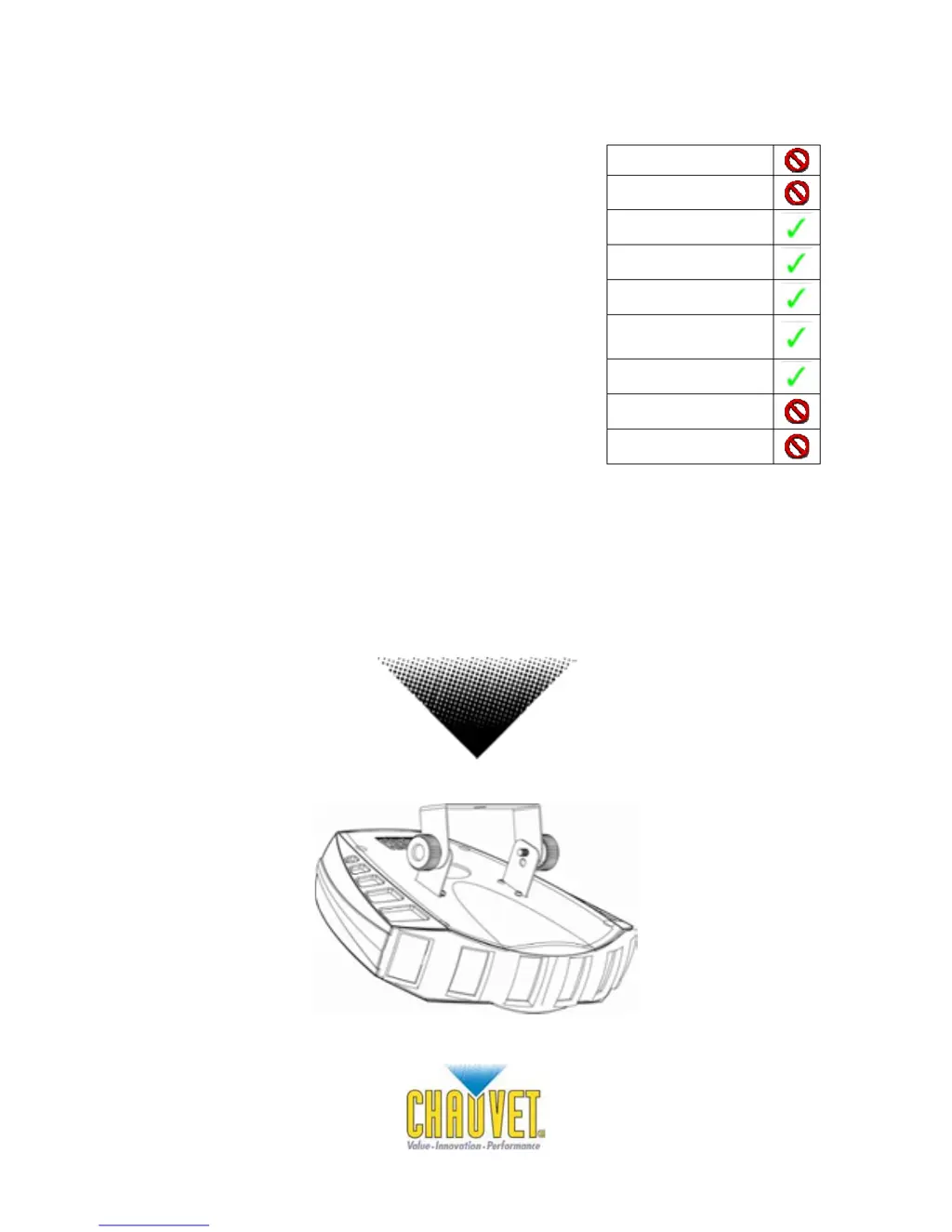
Derby X
Snapshot
OK on Dimmer
Outdoor OK
Sound Activated
DMX512
Master/Slave
Autoswitching
Transformer
Replaceable Fuse
User Serviceable
Duty Cycle
USER MANUAL

Questions and Answers

  • B
    Bryan YatesJul 26, 2025
    What to do if my Chauvet DJ Equipment has no power?
    • R
      Rebekah HicksJul 26, 2025
      If your Chauvet DJ Equipment device has no power, first, check the device’s internal fuse. Second, verify that there is power on the Mains. Finally, in case of an autoswitching transformer failure, the unit can be sent in for repair, or a replacement part can be ordered directly from CHAUVET Part#: P140-DERBYX.
  • B
    Brian MilesJul 31, 2025
    How to fix Chauvet DJ Equipment fixture not responding to DMX?
    • J
      james06Jul 31, 2025
      If your Chauvet DJ Equipment fixture is not responding to DMX, verify the Control Panel settings for correct addressing. Also, check the DMX cables and cable connections. Check the polarity switch settings on the controller. If the issue persists, call a service technician. For proper settings to operate in DMX mode, consult page #10. In the event of Master PCB failure, a replacement PCB can be ordered directly from CHAUVET Part#: P172-DERBYX.
  • A
    Allen HarveyAug 5, 2025
    Why does the breaker/fuse keep blowing on my Chauvet DJ Equipment?
    • B
      burnettjulieAug 5, 2025
      If the breaker/fuse keeps blowing in your Chauvet DJ Equipment, check the total load placed on the electrical circuit. Also, check for a short in the electrical wiring, both internal and external.
  • L
    lisa77Aug 10, 2025
    What to do for loss of signal on Chauvet DJ Equipment?
    • J
      Jessica JacksonAug 10, 2025
      To address the loss of signal in your Chauvet DJ Equipment, ensure you are using only DMX cables and install a terminator. Keep DMX cables separated from power cables or black lights.
  • P
    paulrodriguezAug 15, 2025
    Why are LEDs not illuminating on my Chauvet DJ Equipment?
    • K
      Kristen GrayAug 15, 2025
      If one or more LEDs are not illuminating on your Chauvet DJ Equipment, regularly clean the fixture to ensure proper cooling. An LED may have failed, resulting in an open circuit, in which case all of the red, green, or blue in a single module will no longer illuminate. Alternatively, an LED may have failed, resulting in a short circuit, in which case only the single LED which has failed will no longer function. In the event of LED failure, a replacement LED PCB assembly may be purchased directly from CHAUVET Part#: P222-DERBYX.
  • M
    Miss Savannah TuckerAug 20, 2025
    What to do if LEDs are producing low output on Chauvet DJ Equipment?
    • J
      Jennifer LewisAug 20, 2025
      If one or more LEDs are producing very low output on your Chauvet DJ Equipment, check that the lens assembly is installed properly so that it aligns correctly over the LEDs to ensure full projection. In the event of LED failure, a replacement LED PCB assembly may be purchased directly from CHAUVET Part#: P222-DERBYX.

Summary

Before You Begin

What is Included

Lists items included in the product package.

Unpacking Instructions

Steps for safely unpacking the fixture and checking contents.

AC Power

Information about the fixture's power supply and voltage requirements.

Contact Us

Contact details for CHAUVET support and information.

Safety Instructions

Crucial safety guidelines for installation, operation, and maintenance.

Introduction

Features

Highlights the key functionalities and capabilities of the Derby X fixture.

Additional Features

Describes extra features such as mounting options and power output.

DMX Channel Summary

Details the DMX channels and their corresponding functions.

Product Overview

Illustrates and labels the main physical components of the fixture.

Setup

Fuse Replacement

Step-by-step guide on how to safely replace the fixture's fuse.

Fixture Linking

Instructions on connecting multiple fixtures for synchronized shows.

Data Cabling

Information on selecting and using appropriate data cables for connections.

Cable Connectors

Details about XLR connectors used for DMX and signal transmission.

3-Pin to 5-Pin Conversion Chart

Guide for converting between 3-pin and 5-pin DMX connectors.

Setting up a DMX Serial Data Link

Step-by-step instructions for connecting fixtures in a DMX chain.

Master;Slave Fixture Linking

How to link fixtures in a master/slave configuration without a controller.

Mounting

Guidelines for safely mounting the fixture.

Orientation

Information on the fixture's mounting orientation.

Rigging

Safety and procedural advice for rigging the fixture.

Stacking

Instructions for stacking multiple fixtures using an optional bracket.

Operating Instructions

Operation

Overview of the fixture's operational modes.

Stand-Alone Mode (Sound-Active)

How to operate the fixture in sound-activated mode.

Master;Slave Mode (Master Sound)

How to operate in master/slave mode, linking units.

DMX Mode

Instructions for controlling the fixture via DMX.

DMX Channel Values

Detailed breakdown of DMX channel functions and their corresponding values.

Setting the Starting Address

Guide to setting the DMX starting address for the fixture.

DMX Quick Reference Chart

A quick lookup table for DMX addresses and dip switch settings.

Blow-out Diagram

General Troubleshooting

Technical Support

Appendix

DMX Primer

Explains the DMX-512 protocol and its use with lighting fixtures.

General Maintenance

Procedures for cleaning and maintaining the fixture for optimal performance.

Returns Procedure

Steps for returning merchandise, including RMA process.

Claims

Information on how to file claims for damaged or missing items.

Technical Specifications

Chauvet Derby X Specifications

General IconGeneral
BrandChauvet
ModelDerby X
CategoryDJ Equipment
LanguageEnglish

Related product manuals