EasyManua.ls Logo

Chauvet Obey 3 - User Manual

Chauvet Obey 3
14 pages
Print Icon
To Next Page IconTo Next Page
Loading...
3000 N 29
th
Ct, Hollywood, FL 33020 U.S.A.
(800) 762-1084 (954) 929-1115
FAX (954) 929-5560
www.chauvetlighting.com
User Manual
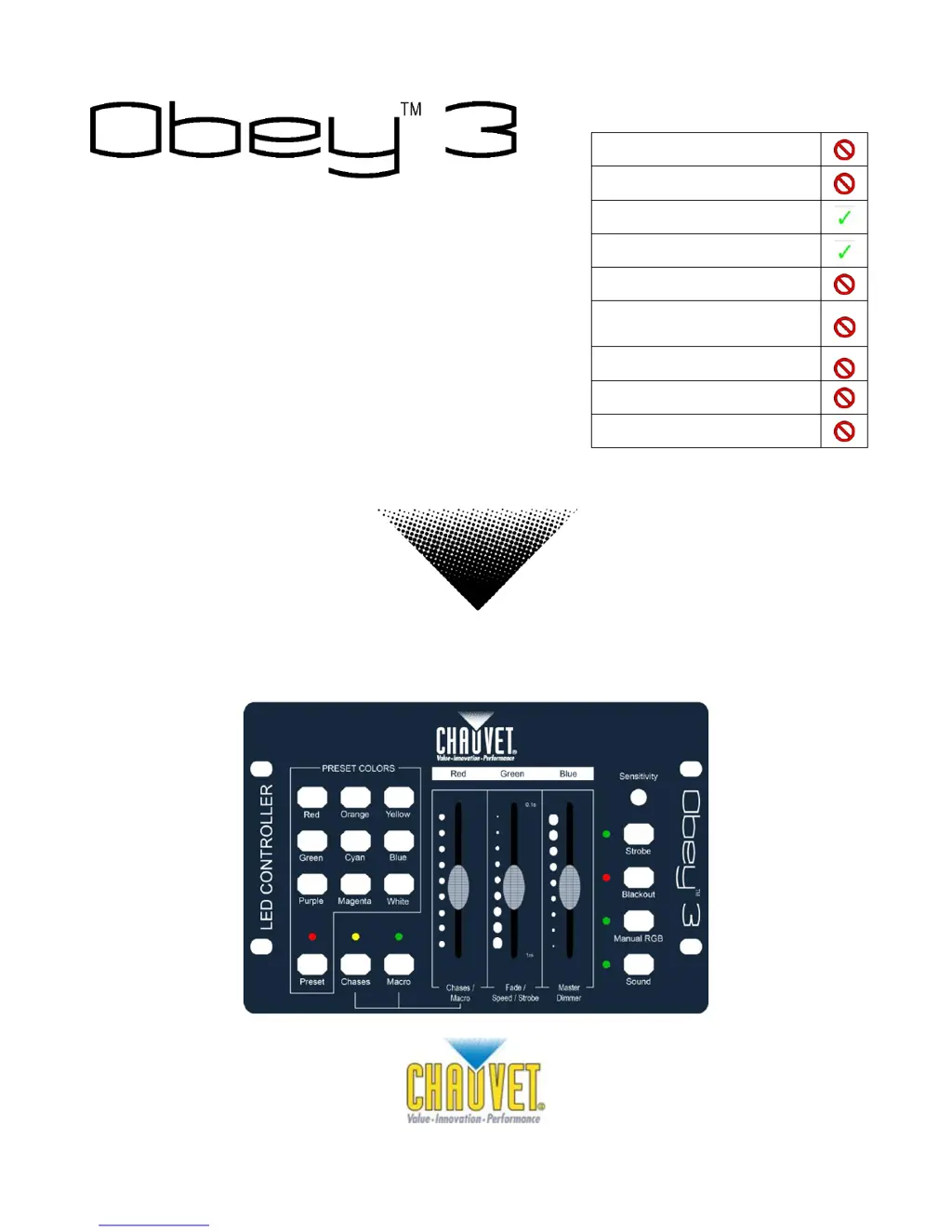
Snapshot
Use on Dimmer
Outdoor Use
Sound Activated
DMX
Master/Slave
Autoswitching
Power Supply
Replaceable Fuse
User Serviceable
Duty Cycle

Questions and Answers

  • J
    jason94Jul 27, 2025
    What to do if my Chauvet Control Systems device does not power up?
    • X
      xallenJul 27, 2025
      If the Chauvet Control Systems device does not power up, first ensure that there is power on the mains. Also, check the power cord to make sure it is properly connected.
  • R
    Ryan AdamsAug 2, 2025
    Why does the breaker or fuse keep blowing in my Chauvet Obey 3?
    • L
      Leslie ConleyAug 2, 2025
      If the breaker or fuse keeps blowing in your Chauvet Control Systems, it could be due to an excessive circuit load. Check the total load placed on the electrical circuit. Alternatively, there might be a short circuit along the power wires. Inspect the electrical wiring (internal and/or external) for any shorts.
  • K
    Kevin SmithAug 11, 2025
    How to troubleshoot a Chauvet Obey 3 Control Systems fixture that is not responding to DMX?
    • F
      fisherfrankAug 11, 2025
      If your Chauvet Control Systems fixture is not responding to DMX, there are several things to check: 1. Verify the DMX addressing on the Control Panel and the unit. 2. Inspect the DMX cables for any damage. 3. Check the polarity switch settings on the controller. 4. Ensure that all cable connections are secure. 5. Consider replacing the DMX input if the interface is faulty. 6. Replace the Main PCB if it's faulty.
  • D
    David TaylorAug 18, 2025
    What causes signal loss in Chauvet Obey 3 Control Systems and how to fix it?
    • A
      Alexandra DennisAug 18, 2025
      A loss of signal in Chauvet Control Systems can occur due to several reasons: * Using non-DMX cables: Ensure you are using only DMX compatible cables. * Bouncing signals: Install a terminator. * Long cable/Low level signal: Install an amplifier right after the fixture with a strong signal. * Too many fixtures: Install an optically coupled DMX splitter after unit #32. * Interference from AC wires: Keep DMX cables separated from power cables or black lights.

Summary

BEFORE YOU BEGIN

What is included

Lists all components provided with the Obey 3.

Safety Instructions

INTRODUCTION

Features

Details the key features and capabilities of the Obey 3 controller.

Product Overview

Provides a general description and visual overview of the Obey 3 controller.

SETUP

AC Power

Instructions regarding the correct power supply and connection for the fixture.

OPERATING INSTRUCTIONS

APPENDIX

Fixture Linking

How to connect multiple fixtures in a serial data link for shows.

General Troubleshooting

Breaker;Fuse Keeps Blowing

Troubleshooting steps for issues with circuit breakers or fuses.

Device Does Not Power Up

Solutions for the device failing to power on.

Fixture Not Responding to DMX

Steps to resolve issues when the fixture does not respond to DMX signals.

Loss of Signal

How to address problems related to signal loss or intermittent connections.

Returns Procedure

Technical Specifications

Chauvet Obey 3 Specifications

Power IconPower
operating rangeDC 12 V, 500 mA max
adapter100~240 VAC, 50/60 Hz
Operating Environment IconOperating Environment
maximum ambient temperature113° F (45° C)
Weight and Dimensions IconWeight and Dimensions
length5.5 in (140 mm)
width8.3 in (210 mm)
height2.1 in (52 mm)
weight2 lbs (0.9 kg)

Related product manuals