EasyManua.ls Logo

Chauvet Q-Spot - User Manual

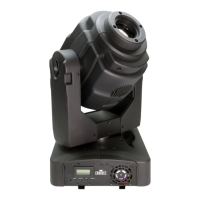
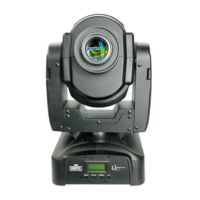
Chauvet Q-Spot
32 pages
Print Icon
To Next Page IconTo Next Page
Loading...
User Manual

Questions and Answers

Summary

Edition Notes

Trademarks

Information about CHAUVET® trademarks and their usage.

Copyright Notice

Details CHAUVET®'s ownership of the manual's content and copyright.

Manual Usage

Authorizes download and print for professional use, prohibits other usage.

Document Printing

Provides recommendations for optimal document printing quality.

Intended Audience

Identifies the target readers of the user manual.

Disclaimer

States CHAUVET®'s disclaimer regarding accuracy and right to revise.

Document Revision

Notes that Rev. 08 supersedes previous versions.

Before You Begin

What Is Included

Lists the components included with the Q-Spot™™ 560-LED.

Unpacking Instructions

Provides instructions for unpacking and checking the product.

Claims

Details the procedure for filing claims for damaged or missing parts.

Typographic Conventions

Explains the meaning of conventions used in the manual.

Icon Meaning

Explains the meaning of icons used throughout the manual.

Product at a Glance

Summarizes key features and compatibility of the product.

Safety Notes

Provides essential safety information for installation, usage, and maintenance.

Personal Safety

Details precautions for personal safety during operation.

Mounting and Rigging

Covers safety guidelines related to mounting and rigging the product.

Power and Wiring

Explains safe power connection and wiring practices.

Operation Safety

Lists important safety considerations during product operation.

Expected LED Lifespan

Discusses factors affecting LED lifespan and how to extend it.

Introduction

Product Description

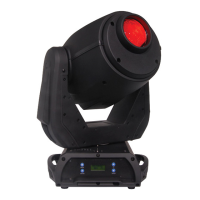
Describes the Q-Spot™™ 560-LED, its components, and main features.

Features

Lists the technical features of the Q-Spot™™ 560-LED.

Additional Features

Highlights extra functionalities and connectivity options of the product.

Product Overview

Illustrates the rear and front views of the Q-Spot™™ 560-LED.

Color Wheel Diagram

Diagram showing the color wheel with its 7 colors plus white.

Gobo Wheel 1 Diagram

Diagram of Gobo Wheel 1 with 7 fixed gobos and open position.

Gobo Wheel 2 Diagram

Diagram of Gobo Wheel 2 with 6 rotating gobos and open position.

Product Dimensions

Provides detailed dimensions of the Q-Spot™™ 560-LED in inches and millimeters.

Setup

AC Power

Details the auto-ranging power supply and electrical safety precautions.

AC Plug Wiring

Explains wiring for the power cord plug and its specifications.

Fuse Replacement

Provides step-by-step instructions for replacing the product's fuse.

DMX Linking

Explains how to link the product to a DMX controller.

DMX Modes

Describes the available DMX modes (Basic and Advanced) for the product.

Master;Slave Connectivity

Details how to configure and use the Master/Slave mode for synchronized operation.

Gobo Replacement

Step-by-step guide for replacing gobos in the gobo wheels.

Mounting Guidelines

Safety notes and general guidelines before mounting the product.

Orientation

Guidance on proper product orientation for safe operation.

Rigging

Recommends guidelines for safely rigging the product.

Mounting Procedure

Explains how to attach clamps using the included omega brackets.

Product Mounting Diagram

Illustrates floor and overhead mounting configurations.

Operation

Control Panel Overview

Details the functions of the control panel buttons.

Control Options

Explains how to set the DMX start address and control units.

Programming Basics

Guide to navigating menu options and programming levels.

DMX Operation Setup

Steps to select DMX operation, mode, and starting address.

Stand-alone Operation Modes

Instructions for selecting and using stand-alone operation modes.

Master;Slave Operation

Detailed steps for setting up Master/Slave units and important warnings.

Display Mode Settings

How to select display modes for the LCD backlight.

Software Version Check

Procedure to view the installed software version.

Keylock Functionality

Instructions for locking/unlocking the product's display and the default password.

Resetting Settings

How to reset custom settings to their default values.

Dimmer Curve Options

Explains the dimmer curve options for simulating incandescent lighting.

Fader Reversal Settings

How to define the direction of pan, tilt, and dimmer faders.

Range Limitation

Procedure to limit the pan and tilt ranges.

Reset Control Options

How to reset the product using DMX controller or control panel.

Move-in Black Feature

Activate/deactivate the move-in black 3-second delay.

Loss of DMX Settings Response

Defines product behavior when DMX signal is lost.

Fan Wait Feature

Option to stop the fan during a blackout.

System Default Reset

Procedure to reset all product parameters to default values.

Custom Program Editing

Guide to programming up to 255 steps in a custom program.

Menu Map

INTRO Menu Options

Details options for Address, Reset, Run modes, Person modes, Display, Keylock, Dimmer, Info.

INVERT Menu Options

Defines direction for Pan, Tilt, Dimmer and activates changes.

RANGE Menu Options

Sets restricted ranges for Pan start/end and Tilt start/end points.

SPECIAL Menu Options

Controls Blackout delay, Reset function, and Fan wait.

DMXERROR Menu Options

Defines product behavior when DMX signal is lost.

EDIT Menu Options

Allows programming of steps, Pan, Tilt, Speed, Color, Gobos, Prism, Iris, Focus, Dimmer, Strobe, Time.

Extra Menu Options

Provides access to Password and Default settings.

DMX Values - Basic

Basic Channels 1-2 (Pan;Tilt)

Details DMX values for Pan and Tilt movement.

Basic Channel 3 (Color Wheel)

Lists DMX values for color selection and effects.

Basic Channel 4 (Gobo Wheel 1)

Specifies DMX values for Gobo Wheel 1 selection and effects.

Basic Channel 5 (Gobo Wheel 2)

Specifies DMX values for Gobo Wheel 2 selection and effects.

Basic Channel 6 (Gobo Wheel 2 Rotation)

Details DMX values for Gobo Wheel 2 rotation modes.

Basic Channel 7 (Prism)

Lists DMX values for Prism selection and effects.

Basic Channel 8 (Prism Rotation)

Specifies DMX values for Prism rotation modes.

Basic Channel 9 (Iris)

Details DMX values for Iris position and effects.

Basic Channel 10 (Focus)

Specifies DMX values for Focus adjustment.

Basic Channel 11 (Dimmer)

Details DMX values for Dimmer control.

Basic Channel 12 (Strobe)

Lists DMX values for Strobe effects.

Basic Channel 13 (Control)

Specifies DMX values for control functions like dimming and programs.

Advanced Channels 1-5 (Pan;Tilt;Speed)

Details DMX values for advanced Pan, Tilt, and Speed control.

Advanced Channel 6 (Color Wheel)

Lists DMX values for advanced color wheel functions.

Advanced Channel 7 (Gobo Wheel 1)

Specifies DMX values for advanced Gobo Wheel 1 selection.

Advanced Channel 8 (Gobo Wheel 2)

Details DMX values for advanced Gobo Wheel 2 selection.

Advanced Channel 9 (Gobo Wheel 2 Rotation)

Specifies DMX values for advanced Gobo Wheel 2 rotation.

Advanced Channel 10 (Prism)

Lists DMX values for advanced Prism selection.

Advanced Channel 11 (Prism Rotation)

Details DMX values for advanced Prism rotation.

Advanced Channel 12 (Iris)

Specifies DMX values for advanced Iris control.

Advanced Channel 13 (Focus)

Lists DMX values for advanced Focus control.

Advanced Channel 14 (Focus Fine)

Details DMX values for advanced fine focus control.

Advanced Channel 15 (Dimmer)

Specifies DMX values for advanced Dimmer control.

Advanced Channel 16 (Strobe)

Lists DMX values for advanced Strobe effects.

Advanced Channel 17 (Control)

Details DMX values for advanced control functions.

Technical Information

Product Maintenance

Provides guidelines for cleaning and maintaining the product for optimal performance.

Troubleshooting Guide

Lists common symptoms, causes, and actions for troubleshooting.

Returns Procedure

Outlines the process for returning products for service or repair.

Contact Us

Provides contact information for CHAUVET® World Headquarters and Technical Support.

Technical Specifications

Dimensions and Weight

Lists the product's dimensions and weight.

Electrical Specifications

Details power supply type, consumption, and fuse specifications.

Light Source Details

Information about the LED light source, including power and lifespan.

Photo Optic Specifications

Provides data on illuminance, beam angle, and field angle.

Head Movement Specs

Specifies Pan and Tilt ranges.

Gobo Specifications

Lists external diameter and thickness for gobo wheels.

Thermal Specifications

Details maximum external temperature and cooling system.

DMX Specifications

Specifies I/O connectors and channel range.

Ordering Information

Lists product name, item code, and item number.

Chauvet Q-Spot Specifications

Q-Spot™

Power IconPower
switch-selectable power settings115V 60 Hz or 230V 50 Hz
current draw at 120Vpeak 324W, inrush 720W
current draw at 230Vpeak 359W, inrush 741W
Photo Optic IconPhoto Optic
beam angle13°
pan540°
tilt270°
Weight and Dimensions IconWeight and Dimensions
length304 mm
width318 mm
height470 mm
weight14.7 kg

Q-Spot™ 150

Power IconPower
switch-selectable power settings115V 60 Hz or 230V 50 Hz
current draw at 120Vpeak 251W, inrush 466W
current draw at 230Vpeak 289W, inrush 433W
Photo Optic IconPhoto Optic
beam angle13°
pan540°
tilt270°
Weight and Dimensions IconWeight and Dimensions
length304 mm
width318 mm
height470 mm
weight14.5 kg

Related product manuals