EasyManua.ls Logo

Chauvet Vue VI - User Manual

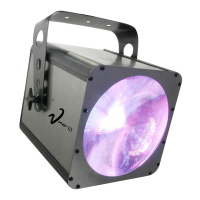
Chauvet Vue VI
17 pages
Print Icon
To Next Page IconTo Next Page
Loading...
Chauvet, 3000 N 29
th
Ct, Hollywood, FL 33020 U.S.A.
(800) 762-1084 – (954) 929-1115
FAX (954) 929-5560
www.chauvetlighting.com
Vue VI
Snapshot
Ok on Dimmer
Outdoor OK
Sound Activated
DMX512
Master/Slave
115V/230V Switch
Replaceable Fuse
User Serviceable
Duty Cycle
USER MANUAL

Questions and Answers

  • S
    Sue MosesJul 29, 2025
    What to do if my Chauvet Vue VI has no power?
    • V
      Vickie PhillipsJul 29, 2025
      If your Chauvet Light Fixture isn't powering on, first, ensure that the power is reaching the mains. Then, check the device's fuse, both internal and external.
  • H
    halljamesAug 2, 2025
    How to fix a Chauvet Light Fixture that is not responding?
    • M
      Morgan YoungAug 2, 2025
      If your Chauvet Light Fixture isn't responding, check the DMX Dip switch settings for correct addressing, inspect the DMX cables, and verify the polarity switch settings.
  • S
    Steven RiveraAug 6, 2025
    What to do if I have a loss of signal with my Chauvet Vue VI Light Fixture?
    • J
      Jesse CruzAug 6, 2025
      If you're experiencing signal loss with your Chauvet Light Fixture: * Use only DMX cables. * Install a terminator. Also, keep DMX cables separated from power cables or black lights.
  • N
    Nicholas PhillipsAug 10, 2025
    Why is the beam very dim on my Chauvet Vue VI?
    • N
      nporterAug 10, 2025
      If the beam on your Chauvet Light Fixture is very dim or not bright, try cleaning the optical system or replacing the lamp. Also, check the 220/110v switch for the proper setting.
  • K
    kevin86Aug 14, 2025
    What to do if Chauvet Vue VI is on but there is no movement to the audio?
    • E
      ericajordanAug 14, 2025
      If your Chauvet Light Fixture is on but not responding to the audio, ensure you have the correct audio mode selected on the control switches. If the audio is provided via a ¼” jack, verify that a live audio signal exists and adjust the sound sensitivity knob.
  • S
    sean98Aug 19, 2025
    Why do the lamps cut off sporadically on my Chauvet Vue VI?
    • A
      Angela ShannonAug 19, 2025
      The lamp may be at the end of its life, or the fixture is overheating. It could also be a bad lamp.
  • S
    Sarah CarsonAug 23, 2025
    What to do if Chauvet Vue VI Light Fixture will not come on after power failure?
    • A
      Andrea SmithAug 25, 2025
      Some discharge lamps require a cooling-off period before the electronics in the fixture can kick-start it again. Wait 5 to 10 minutes before powering up your Chauvet Light Fixture.

Summary

Before You Begin

What Is Included

Lists the items included in the package for the Vue™ VI fixture.

Unpacking Instructions

Instructions on how to carefully unpack the fixture and check for damage.

AC Power

Information on the auto-switching power supply and voltage compatibility.

Contact Us

Contact details for Chauvet Lighting for general information and technical support.

Safety Instructions

General Safety Precautions

Important safety guidelines for operating and maintaining the fixture.

Critical Warning

Emphasizes not opening the housing and contacting Chauvet for service.

Introduction

Features

Lists the key features of the Vue™ VI, including DMX control and LED capabilities.

Additional Features

Details compatibility with other Vue models and power output specifications.

DMX Channel Summary

Overview of DMX channel assignments and their corresponding functions.

Product Overview

Setup

Fuse Replacement

Step-by-step instructions for replacing the fixture's fuse.

Fixture Linking

Explains how to connect multiple fixtures for synchronized operation via DMX or master/slave.

Data Cabling

Guidance on selecting and using appropriate data cables for DMX connections.

Cable Connectors

Details the male and female XLR connectors used for DMX data transmission.

3-Pin to 5-Pin Conversion Chart

Provides a chart for converting 3-pin XLR DMX cables to 5-pin XLR connectors.

Setting Up a DMX Serial Data Link

Step-by-step guide on how to establish a DMX serial data link between fixtures.

Stand-Alone;Master;Slave Fixture Linking

Instructions for linking fixtures in stand-alone or master/slave modes without a DMX controller.

Mounting

Guidelines for mounting the fixture, including orientation and rigging.

Operating Instructions

Stand-Alone Mode (Sound-Active, Auto Mode, Strobe Mode, All On)

Explains how to operate the fixture in various stand-alone modes using dipswitches and sensitivity knob.

Master;Slave Mode (Master Sound, Master Auto, Strobe, All On)

Details how to set up and operate fixtures in Master/Slave configurations.

DMX Mode

How to control the fixture using a DMX controller, including setting addresses.

DMX Channel Values

A detailed breakdown of DMX channel values and their corresponding functions and modes.

Setting the Starting Address

Explains the process of setting the DMX start address using DIP switches.

General Troubleshooting

Appendix

DMX Primer

Explains the DMX-512 protocol, channels, and daisy-chaining for fixtures.

General Maintenance

Provides guidance on cleaning and maintaining the fixture for optimal performance.

Returns Procedure

Instructions for returning merchandise, including required information and packaging.

Claims

Information regarding shipping damage claims and other claims for missing or damaged parts.

Technical Specifications

Detailed specifications including dimensions, light source, power, thermal, and control parameters.

Chauvet Vue VI Specifications

Light Source IconLight Source
light source252 (108 red, 72 green, 72 blue) LEDs 100, 000hrs
beam angle110°
DMX channels6
Power IconPower
auto-switching power supply100V – 240V 50/60Hz AC
fuse2A 250V
power consumption40W (0.48A) Operating
inrush power50W (1.4A) Inrush
power factor0.70
Thermal IconThermal
maximum ambient temperature104° F (40°C)
Weight and Dimensions IconWeight and Dimensions
length13 in (330 mm)
width13 in (330 mm)
height13 in (330 mm)
weight6.6 lbs (3 kg)

Related product manuals