EasyManua.ls Logo

Chauvet Vue III - User Manual

Chauvet Vue III
17 pages
Print Icon
To Next Page IconTo Next Page
Loading...
Chauvet, 3000 N 29
th
Ct, Hollywood, FL 33020 U.S.A.
(800) 762-1084 – (954) 929-1115
FAX (954) 929-5560
www.chauvetlighting.com
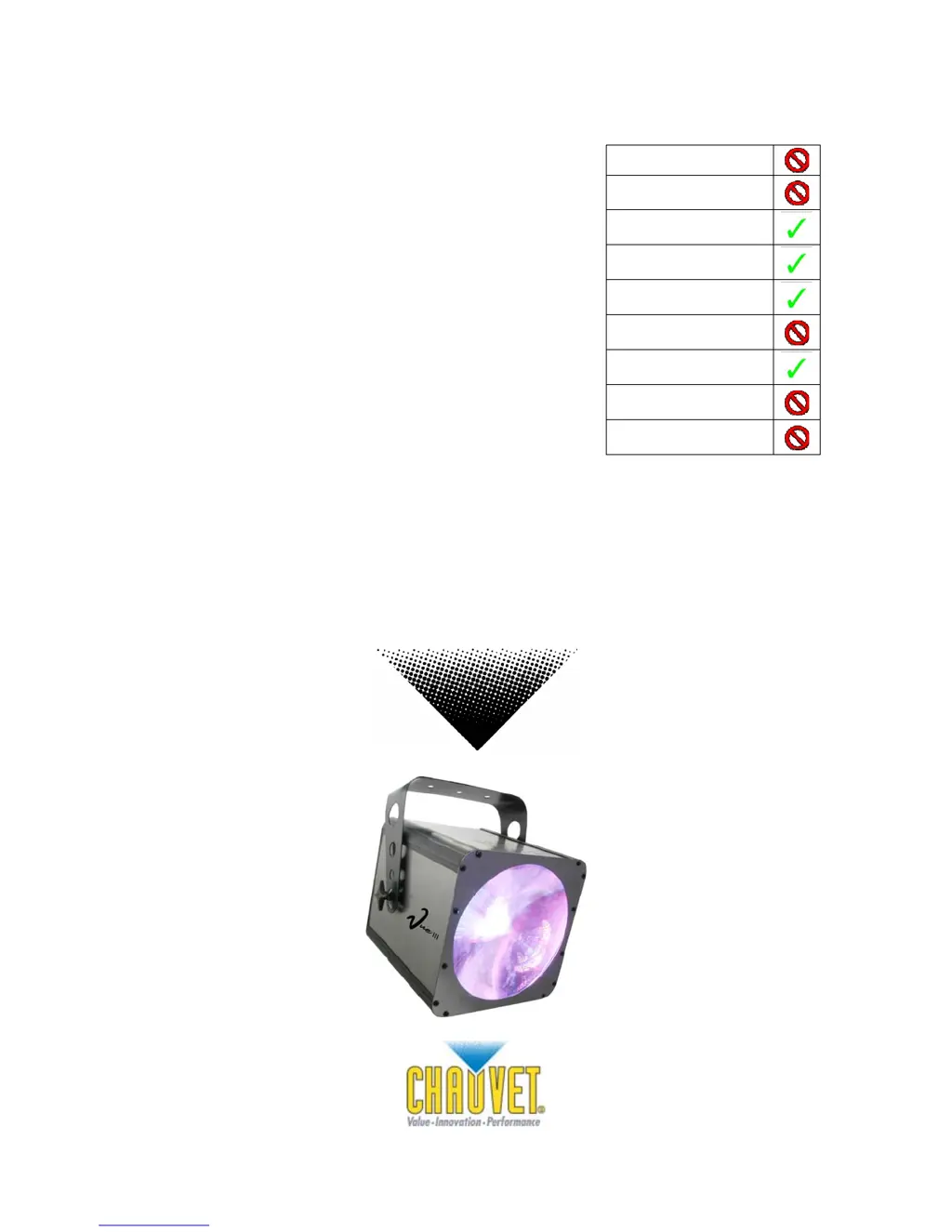
Vue™ III
Snapshot
Ok on Dimmer
Outdoor OK
Sound Activated
DMX512
Master/Slave
115V/230V Switch
Replaceable Fuse
User Serviceable
Duty Cycle
USER MANUAL

Other manuals for Chauvet Vue III

Questions and Answers

  • S
    Shannon SmithJul 30, 2025
    What to do if my Chauvet Light Fixture has no power?
    • M
      Mackenzie LongJul 30, 2025
      If your Chauvet Light Fixture isn't powering on, first, ensure that the power is available. Then, check the device's internal and/or external fuse.
  • J
    Jason ValentineAug 4, 2025
    Why does the breaker/fuse keep blowing on my Chauvet Vue III Light Fixture?
    • S
      Sara ScottAug 4, 2025
      If the breaker or fuse keeps blowing on your Chauvet Light Fixture, check the total load placed on the device.
  • M
    marshallgabrielAug 9, 2025
    How to fix a Chauvet Vue III Light Fixture that is not responding?
    • B
      Brian YoungAug 9, 2025
      If your Chauvet Light Fixture is not responding, check the DMX Dip switch settings to ensure they are correctly addressed. Also, inspect the DMX cables and check the polarity switch settings.
  • S
    Sheila PerryAug 14, 2025
    Why is the beam very dim on my Chauvet Light Fixture?
    • C
      Charles MoyerSep 12, 2025
      If the beam on your Chauvet Light Fixture is very dim or not bright, try cleaning the optical system or replacing the lamp. Also, verify the 220/110v switch is set properly.
  • M
    Miss Alyssa SandersAug 23, 2025
    Why does the lamp cut off sporadically on my Chauvet Vue III Light Fixture?
    • J
      jenniferwalshAug 23, 2025
      If the lamp in your Chauvet Light Fixture cuts off sporadically, it could be a bad lamp or the fixture is overheating. The lamp may also be at the end of its life.
  • B
    Brenda SweeneySep 10, 2025
    What to do if my Chauvet Vue III Light Fixture is on but there is no movement to the audio?
    • A
      Abigail HallSep 12, 2025
      If your Chauvet Light Fixture is on but not responding to audio, ensure you have the correct audio mode selected on the control switches. If using a ¼” jack, confirm a live audio signal exists. Also, adjust the sound sensitivity knob.

Summary

Before You Begin

Safety Instructions

Essential safety precautions and warnings for operating the fixture.

Introduction

DMX Channel Summary

Summarizes the DMX channel assignments and their functions.

Product Overview

Diagram and labels for the fixture's external components and connections.

Setup

Setting Up a DMX Serial Data Link

Step-by-step instructions for establishing a DMX serial data link between fixtures.

Stand-Alone;Master;Slave Fixture Linking

Instructions for linking fixtures in stand-alone or master/slave modes.

Operating Instructions

DMX Channel Values

Defines the functions assigned to each DMX channel for control.

LED Cluster Values

Explains DMX values for controlling individual LED colors within clusters.

Setting the Starting Address

Guide to configuring DMX start addresses using dip switches.

General Troubleshooting

Returns, Claims, and Specifications

Technical Specifications

Detailed technical data including dimensions, power, and light source.

Chauvet Vue III Specifications

Light Source IconLight Source
bulb469 (280 red, 63 green, 126 blue) LED’s 100, 000hrs
beam angle61°
Power IconPower
auto-switching power supply100V – 240V 50/60Hz AC
fuse2A 250V
power consumption41.2W Max
inrush power23.2W
Operating Environment IconOperating Environment
maximum ambient temperature95° F (35°C)
Weight and Dimensions IconWeight and Dimensions
length11 in (279 mm)
width10 in (254 mm)
height8.5 in (216 mm)
weight8 lbs (3.6 kg)

Related product manuals