
 Need help?
Do you have a question about the Check Point T-180 and is the answer not in the manual?
Recommends installing the most recent software release for improvements, fixes, and protection.
Provides links to the latest version of this document and other technical information.
Details changes and updates made to the document over time.
Encourages users to send comments to improve documentation.
Covers essential safety warnings regarding air vents, user-serviceable parts, and battery handling.
Details safety precautions for lithium batteries, processors, and laser products.
Provides guidelines for safely mounting the appliance in a rack environment.
Informs about Perchlorate Material and Proposition 65 chemical warnings for California.
Includes FCC, Canadian, Japan, and EU compliance statements for the appliance.
Instructs on the proper disposal of the product to protect health and the environment.
Welcomes the user and introduces Check Point 4000 Appliances and services.
Provides a high-level overview of the Check Point 4000 Appliances' capabilities.
Details the components that can be upgraded on the Check Point 4000 Appliances.
Lists the items included in the shipping carton for the appliance.
Defines key terms and concepts used throughout the guide.
Instructions for rack mounting 4800 models using sliding rails.
Details of hardware components for 4800 sliding rail kits.
Steps to attach appliance rails to the 4800 model.
Procedure for preparing round-hole rack rails for 4800 models.
Steps to attach rack rails to the server rack for 4800 models.
Guide to installing the 4800 appliance into the mounted rack rails.
Procedure for safely removing the 4800 appliance from the rack.
Importance of airflow and vent clearance for appliance operation.
Instructions for rack mounting 4200, 4400, and 4600 models using fixed rails.
List of hardware and tools required for 4200/4400/4600 rack mounting.
Steps to attach ear mount brackets to the front panel of 4200/4400/4600.
Procedure for attaching rail plates to the appliance rails for 4200/4400/4600.
Steps to connect appliance rails to the sides of 4200/4400/4600.
Guide to installing the 4200/4400/4600 appliance into the rack.
Step-by-step instructions for powering on the Check Point 4000 Appliances.
Information on selecting and using different software images for the appliance.
Guides the user through the initial setup process using the Configuration Wizard.
Detailed steps for configuring the appliance using the Gaia First Time Configuration Wizard.
Detailed steps for configuring the appliance using the SecurePlatform First Time Configuration Wizard.
Process for creating a network object for the appliance in SmartDashboard.
Overview of advanced configuration options available for the appliance.
Instructions on how to connect to the appliance's Command Line Interface (CLI).
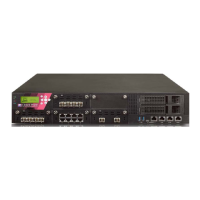
Details components on the front panel of the appliance.
Identifies components on the front panel of the Check Point 4200 model.
Identifies components on the front panel of the Check Point 4400/4600 models.
Identifies components on the front panel of the Check Point 4800 model.
Explains how to use the appliance's LCD panel for basic management.
Information about available expansion line cards for the appliance.
Details components located on the rear panel of the appliance.
Describes the function of the main power switch.
Explains the redundant power supply feature for the Check Point 4800.
Guide to replacing or upgrading appliance components.
Procedure to restore the appliance to factory default settings via the WebUI.
Steps to restore the appliance to factory defaults using the console boot menu.
Instructions for restoring factory defaults using the appliance's LCD panel.
Information on obtaining a license and registering the appliance.
Guidance on accessing technical information and support resources.
Suggestions for further learning and next steps after basic setup.
States conformity with various product specifications and regulatory standards.
 General
| Brand | Check Point |
|---|---|
| Model | T-180 |
| Category | Firewall |
| Language | English |





 To Next Page