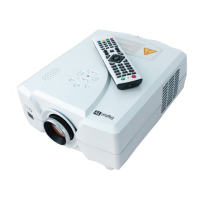
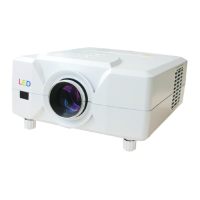
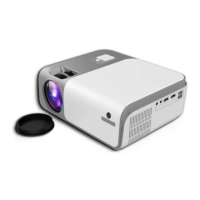
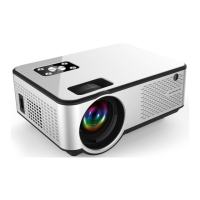
This document describes the CL760 Series Home Projector, a device designed for multimedia projection.
Function Description
The CL760 Series Home Projector is primarily used for displaying images and videos onto a screen or surface. It supports various input sources, including USB, HDMI, VGA, and AV, making it versatile for connecting to different devices such as computers, laptops, mobile phones, and media players. The projector also features Bluetooth connectivity for audio output to wireless speakers.
Important Technical Specifications
- Power Input: 90 ~ 240V AC.
- Projection Distance and Size: The image size depends on the distance between the projector and the screen. For example, a 160cm distance yields a 50-inch image, while 460cm yields a 150-inch image. There may be a 3% deviation in these measurements.
- Audio Output: Supports 3.5mm earphone and speaker devices.
- Multimedia File Specifications:
- Image Format Support: JPEG, PNG, BMP, MPO with file extensions .jpg, .png, .bmp.
- Audio Format Support: MPEG1, MPEG2, WMA, LPCM, MP3 with file extensions .avi, .wmv, .ts, .dat, .vob, .wav, .mkv, .mp3. Some audio formats like Dolby AC3/AAC, DTS are not supported in normal models.
- Video Format Support: MPEG1, MPEG2, H.263, H.264, AVS, VC1, MJPEG, RV30/RV40, HEVC with file extensions .dat, .ts, .mp4, .mpg, .mpeg, .avi, .mkv, .mov, .wmv, .asf, .flv, .3gp, .3gpp, .tp, .trp. It does not support video formats such as MSVC / CRAM, MP42, GMC, IV32, RLE, cvid, RV20.
Usage Features
- Control Panel: The projector features a control panel with buttons for Power, Channel+/Up, Source, Volume+/Right, Volume-/Left, Menu, Enter, and IR Receiver.
- Remote Control: A comprehensive remote control is provided for convenient operation, including Power, Mute, Play/Pause, Previous/Next, UP, Confirm, Left, OK, Right, DOWN, Menu, EXIT, Source, Volume -, and Volume +.
- Keystone and Focus Adjustment: The projector allows for trapezoid correction to resolve distorted images and focus adjustment to ensure a clear picture. These adjustments can be made by turning the keystone and focus rings on the projector.
- Projection Modes: The projector supports ceiling mount installation, with a "Flip" option on the remote to adjust the projection model accordingly.
- Connectivity Options:
- USB Connection: Insert a USB flash drive into the USB port and select the appropriate signal source to display content.
- HDMI Connection: Supports all devices with an HDMI slot. Select "Source" on the remote control and choose the correct signal source.
- VGA Connection: Connects to computers using a VGA cable. If no sound is produced, an amplifier may be needed, and laptop settings might require adjustment.
- AV Connection: Uses a 3-in-1 cable for connection, selecting "AV" as the source input.
- Mobile Phone Connection:
- MHL Cable: Supports Android phones/pads (MHL-enabled) and iPhones.
- Lighting Digital AV Adapter: Supports iPhone and iPad.
- Google Chromecast: Supports Android phones/pads.
- Apple TV: Supports iPhone and iPad via HDMI cable.
- Bluetooth Connectivity: The projector can connect to Bluetooth wireless speakers. To connect, access the OSD menu, select "SOUND," then "BT Mode." Users can choose "Auto" mode to automatically identify devices or "Static" mode to manually refresh the device list and unpair devices. When paired with a Bluetooth device, the projector's internal speaker is muted.
Maintenance Features
- Safety Information: Users are advised to read the safety information carefully. Important warnings include:
- Do not look directly into the projector lens.
- Avoid placing the projector in damp or humid environments.
- The unit operates on 90-240V AC; be aware of outlets used.
- Do not attempt to open or repair the projector due to high internal voltage; repairs should be performed by a supplier.
- Maintain a safe distance from other heat-emitting devices to prolong service life.
- It is recommended to power off the projector after 6 hours of continuous use.
- Component Replacement: The projector consists of composite parts that can be easily fixed; contact the supplier for replacement parts if needed.
- Warranty: The product comes with a one-year warranty for the projector and a six-month warranty for the projector lamp, starting from the purchase date. Warranty claims related to specific matters should be directed to dealers. Shipping costs for after-sale service are the buyer's responsibility.
- Warranty Policy Exclusions: The warranty does not cover product failure or damage due to improper use, electric shock or burn accidents from improper installation, non-maintenance service by damage overhaul, or damaged product labels. Proper packaging is required for returns or service to prevent damage or loss in transit.

 Need help?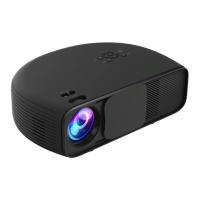

 To Next Page
 General