6
For Your Safety
• Tominimizethepossibilityofaccidentallypoweringtheslicer,itisdesignedwithadoubleswitch
system (2a and 2b) in Figures 1, 2 and 3. The left – on/off power switch (2a) must be pushed first.
To start the blade, next push the spring-loaded safety switch (2b in Fig. 3 [The spring-loaded safety
switch will return instantly to a “neutral” position]). When the slicer blade (3) is rotating, an indicator
light (12) positioned to the right of the switches will be on. To stop the blade, press the top of the left
switch (2a) as shown in Figure 3.
• Therightsafetyswitch(2b)actuatesacircuitbreaker.Ifthereisapowerfailure,ifthepowerplugis
pulled out, or in the unlikely event that the motor overheats, this breaker automatically turns off the
safety switch and power to the slicer. In that event the safety switch must be depressed manually to
restart the slicer. This is an important safety feature unique to the Chef’sChoice Professional Slicer.
• Youwillnotethattheslicerisequippedwithplexiglassguards(13)onthefoodcarriage(5),andfood
pusher (6), and with a number of other safety guards. It is very important that they not be removed.
• Theslicerincorporatesanotherspecialsafetyswitch(notshown)behindthebladeguard.Itsfunction
is to insure that the slicer will not operate if the blade guard (3a) is mounted incorrectly.
• Tominimizeaccidentalcontact
with the blade when the slicer
is not in use or when lifting the
slicer, always turn the thickness
control knob (1) fully clockwise so
that the thickness control plate (4)
covers the edge of the blade.
• Sliceonlyfoodsforwhichthisslicer
is designed. Do not attempt to slice
frozen food, or materials such as
bones, plastic, cardboard, etc.
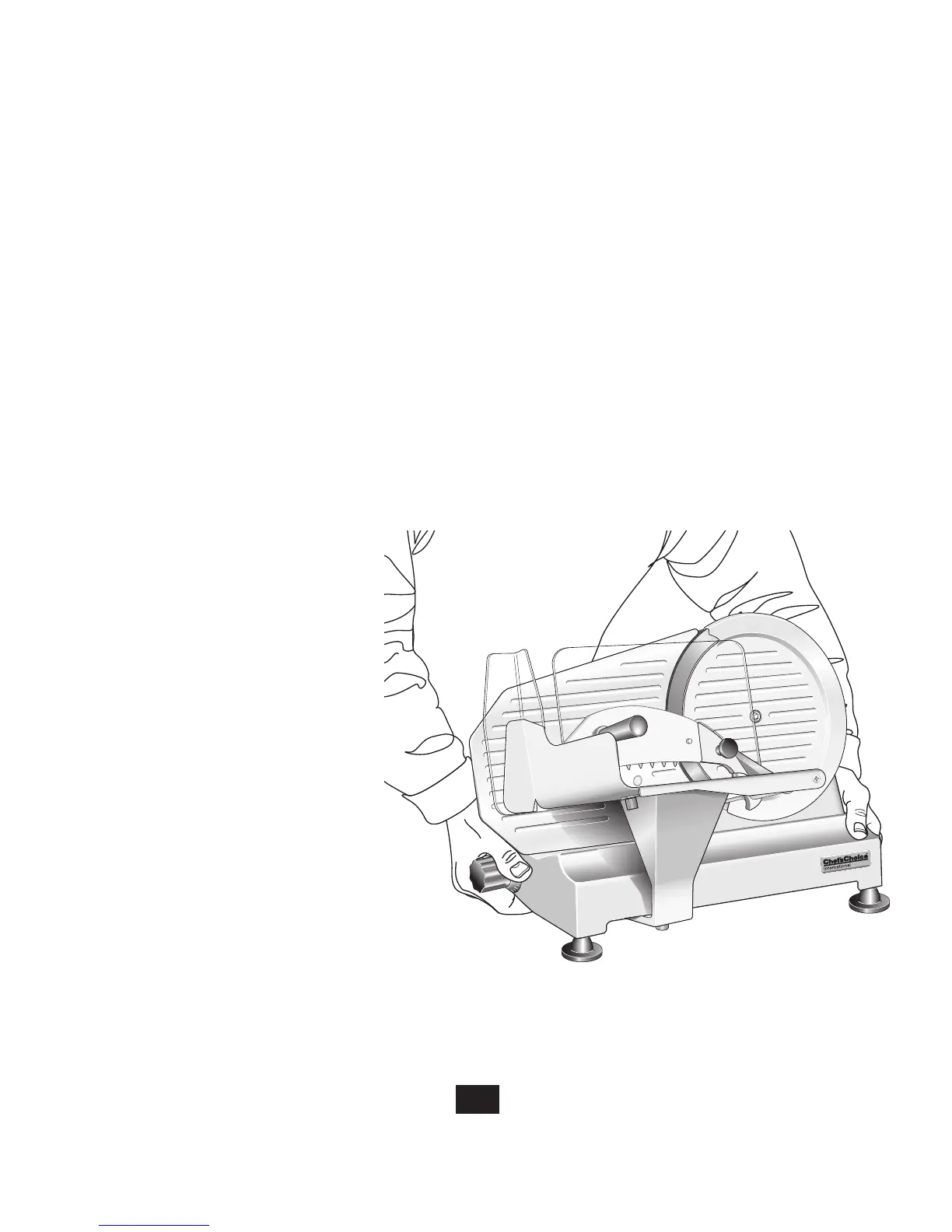
• Whenliftingtheslicer,position
the body and hands as shown in
Figure 4, to more uniformly
distribute the weight of the slicer
and to avoid contact with the blade
or with lubricated parts. If the
slicer is too heavy for you, ask
someone to help.
Figure 4. Use two hands to lift as shown.



 To Next Page