17
11.
To discard spent grounds, remove the portafilter and let it cool. Hold the portafilter basket
in place by flipping up the portafilter basket retention clip to partially cover the lip of the
basket and portafilter. Press on the clip with your thumb to hold the basket in place as
you empty the grounds. NOTE: Be sure to clean the froth dispensing tube after every use
following the directions on pp. 20–21.
12.
To discard a spent capsule, remove the portafilter and let it cool. Remove the capsule
holder, then dispose of the capsule properly.
HOW TO MAKE A LATTE
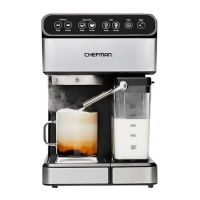
A latte is a larger coee drink made with mostly steamed milk and a little espresso. When
using the latte presets, there is no need to manually froth the milk; it will occur automatically.
1.
Make sure the unit is plugged in.
2.
Turn the unit on using the power switch located on its side.
3.
Fill the water reservoir as directed on p. 12.
4.
Fill the milk reservoir with cold milk to between the MIN and MAX” lines and insert it into
the unit. (If the milk reservoir is not on the unit, the latte function will not work.)
5.
Set the froth strength to Standard.
6.
Place a large heatproof cup or mug on the metal coaster over the drip tray. NOTE: Be sure
to use a large mug, especially with a double latte, which can yield as much as 10 oz.
7.
Use the silver froth tube lever to position the froth dispensing tube over the cup.
8.
Fill the portafilter with ground beans or a capsule and attach it to the brew head as
directed on pp. 13–14
9.
Choose to brew a single or double latte by pressing the appropriate button. The
PREHEATING light will come on. It will turn o when the unit has finished preheating and
the brew cycle has begun. When brewing is complete, the unit will beep three times, and
your latte will be ready to enjoy.
OPERATING INSTRUCTIONS



 To Next Page