5
6
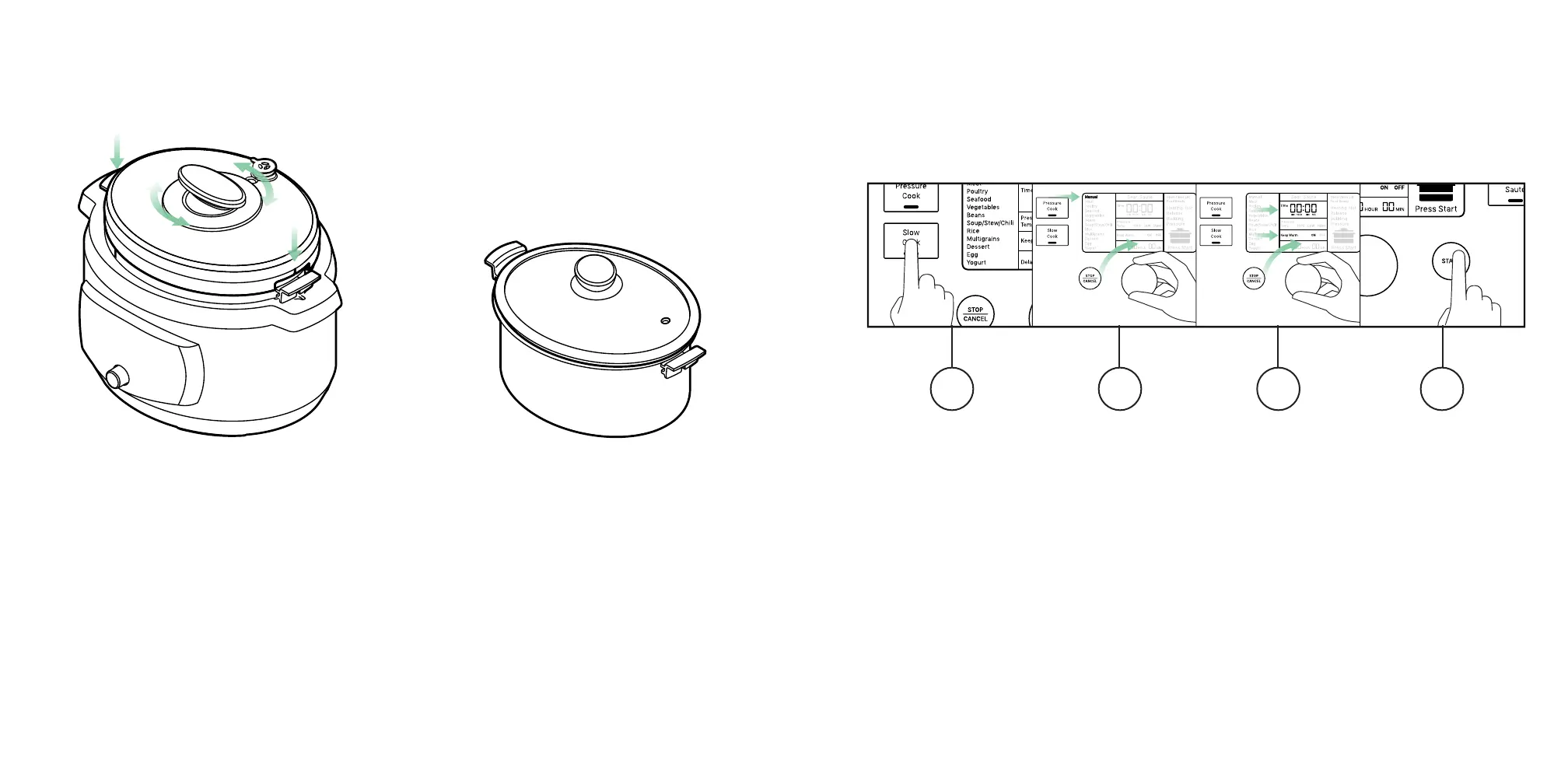
The Pressure Cooker defaults to Keep Warm after all cooking is completed.
This setting can also be turned on or off manually.
1. Press Slow Cook.
2. Use the dial and press down to select “Manual”.
3. Use the dial to set the time to 0 hours and 0 minutes. Press down to Select
“Keep Warm ON”.
4. Press the Start button and the “Keep Warm”function will begin immediately.
The Oval Pressure Cooker lid has an easy
one-hand open and lock twist-off handle.
The glass lid helps create an environment
for perfectly steamed or slow cooked
meals.
KEEP WARMLIDS
1 2 3 4




 To Next Page