8
Congratulations ...
CHERRY has developed and produced inno-
vative input systems for computers since
1967. You can now experience the differ-
ence in quality, reliability and design with
your new favorite accessory.
Always insist on original CHERRY products.
For information on other products, down-
loads and much more, visit us at
www.cherry.de
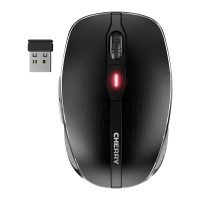
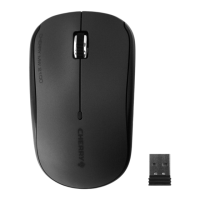
Your CHERRY mouse stands out especially
due to the following features:
• Extremely low power consumption
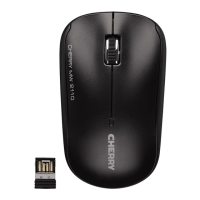
• Nano USB receiver with up to 10 m
range
• Infrared sensor with adjustable resolu-
tion for precise work with the DPI switch
on the underside of the mouse (1000/
1500/2000 dpi)
• You can configure the mouse buttons
using the KeyM@n software (as a free
download at: www.cherry.de/
deutsch/service/download.php)
1 Switching on the mouse
After inserting the battery, the mouse is
activated.
•Press the DPI/ switch for 3 seconds.
The LED gives off one long flash and
then five short ones when the battery is
fully charged. The LED flashes only once
briefly when the battery is almost
discharged.
2 Switching off the mouse
The mouse switches to energy-saving
mode if it is not moved for 0.2 seconds. It
detects any movement and does not need
to be switched on again.
However, it still consumes power in the
energy-saving mode, therefore you should
switch it off manually for longer periods of
disuse or for transporting.
•Press the DPI/ switch for 3 seconds.
The LED lights up and goes out
gradually.
3 Adjusting the sensitivity of the
mouse (dpi number)
You can change the resolution of the
mouse sensor between 1000, 1500 and
2000 dpi for precise work.
• Briefly press the DPI/ switch.
The LED flashes depending on the
setting:
1x = 1000 dpi (default)
2x = 1500 dpi
3x = 2000 dpi
4Tips
4.1 Battery status
When the battery status is low, the LED
flashes to remind you to replace the
battery.
4.2 Battery service life
When the battery with 2200 mAh supplied
is used, a service life of 366 hours (for
6mAh) is achieved. Assuming the mouse is
used constantly for one hour a day and
230 work days a year, you will only need to
change the battery after approx. 18
months.
OPERATING MANUAL
CHERRY MW 2100 // Wireless Mouse


 To Next Page