5-2 Instruments and Controls
Vehicle Personalization
Vehicle Personalization . . . . . . 5-55
Universal Remote System
Universal Remote System . . . 5-64
Universal Remote System
Programming . . . . . . . . . . . . . . . 5-64
Universal Remote System
Operation . . . . . . . . . . . . . . . . . . 5-70
Controls
Steering Wheel
Adjustment
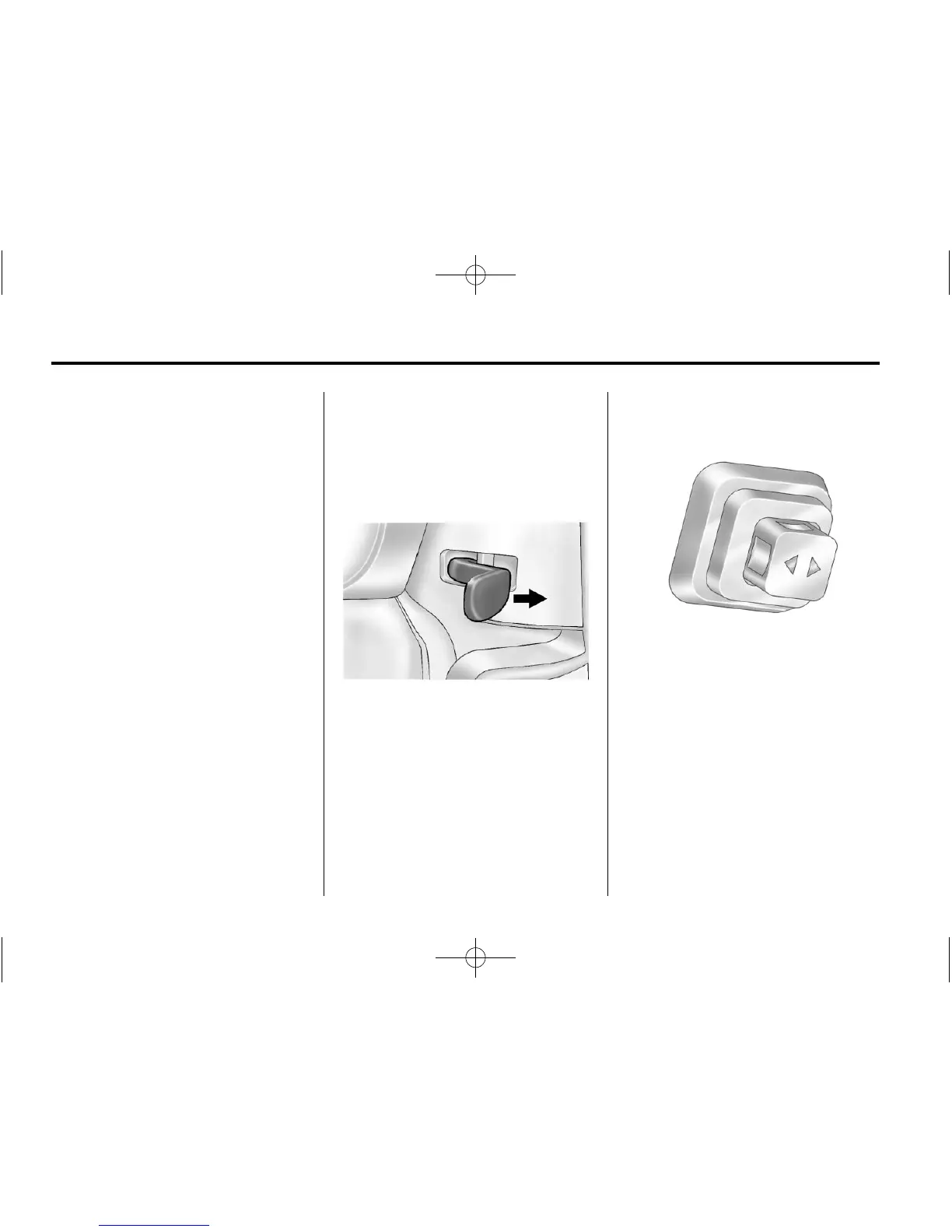
The lever is located on the left side
of the steering column.
To adjust the steering wheel:
1. Pull the lever toward you.
2. Move the steering wheel up
or down.
3. Release the lever to lock the
steering wheel in place.
Telescopic Steering Column
For vehicles with this feature, the
telescopic steering column control is
located on the right side of the
steering column.
To adjust the telescopic steering
column:
1. Push the switch forward to move
the wheel away from you.
2. Pull the switch toward you to
move the wheel closer to you.












 To Next Page