7
Instrument Cluster
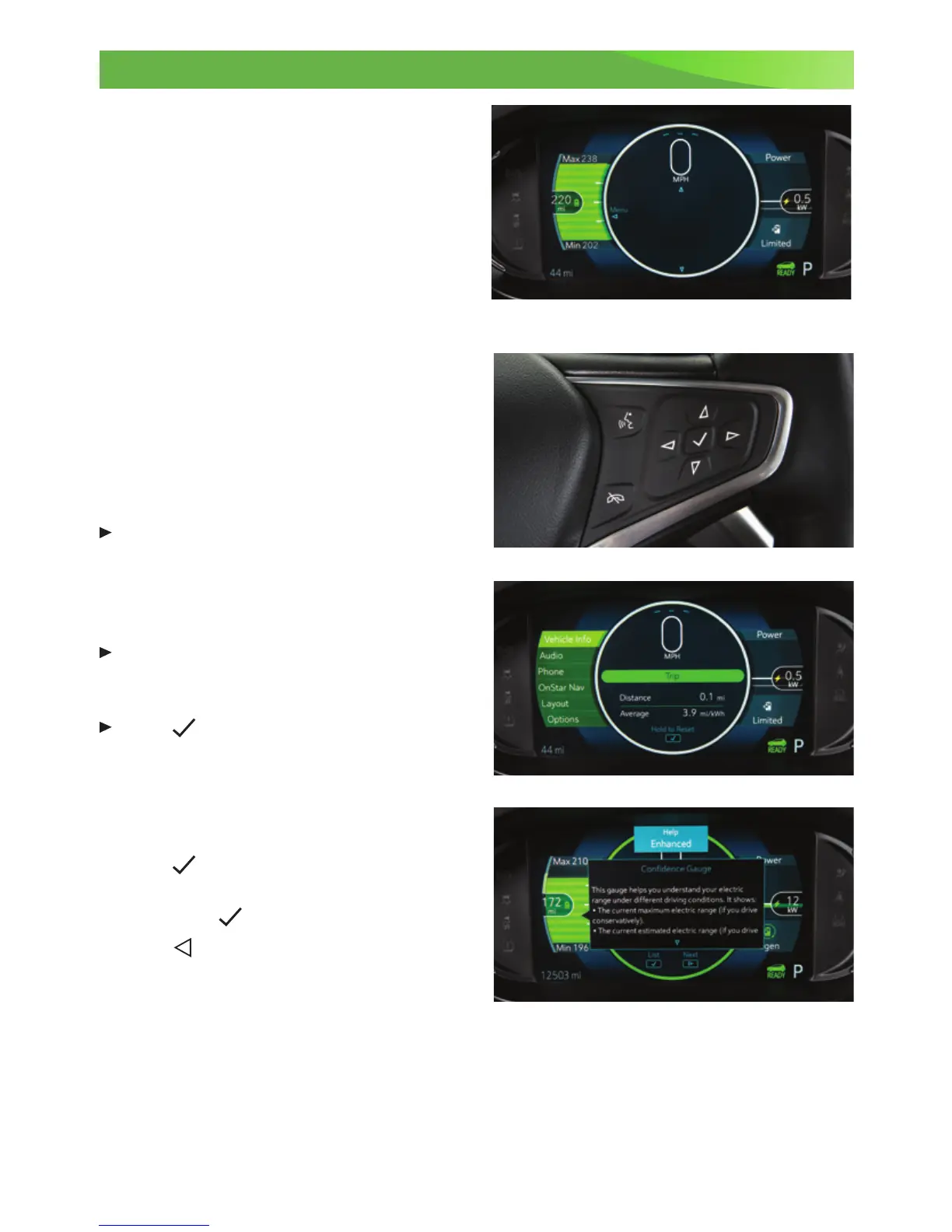
The instrument cluster features an LCD
screen that can be congured in 3 different
themes.
Classic – Displays basic information on
speed, range and other operations along
with an efciency bar that glows green to
yellow based on driving efciency.
Modern – Displays basic information plus
power usage and an efciency ball that
moves up and down based on driving
efciency.
Enhanced – Displays basic information plus
a maximum and minimum range indica-
tor, power usage and an efciency ring that
glows green to yellow based on driving
efciency.
Cluster Display Zones
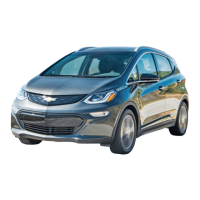
Press the left or right arrow on the
Driver Information Center (DIC) controls,
located on the right side of the steering
wheel, to move between the different
display zones.
Press the up or down arrow on the DIC
controls to scroll through the display
menus.
Press
on the DIC controls to select a
highlighted item.
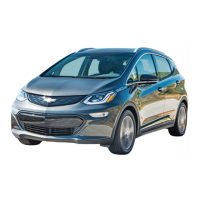
Cluster Layouts
1. Use the DIC controls to select the Layout
menu in the left display zone on the cluster.
2. Press
to display the Layout menu.
3. Scroll to highlight one of the cluster
layouts; press .
4. Press to exit the menu.
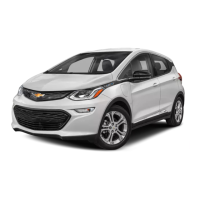
Cluster Help
To view helpful information about the
features of the instrument cluster, with the vehicle in Park, use the DIC controls to select
Help from the Options menu.
See Instruments and Controls in your Owner Manual.
Enhanced display shown






 To Next Page