2-12 Keys, Doors, and Windows
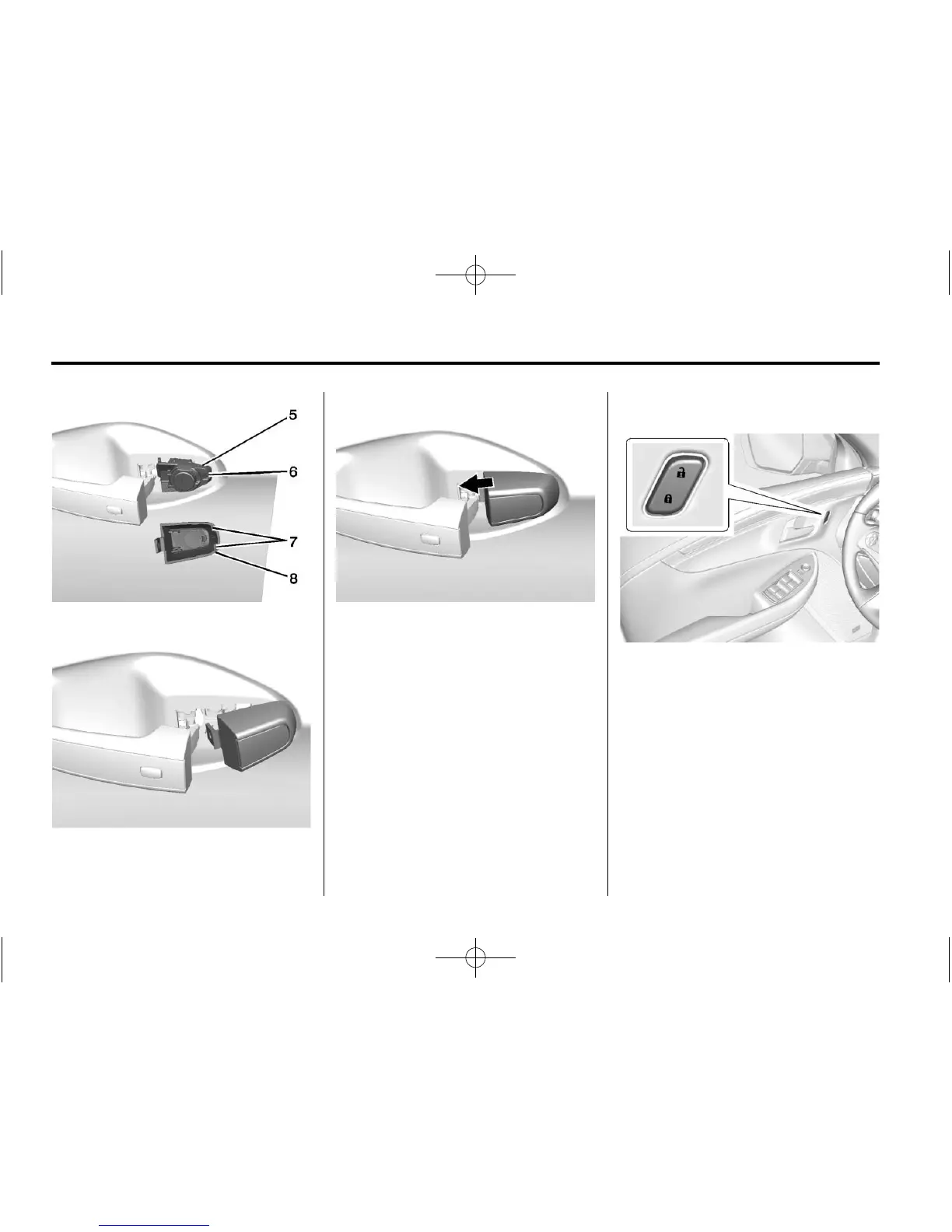
2. Insert the two tabs (7) at the
back of the cap (8) between the
seal (5) and the metal base (6).
3. Move the cap forward and press
to snap the cap in place.
4. Release the door handle.
Inside the Vehicle
Push down on the door lock knob to
lock the door manually. Pull once on
the door handle to unlock the door
and again to open the door.
Press the power door lock switch to
lock or unlock all doors
automatically. See Power Door
Locks on page 2-12.
Power Door Locks
Q (Lock): Press to lock the doors.
K (Unlock): Press to unlock the
doors.
Delayed Locking
This feature is activated through
Vehicle Personalization. See
Vehicle Personalization on
page 5-40.





 To Next Page