Infotainment system 113
Exterior Sound (AUX) Input
Limited to models supporting external
sound connection.
Main buttons/Control knob
The following main buttons and
controls are used to enjoy the rich
sound of the Infotainment system
from the sound output of a connected
exterior sound device.
(9) CD/AUX button
With an exterior sound device
connected, press the button
repeatedly to select the exterior
sound (AUX) input mode.
(2) POWER/VOLUME control knob
Turn the control knob to adjust the
volume.
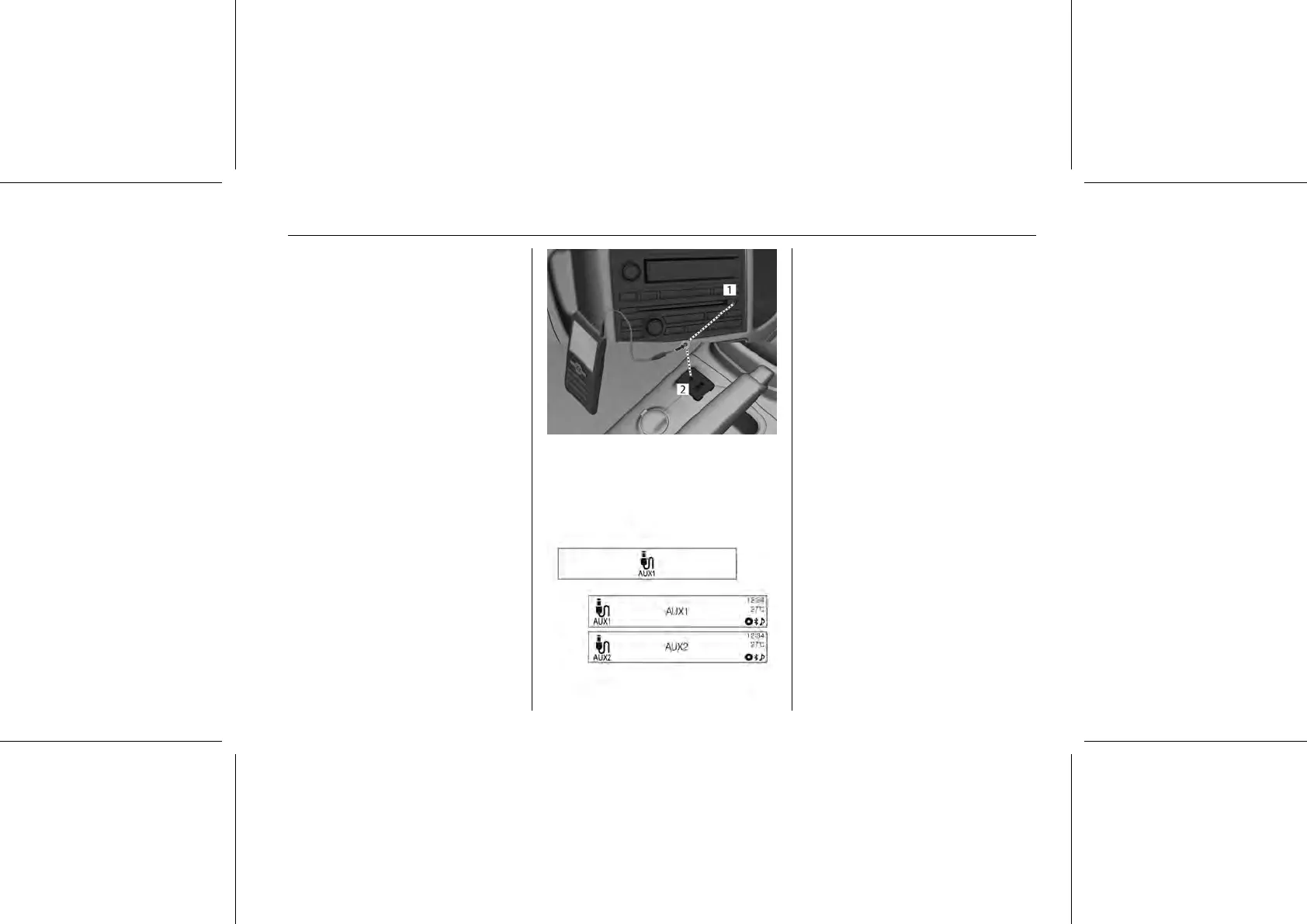
Connecting an exterior sound
Connect the audio output of the
external audio equipment to AUX
input terminal 1 or 2.
■ AUX: Positioned in the Infotainment
device
■ The Infotainment system will
automatically switch to the exterior
sound (AUX) input mode when the
exterior sound device is connected.
Press the CD/AUX button to switch to
the exterior sound input mode if the
exterior sound system has already
been connected.















 To Next Page