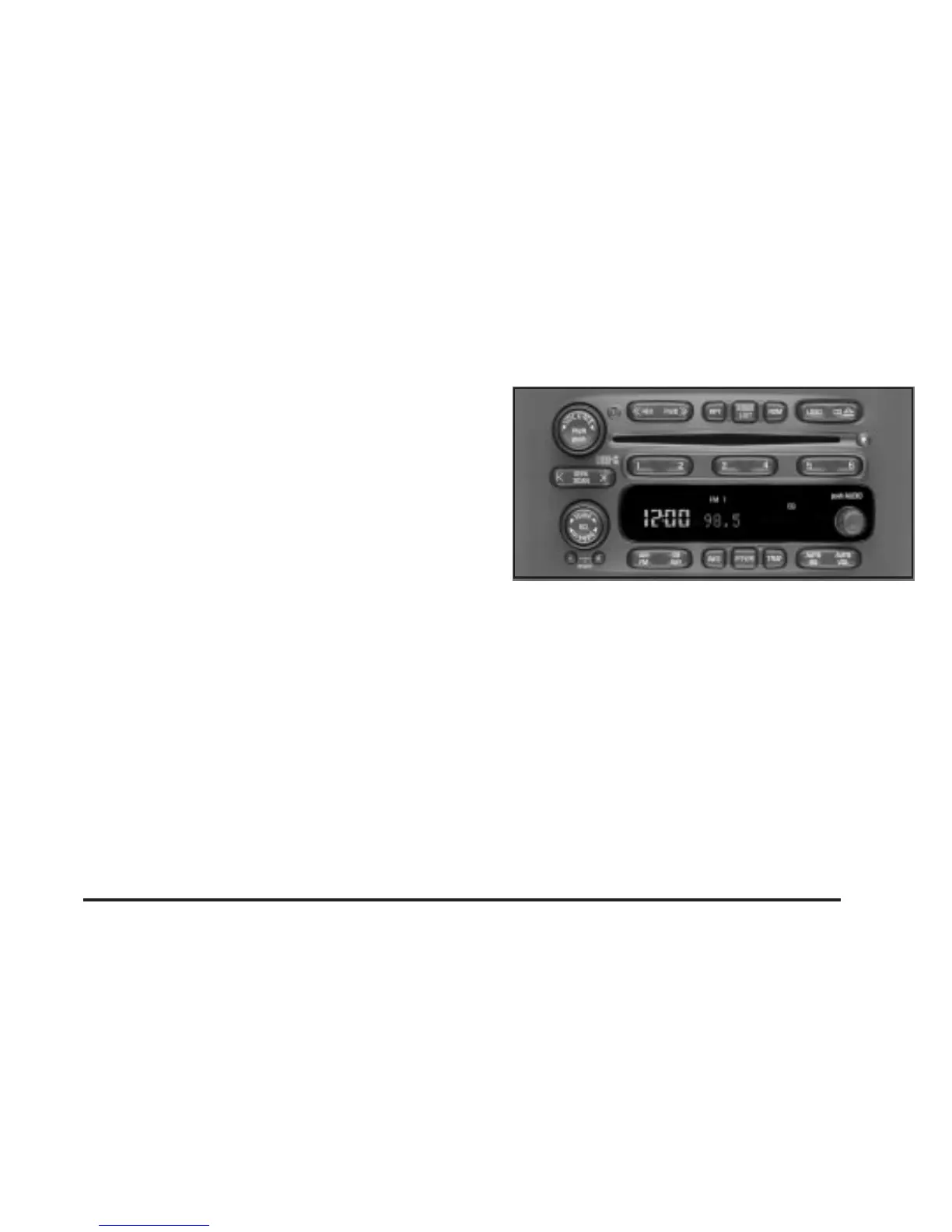
TAPE CD: Press this button to play a CD when
listening to the radio. Press TAPE CD to switch between
the tape and compact disc if both are loaded. The
inactive tape or CD will remain safely inside the radio
for future listening.
Z EJT (Eject): Press this button, located to the right
of the CD slot, to eject a CD. Eject may be activated
with either the ignition or radio off. CDs may be loaded
with the radio and ignition off if this button is pressed
first.
Compact Disc Messages
If the disc comes out or CHECK CD appears on the
display, it could be for one of the following reasons:
• You’re driving on a very rough road. When the road
becomes smoother, the disc should play.
• It’s very hot. When the temperature returns to
normal, the disc should play.
• The disc is dirty, scratched, wet or upside down.
• It is very humid. If so, wait about an hour and
try again.
If any error occurs repeatedly or if an error can’t be
corrected, contact your dealer.
Radio with Six-Disc CD
Playing the Radio
PWR (Power): Push this knob to turn the system on
and off.
VOL (Volume): Turn the knob to increase or to
decrease volume.
AUTO VOL (Automatic Volume): Your system has a
feature called automatic volume. With this feature,
your audio system adjusts automatically to make up for
road and wind noise as you drive.
3-81




 To Next Page