124 Instruments and Controls
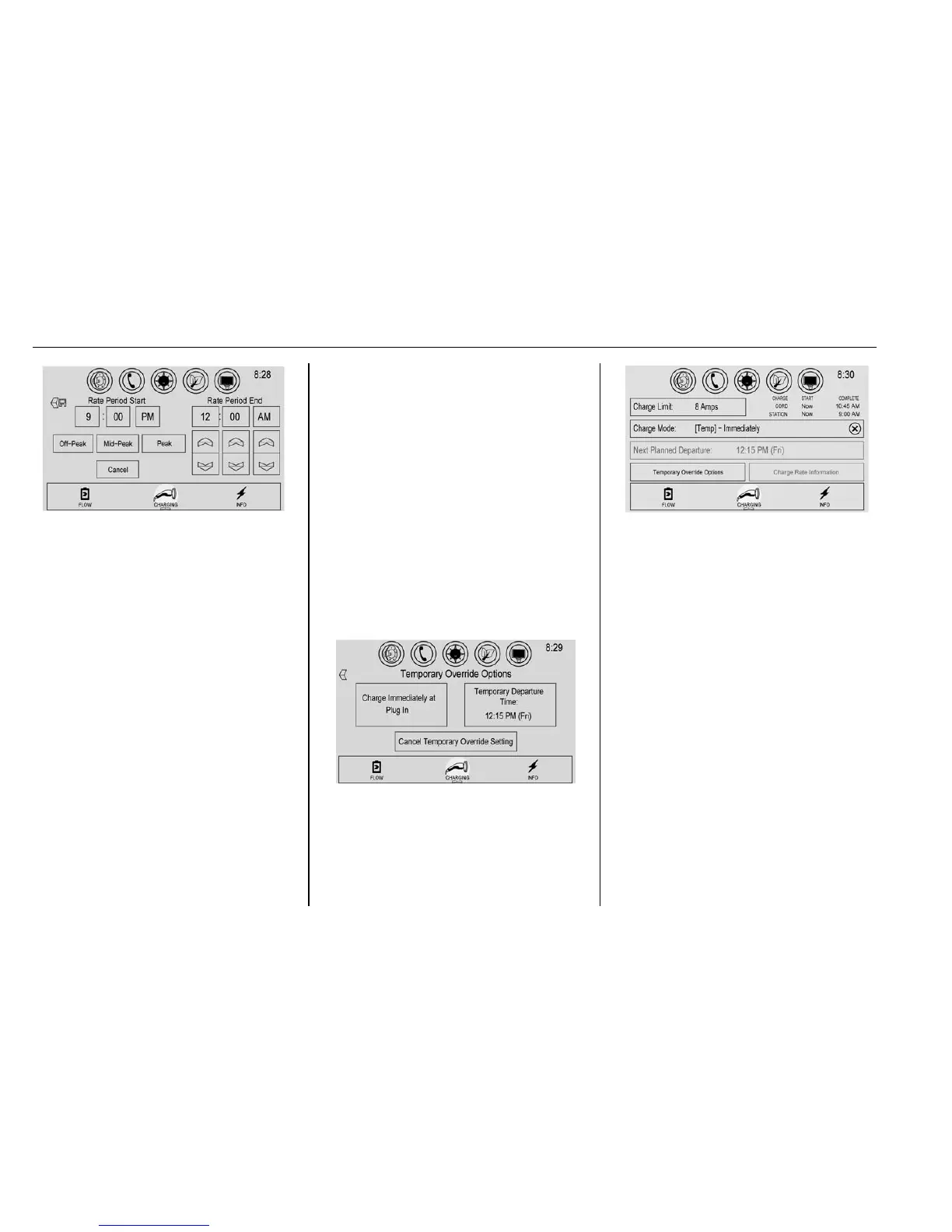
1. Touch y or z to adjust
the time.
2. Touch Off-Peak, Mid-Peak,
or Peak to select the
electric rate.
3. Touch
S save to store
changes.
Only the finish time can be edited.
The start time is automatically
populated in the rate table.
Temporary Charge Mode
Override and Cancel
Programmed Delayed Charge
Modes can be temporarily
overridden to an Immediate Charge
Mode for one charge cycle. Also,
the next planned departure time can
be temporarily overridden for one
charge cycle. In addition to the
in-vehicle overrides via the center
stack, there are other ways to
temporarily override a Delayed
Charge Mode. See Plug-In
Charging 0 206.
Temporary Override of a Delayed
Charge Mode
To temporarily override a Delayed
Charge Mode to Immediate Charge
Mode from inside the vehicle:
1. Touch Temporary Override
Options on the main charging
screen.
2. Touch Charge Immediately at
Plug-In to temporarily override
to an Immediate Charge Mode.
The Temporary Charge Mode Status
screen will automatically display the
revised charge complete time.
To cancel the temporary override to
Immediate, touch the X next to the
charge mode on the main charging
screen.
Temporary Override of the Next
Planned Departure Time
To temporarily override the Next
Planned Departure Time from inside
the vehicle:
1. Touch Temporary Override
Options on the main charging
screen.












 To Next Page