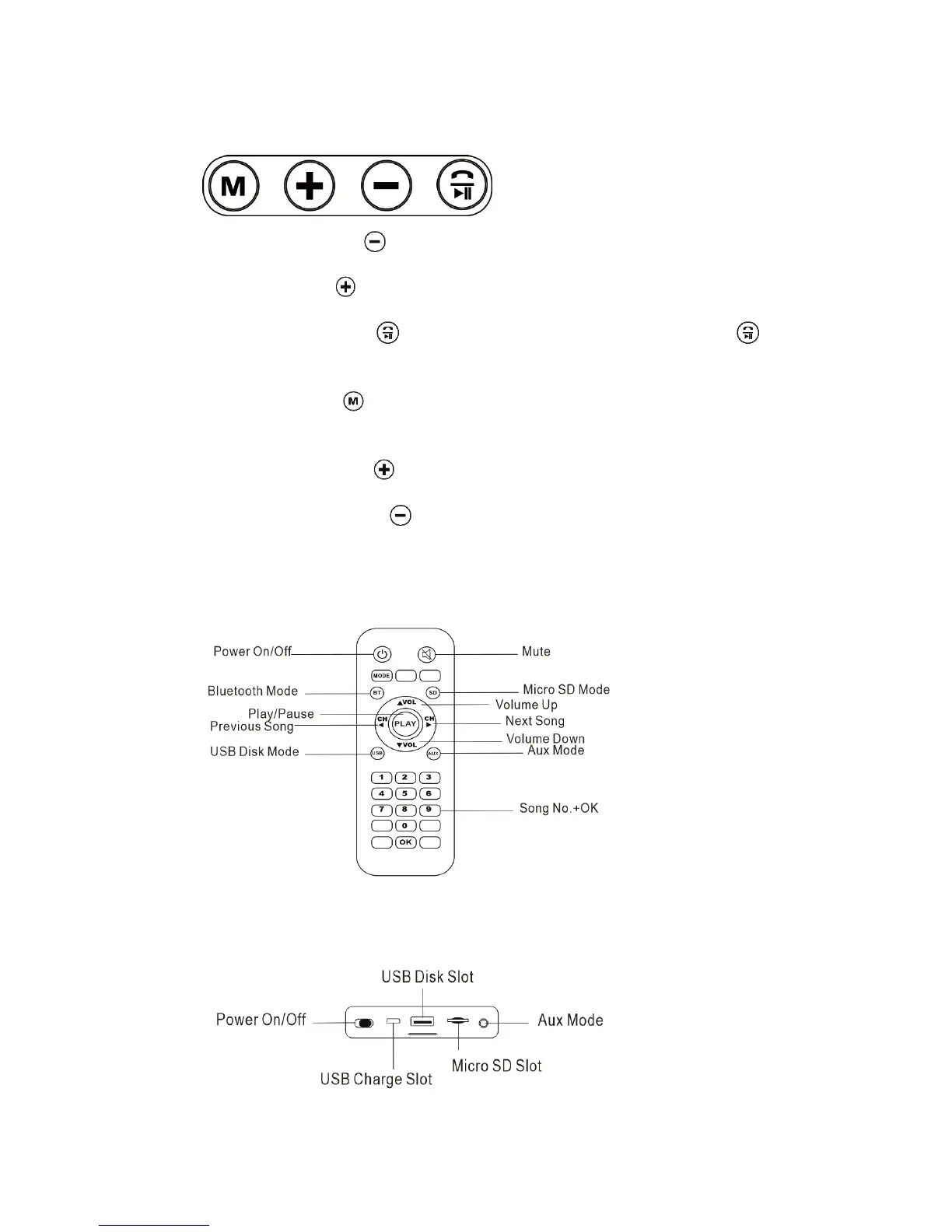
2.1 KEY
Previous: Short press " " is for previous song/previous channel.
Next: Short press " " is for next song/next channel.
Play/Pause: Short press to play when the device is pausing and press to
pause when the device is playing.
Pairing: Short press to change different mode (Bluetooth/FM), details refer to the
next part.
Volume up: Long press " " is for volume up.
Volume down: Long press" " is for volume down.
*The remote control could realize these functions
2.2 REMOTE CONTROL
2.3 SLOT



 To Next Page