INSTALLATION INSTRUCTIONS
Chief Manufacturing, a division of Milestone AV Technologies
8401 Eagle Creek Parkway, Savage, MN 55378
P: 800.582.6480 / 952.894.6280 F: 877.894.6918 / 952.894.6918
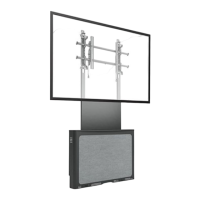
Large Flat Panel Dual Arm Wall Mount
Model PNR™
The PNR is wall-mounted, rugged, versatile, and
installer-friendly. The PNR is compatible with the
standard (14” x 14”) PSB interface bracket in which a
display can be mounted in either the landscape or
portrait position on the PNR.
The dual arms on the PNR:
Extend from the wall 25” in length
Pivot up to 90º left or right of center
The standard PNR is shipped with the support posts for
the dual arms centered in the mount. The support posts
can be moved laterally right or left of center to readily
accommodate sites with limited wall space. The mount
also has over an inch of height adjustment. The tilt range
for the display is 5º up and 15º down.
The PNR was designed for fast installation. After drawing
the plumb line and installing the two top lag bolts into the
dual wall studs, the installer hangs the PNR on its top
bracket and installs two lag bolts in the bottom bracket.
Next, the installer makes the height adjustment, mounts
the display, and connects the power/audio/video cables,
which are diverted into the built-in path in the swing-out
arms. After making the lateral, rotational, and tilt
adjustments, the installation process is complete.
BEFORE YOU BEGIN
CAUTION: To prevent damage to the PNR, which could affect or void the Factory warranty, and to the equipment that
will be attached to it, thoroughly study all instructions and illustrations before you begin the installation. Pay particular
attention to the “Important Warnings and Cautions” on Page 2.
• The combined weight of the components installed on the PNR must not exceed 200 lbs. (90.72kg).
• The PNR wall mount must be installed on dual wall studs or supporting framework. The wall to which the PNR is
anchored must be capable of supporting five times the total weight of the mount and all attached equipment.
• If you have any questions about this installation, contact Chief Manufacturing at 1-800-582-6480.
8831-000007 Rev I
©2008 Milestone Technologies
11/08

 Need help?
 General

 To Next Page