Need help?
Do you have a question about the CHIEF MTM1U and is the answer not in the manual?
Detailed diagrams and measurements for the MSM1U mount.
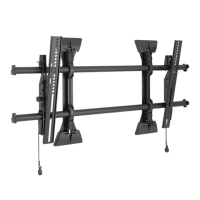
Detailed diagrams and measurements for the MTM1U mount.
Detailed diagrams and measurements for the LSM1U mount.
Detailed diagrams and measurements for the LTM1U mount.
Explains symbols and terms used in the installation instructions.
Lists necessary tools for the mounting process.
Identifies all included components and hardware kits.
Instructions for finding the appropriate location on the wall.
Step-by-step guide for mounting on wood studs.
Step-by-step guide for mounting on concrete walls.
Optional steps for securing the rails to the mount.
How to attach the screen brackets to the display.
Options for adjusting interface bracket placement for specific installations.
Steps for connecting the screen assembly to the wall mount.
How to adjust the mount horizontally on the wall or rails.
Specific tilt adjustments for MTM1U and LTM1U models.
How to adjust the vertical position or roll of the wall brackets.
Optional method to lock screen brackets using set screws.
Optional method to secure the mount using a padlock.
 General
| Height Adjustment | Yes |
|---|---|
| Tilt | Yes |
| Color | Black |
| Rotation | Yes |
| Material | Steel |
| Orientation | Landscape, Portrait |
| Extension | No |
| Mounting Pattern | 100 x 100 mm |

 To Next Page