PSMH2482 Installation Instructions
6
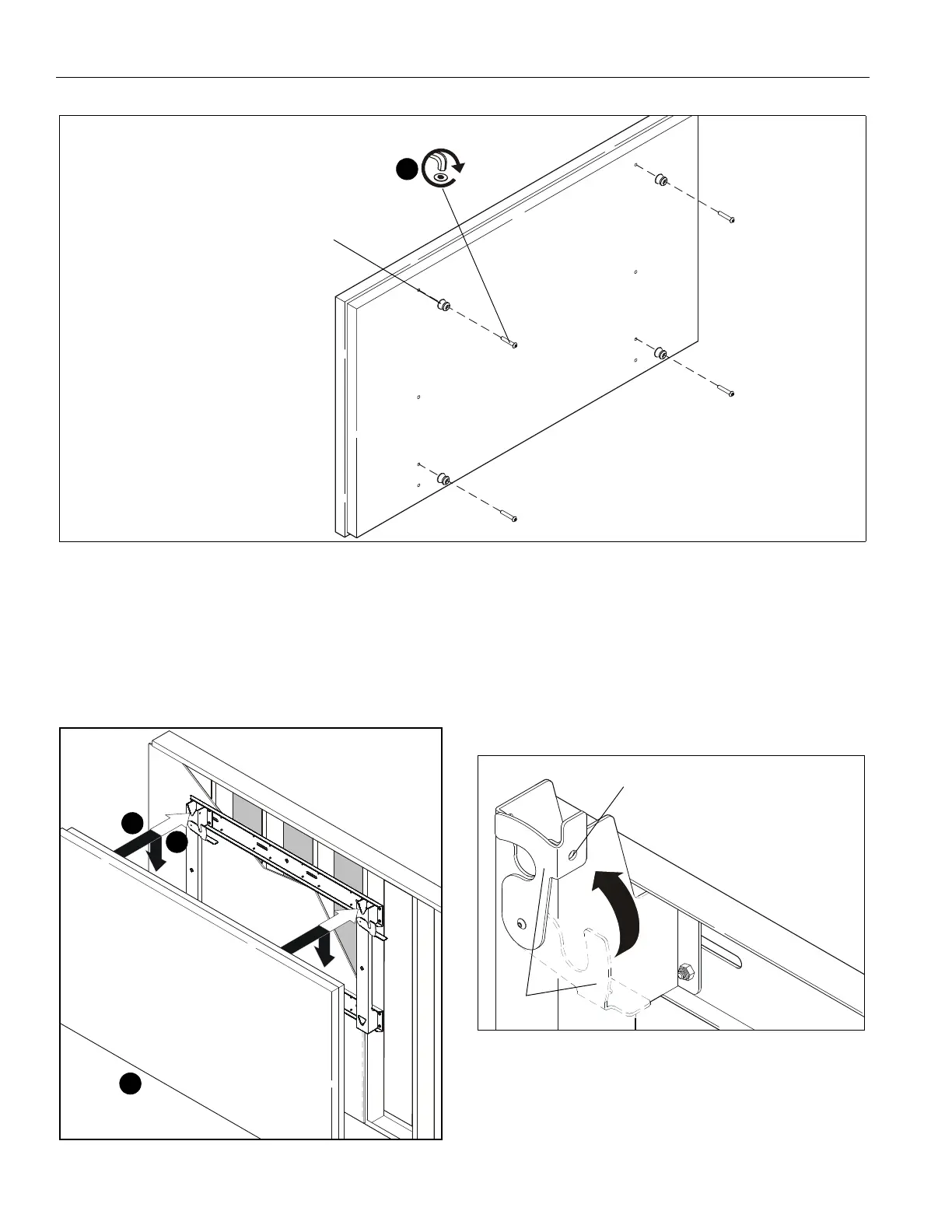
Figure 6
2. Install four mounting buttons (E) onto display using four M8
x 45 button head cap screws (D). (See Figure 6)
3. Lift display following lifting instructions provided by display
manufacturer.
4. Align mounting buttons on display with teardrop mounting
holes in mount. (See Figure 7)
Figure 7
5. Move display forward until recessed area of mounting
buttons is positioned over lower area of teardrop mounting
holes. (See Figure 7)
6. Lower display until recess area of mounting buttons is
seated in lower area of teardrop mounting holes. (See
Figure 7)
7. Move locking flags (G) to CLOSED position and lock if
desired. (See Figure 8)
Figure 8
8. Route wires and cables to display.



 To Next Page