EasyManua.ls Logo

Chiko CBA-080AT3-HI - User Manual

Chiko CBA-080AT3-HI
70 pages
Print Icon
To Next Page IconTo Next Page
Loading...
チコーエアーテック株式会
CHIKO AIRTEC CO., LTD.
取扱説明書(以下、本書といいます)の『製品使用上のご注意』の内容をよく理解し、本書をよく読んでか
ら操作してください。
Please understand well the contents of "Cautions on Product Use" of Instruction Manual
(hereinafter referred to as “this manual”), and operate it after often reading this manual.
本書はいつでも使用できるよう、大切に保管してください。
Please keep this manual carefully to be able to use it at any time.
English
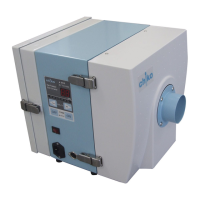
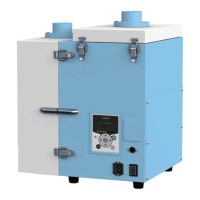
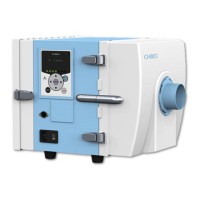
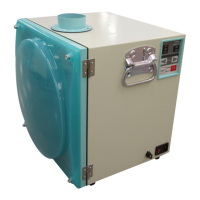
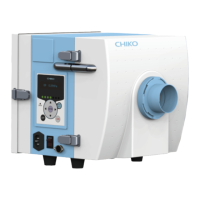
コンパクト集塵機
Dust Collector
型式MODELS
CBA-080AT3-HI(-V1) (100V)
CBA-080AT3-HI(-V1)-T (200V)
CBA-080AT3-HI(-V1)-CE (220-230V)
CBA-500AT3-HI(-V1) (100V)
CBA-500AT3-HI(-V1)-T (200V)
CBA-500AT3-HI(-V1)-CE (220-230V)
CBA-1200AT3-HI-V1 (200V)
CBA-1200AT3-HI-V1-CE (220-230V)
CBA-2000AT3-HI-V1 (200V)
CBA-2000AT3-HI-V1-CE (220-230V)
取扱説明書
Instruction Manual

Table of Contents

Questions and Answers

  • A
    Amanda HarperAug 2, 2025
    Why does my Chiko Dust Collector have lower suction force?
    • L
      Leah BakerAug 2, 2025
      A lower suction force in your Chiko Dust Collector can be due to several reasons. The filter might be clogged, requiring replacement. Alternatively, the piping or suction port could be blocked. A faulty motor may also be the cause, in which case you should call for repair and the motor must be replaced.
  • A
    Andrea BryantAug 6, 2025
    What to do if my Chiko CBA-080AT3-HI Dust Collector motor fails to start?
    • S
      scottnicholasAug 6, 2025
      If the motor of your Chiko Dust Collector fails to start or suddenly stops, there could be several reasons. It could be a faulty motor, requiring a call for repair and replacement. The device might have stopped due to overload or abnormal temperature, so check for blocked exhaust/suction ports, the rated voltage, multiple connections, or motor overheat due to filter clogging or suction temperature. After checking these, turn the main power switch off and back on. Also, ensure that the primary and secondary filters are correctly installed and that the snap locks are engaged. If the operation still cannot resume, turn off the main power, and after 30 minutes, resume the operation.
  • L
    Leslie DavidsonAug 10, 2025
    How to fix a Chiko Dust Collector with a blank Organic EL display?
    • T
      Tara MartinAug 10, 2025
      If the Organic EL display on your Chiko Dust Collector shows nothing, make sure the power is turned on. If it is on, check the fuse and replace it if it's blown.
  • V
    Vanessa SerranoAug 15, 2025
    What to do if my Chiko CBA-080AT3-HI Dust Collector motor makes odd noises?
    • J
      jameshuffAug 15, 2025
      An odd noise or vibration from the motor of your Chiko Dust Collector can be caused by foreign matter that has entered the blower, or a broken motor bearing. In either case, you should call for repair.
  • K
    Katherine HughesAug 19, 2025
    What to do if my Chiko CBA-080AT3-HI has untrapped particles?
    • M
      marcnovakSep 12, 2025
      If your Chiko Dust Collector is experiencing untrapped particles, it may be due to improper filter installation. Reinstall the filters correctly.
  • A
    Ashley HarrisAug 23, 2025
    What to do if my Chiko CBA-080AT3-HI Dust Collector motor fails to start or suddenly stops?
    • J
      Joshua RichardsonAug 23, 2025
      If your Chiko Dust Collector's motor fails to start or suddenly stops, first, ensure that the exhaust/suction ports are not blocked, and check the rated voltage. Also, inspect for multiple connections and check for motor overheat due to either filter clogging or suction temperature. After these checks, take corrective action, and then turn the main power switch off and back on. If the operation cannot resume, the temperature thermostat of the motor may be active. Turn off the main power, and after 30 minutes, resume the operation. Ensure that the primary and secondary filters are correctly installed and the snap locks are engaged. If the motor is faulty, it must be replaced.
  • A
    allenoscarAug 27, 2025
    Why is my Chiko Dust Collector motor making an odd noise or vibration?
    • C
      Charles RobertsAug 27, 2025
      If you notice an odd noise or vibration from the motor of your Chiko Dust Collector, there may be foreign matter in the blower or a broken motor bearing. Call for repair.

Summary

Introduction and Manual Information

Introduction

Welcomes the user and briefly describes the product's purpose.

About Notation

Explains symbols and notations used throughout the manual for clarity.

Copyrights

Outlines copyright ownership and usage restrictions for the manual's content.

Product Usage Precautions

Safety Notations

Details safety symbols (Warning, Caution, Prohibited, Mandatory) used in the manual.

Transport, Storage, and Relocation Precautions

Guidelines for safe handling, storage, and movement of the device.

Installation Precautions

Critical considerations for installing the dust collector in a suitable environment.

Operation Precautions

Essential safety measures and prohibitions during device operation.

Other Precautions

Additional important warnings and considerations for device usage.

Safety Label Locations

Identifies the location and meaning of all safety warning labels on the device.

Component Identification

Accessories

Lists and describes all included accessories with their respective part numbers.

Device Body Overview

Identifies main components of CBA-080/500/2000AT3 models.

CBA-1200 AT3 Device Body

Identifies main components of the CBA-1200AT3 model.

AT3 Panel Functions

Explains the purpose and operation of each button on the AT3 control panel.

Display Indications and Modes

Details various display modes and indications during device operation and stoppage.

Operation

Start-up Preparation

Procedures for setting up the device, including installation, wiring, and piping.

Device Operation

Step-by-step guide to starting and operating the dust collector.

Registering Initial Pressures

Process for setting initial pressure for optimized performance and fault detection.

Configuring Settings

MODE SELECT Mode Navigation

Overview of accessing and navigating through various setting modes.

Communication Format Setting Mode

Configuration of serial communication format parameters.

Air Volume-Down Alert Timing Setting Mode

Adjusts the timing for air volume reduction warnings.

Supply Voltage Setting Mode

Setting the supply voltage for specific models.

Other Setting Modes

Adjusting date/time, resetting runtime, and factory settings.

Error History Mode

Accessing and viewing stored error and warning logs.

Maintenance and Checkup

Filter Replacement Procedures

Detailed instructions for replacing primary, secondary, exhaust, and cooling filters.

Fuse and Button Battery Replacement

Steps for replacing internal fuses and the device's button battery.

Daily Checks and Error Handling

Daily checks to ensure proper operation and steps for handling errors/warnings.

Troubleshooting Common Issues

Guides users through diagnosing and resolving common device malfunctions.

Useful Utilization (Optional)

Remote Cable and Operation

Explains wiring, pin assignments, and remote control operations.

Communication Functionality

Details optional communication board sets for remote monitoring.

Removable Flange

Information on replacing flanges for adjusting suction port diameter.

Appendix

Specifications

Lists detailed technical specifications for all device models.

Consumables List

Identifies consumable parts and their recommended replacement intervals.

Electrical Diagrams

Provides detailed electrical circuit diagrams for various device models.

Warranty and Purchase Information

Scope of Warranty and Responsibility

Outlines warranty terms, conditions, and exclusions.

Repair Services

Information regarding on-site repair services and company liability.

Chiko CBA-080AT3-HI Specifications

General IconGeneral
BrandChiko
ModelCBA-080AT3-HI
CategoryDust Collector
LanguageEnglish

Related product manuals