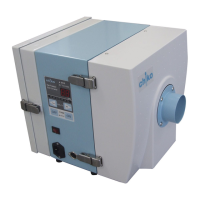
EasyManua.ls Logo

Chiko CBA-1000AT3-HC-DSA-V1 - User Manual

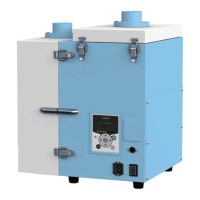
Chiko CBA-1000AT3-HC-DSA-V1
152 pages
Print Icon
To Next Page IconTo Next Page
Loading...
チコーエアーテック株式会社
CHIKO AIRTEC CO., LTD
集塵機
取扱説明書
設置・メンテナンス編
CBA-1000AT3-HC-DSA-V1
[文書番号] CIM-40002-06

Table of Contents

Questions and Answers

  • R
    Robin FosterAug 5, 2025
    What to do if Chiko CBA-1000AT3-HC-DSA-V1 Dust Collector motor fails to start or suddenly stops running?
    • P
      ptorresAug 6, 2025
      If your Chiko Dust Collector motor fails to start or suddenly stops, first ensure that the exhaust/suction ports are not blocked. Then, check the rated voltage and for multiple connections. Also, check for motor overheat due to either filter clogging or suction temperature. After these checks, take corrective action, and then turn the main power switch off and back on. If the operation cannot resume, the temperature thermostat of the motor may be active. Turn off the main power, and after 30 minutes, resume the operation. Ensure the primary and secondary filters are correctly installed and that the snap locks are engaged. If the motor is faulty, it must be replaced.
  • W
    William BakerAug 13, 2025
    Why does my Chiko CBA-1000AT3-HC-DSA-V1 have lower suction force?
    • H
      heather81Aug 13, 2025
      If your Chiko Dust Collector has lower suction force, check if the piping is clogged or the suction port is blocked. If the filters are clogged, they should be replaced. If the motor is faulty, it must be replaced.
  • N
    Nicholas HullAug 20, 2025
    How to fix Chiko CBA-1000AT3-HC-DSA-V1 Organic EL display if it shows nothing?
    • J
      Justin IngramAug 21, 2025
      If the Organic EL display of your Chiko Dust Collector shows nothing, first, ensure that the power is turned on. If the power is on, the fuse may be blown, and you should replace it.
  • M
    Matthew GreenAug 28, 2025
    What to do if my Chiko CBA-1000AT3-HC-DSA-V1 Dust Collector has untrapped particles?
    • K
      Kaylee SanchezAug 28, 2025
      If you are experiencing untrapped particles with your Chiko Dust Collector, reinstall the filters. Also, replace the filters if they are broken, past their service life, or clogged.

Summary

Dust Collector Instruction Manual: Installation and Maintenance

Model CBA-1000 AT3-HC-DSA-V1 Overview

Identifies the dust collector model and its intended application.

Manufacturer: CHIKO AIRTEC CO., LTD.

Provides manufacturer details and contact information for the dust collector.

Introduction and Manual Usage Guidelines

Manual Purpose, Scope, and Operator Guidance

Explains the manual's content, intended audience, and advice for correct use.

Reprinting and Copying Policy

States copyright ownership and prohibits unauthorized reproduction of manual content.

Safety Symbols, Icons, and Document Conventions

Understanding Safety Symbols and Signal Words

Defines the meaning of DANGER, WARNING, CAUTION, and NOTE symbols for hazard identification.

Interpreting Action Icons and Information Labels

Explains icons for required/prohibited actions and labels for important or useful information.

Reference Conventions for Document Navigation

Details how chapters, sections, and page numbers are referenced within the manual.

Product Warranty and After-Sales Service

Product Warranty Period and Scope of Coverage

Outlines the warranty duration and the extent of free repair or replacement services.

Limitations and Exclusions from Warranty Coverage

Lists specific conditions and failures that are not covered by the product warranty.

After-Sales Service Contact Information

Provides essential contact details for customer inquiries and support requests.

Precautions for Using the Product

Safety Warning Labels on the Machine

Identifies and explains the purpose of safety warning labels attached to the unit.

Emergency Stop and Machine Restart Procedures

Step-by-step guide for safely stopping the machine in emergencies and restarting it.

General Safety Precautions for All Operations

Essential safety rules applicable to all tasks involving the machine.

Precautions for Transport, Storage, and Installation

Safety guidelines for handling, moving, and setting up the dust collector.

Precautions for Operation and Maintenance Activities

Safety advice to follow during machine operation, cleaning, and maintenance.

Machine Specifications and Appearance

Detailed Technical Specifications of the Dust Collector

Comprehensive list of technical data, including power, airflow, and dimensions.

Exterior Features and Component Identification

Visual overview of the machine's external parts and their functions.

List of Included Accessories and Items

Enumerates all items supplied with the dust collector unit.

Control Panel (AT3 Panel) Description and Functions

Details the operation panel's buttons, display, and indicator lights.

Optional Accessories: Flanges and Remote Cable

Information on optional parts for connecting different pipe sizes and remote control.

Standard Connection Diagrams and Pin Assignments

Illustrates wiring schematics and details pin assignments for external connections.

Communication Features and Optional Boards

Explains optional communication boards for remote operation and data monitoring.

Installation Procedures

Installation Environment Requirements

Specifies conditions for the installation location to ensure safety and optimal performance.

Machine Installation and Setup Steps

Provides a step-by-step guide for physically installing the dust collector unit.

Wiring and Piping Connection Guide

Instructions for connecting power cables and air ducts to the machine.

Removing Protective Stickers and Connecting Pipes

Details on removing installation stickers and connecting intake/exhaust pipes.

Operation Guide

Pre-Operation Inspection Checklist

A list of essential checks to perform before operating the machine.

Machine Starting and Stopping Procedures

Instructions for safely starting, operating, and stopping the dust collector.

Initial Machine Configuration and Settings

Steps for initial setup, such as registering pressure and configuring shaking.

Settings Configuration and Information Checking

Control Panel Navigation and Screen Transitions

Explains how to navigate through the control panel's various modes and screens.

Checking Machine Status and Information

How to view operating status, machine information, and error history.

Registering and Clearing Initial Pressure Settings

Procedure for setting and clearing the initial pressure for filter monitoring.

Configuring Shaking (Dust Shake-Off) Feature Settings

Details on setting the interval and duration for the automatic filter cleaning function.

Setting Insufficient Airflow Notification Timing

Adjusting the timing for displaying warnings related to reduced airflow.

Resetting Cumulative Operating Hours and Initializing Settings

Procedures for resetting the operating hour counter and returning settings to default.

Maintenance and Inspection Procedures

Machine Cleaning Instructions

Guidelines for safely cleaning the exterior and interior components of the machine.

Parts Replacement Schedule and Guidelines

Information on when to replace parts like filters and fuses.

Filter Replacement Procedures (Primary, Secondary, HEPA, Carbon)

Step-by-step instructions for replacing all types of filters and the activated carbon cassette.

Fuse Replacement Instructions

Procedures for safely replacing fuses in the machine.

Troubleshooting Common Issues

Handling Errors and Warnings (ERR;WARN)

Steps to take when the machine displays an error or warning message.

List of Errors, Warnings, and Corresponding Solutions

A table detailing error codes, causes, and recommended actions.

Troubleshooting Specific Operational Problems

Solutions for issues like no display, blower problems, and low suction.

Appendix and Reference Information

Consumables List and Part Numbers

Lists consumable parts with their part numbers and recommended replacement cycles.

Electrical Circuit Diagrams for Different Models

Provides detailed electrical schematics for the machine's various configurations.

International Standards Compliance and Certifications

Information regarding compliance with EU and UL/CSA standards and certifications.

Chiko CBA-1000AT3-HC-DSA-V1 Specifications

General IconGeneral
BrandChiko
ModelCBA-1000AT3-HC-DSA-V1
CategoryDust Collector
LanguageEnglish

Related product manuals